Extra information
System documentation: ZOHO Creator API ReferenceConnector package documentation
Table of Contents
- 1. Setting up HTTP Client ZOHO Creator
- 1.1 Steps
- 2. Subscribing to entities from ZOHO Creator
- 2.1 Steps
- 2.2 General concept
- 3. Publishing entity to ZOHO Creator
- 3.1 Steps
- 3.2 General concept
1. Setting up HTTP Client ZOHO Creator
1.1 Steps- Please refer to this page to register Microsoft Dynamics 365 Finance & Operations to Azure Active Directory. Follow the guide and save the tenant ID, client ID, and client secret of the app registration.
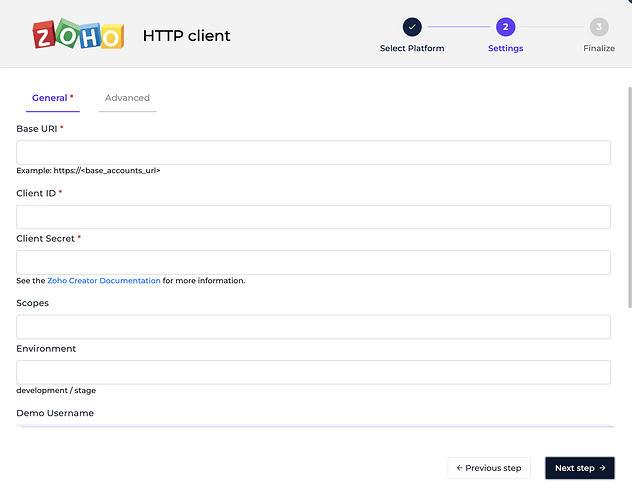
- In the Alumio Dashboard, go to Clients -> HTTP Clients. Create a new HTTP Client.
- Select ZOHO Creator HTTP Client as PlatForm and click the next step
- Fill in the Base URI, Client ID, and Client Secret of your ZOHO Creator instance and app credentials.
- You can optionally set a base HTTP client to use for the connection by selecting an HTTP client configuration or setting your own HTTP client in the Advanced HTTP client field
- Click the Grant access to ZOHO Creator button to get the access token.
- You can optionally change how Alumio logs every HTTP request made by the HTTP client
- Click the next step, fill in the name of the HTTP Client, and finally, you can save the HTTP Client for use.
2. Subscribing to Entities from ZOHO Creator
2.1 Steps- Go to Connections -> Incoming, create a new incoming configuration, and select ZOHO Creator Subscriber as the subscriber.
- Select the entity you want to subscribe from ZOHO Creator.
- Add any request parameters needed to subscribe to the entity (optional).
- Select the ZOHO Creator HTTP Client to use
- You can optionally add a transformer to transform the request parameters into something you will request from ZOHO Creator.
- You can also optionally enable pagination to allow Alumio to fetch paginated entities.
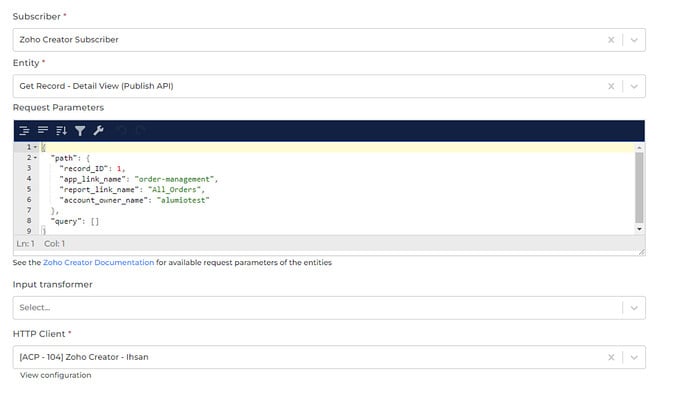
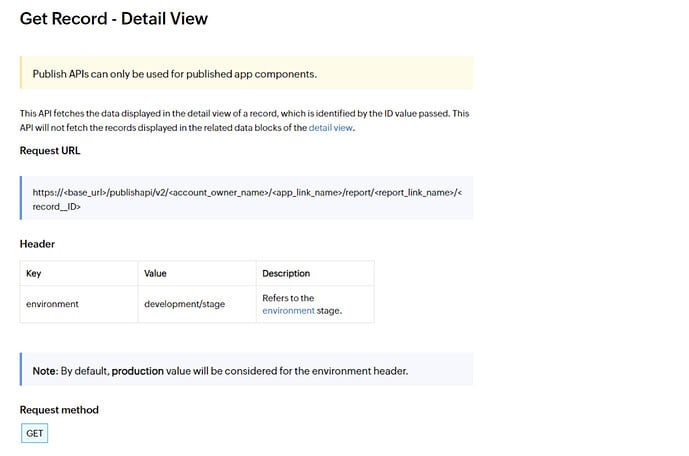
/api/v2/alumiotest/order-management/report/All_Orders
Input Transformer
Any transformers set here will be executed after the Request Parameters are loaded. So, you can add any transformer to provide and transform the request parameters into anything you need, either as path parameters and/or as query parameters of an entity.
HTTP Client
The HTTP Client configuration you will use to access ZOHO Creator.
3. Publishing Entity to ZOHO Creator
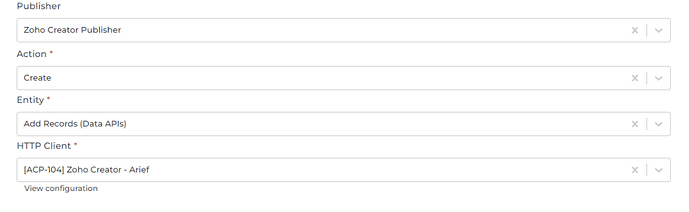
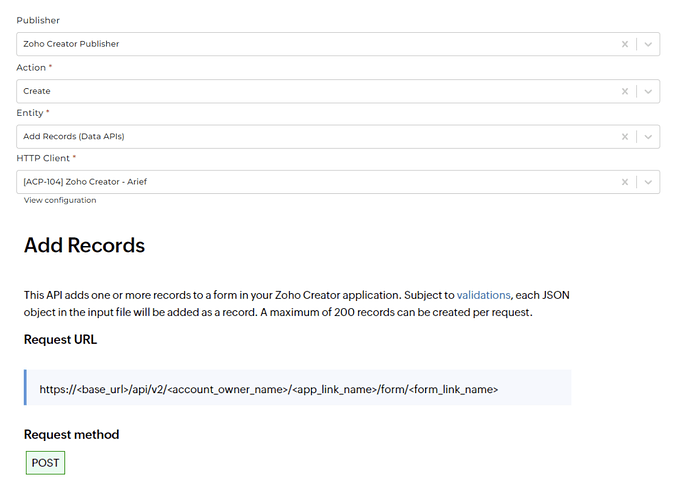
3.1 Steps- Go to Connections -> Outgoing, create a new outgoing configuration, and select “ZOHO Creator Publisher” as the publisher.
- Select the Method you want the publisher to use with the data.
- Select the ZOHO Creator entity to which the data will be published.
- You can optionally add any query data to the request on the key query.
- You can optionally add any payload data to the request on the key payload.
- Select the HTTP Client to use.