Extra information
System documentation: https://www.tradebyte.io/apireference.htmlConnector package documentation
Table of Contents
- 1. Setting up HTTP Client Tradebyte
- 1.1 Steps
- 2. Subscribing to entities from Tradebyte
- 2.1 Steps
- 2.2 General concept
- 3. Publishing entity to Tradebyte
- 3.1 Steps
- 3.2 General concept
1. Setting up the Tradebyte HTTP Client
1.1 Steps- Follow the instructions on https://www.tradebyte.io/how-to/generate-rest-api-credentials-in-tb-one/ page to get the REST API credentials.
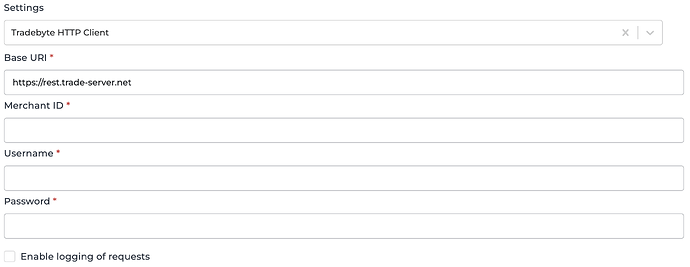
- In Alumio Dashboard, go to Clients -> HTTP Clients. Create a new HTTP Client and select Tradebyte HTTP Client as the prototype of the HTTP Client.
- Fill in the Base URI, Merchant ID, Username, and Password of the credential you set on Tradebyte.
- You can optionally enable logging of requests to get the log of the authentication.
- Save the HTTP Client.
2. Subscribing to Entities from Tradebyte
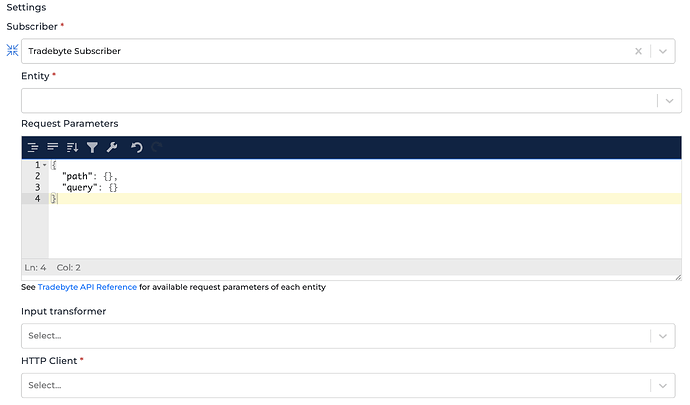
2.1 Steps- Go to Connections -> Incoming, create a new incoming configuration, and select Tradebyte Subscriber as the subscriber.
- Select the entity you want to subscribe to from Tradebyte.
- Add any request parameters needed to subscribe to the entity (optional, but path and query properties should exist, you can leave them as empty objects).
- You can additionally add a transformer to manipulate the request parameters into something you need.
- Select the Tradebyte HTTP Client to use.
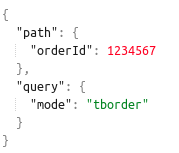
- Path is the path parameter of the url. For example, the {id}.
- Query is a defined set of parameters attached to the end of a url.
Example: www.url.com?type=true&start=0

3. Publishing Entity to Tradebyte
3.1 Steps- Go to Connections -> Outgoing, create a new outgoing configuration, and select Tradebyte Publisher as the publisher.
- Select the action that you want the publisher to do with the data.
- Select the HTTP Client to use.
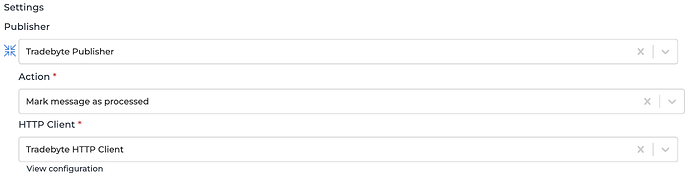
- Send TB.Cat product-catalogue
- Send an order
- Mark order as processed
- Send messages about order-status changes
- Mark message as exported
- Mark message as processed
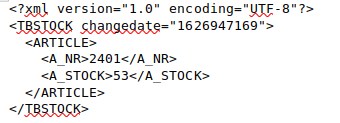
- Send information on article stock

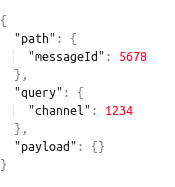
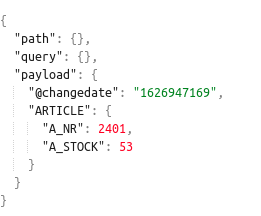
- Path is the path parameter of the url. For example, the {id}.
- Query is a defined set of parameters attached to the end of a url.
Example: www.url.com?type=true&start=0 - Payload is the data contained within a request.