
Extra information
System documentation: https://iceclog.com/manual-for-icecat-json-product-requests/Connector package documentation
Table of Contents
- 1. Setting up HTTP Client Icecat
- 1.1 Steps
- 2. Subscribing to entities from Icecat
- 2.1 Steps
- 2.2 General concept
1. Setting up HTTP Client Icecat
1.1 Steps- In the Alumio Dashboard, go to Clients > HTTPS Client. Create a new HTTP Client and select Icecat HTTP Client as the prototype of the HTTP Client.
We can choose Live Icecat or Data Icecat.
Both Live Icecat or Data Icecat have two different purposes and you can view their documention here:
- Live Icecat : https://iceclog.com/manual-for-icecat-json-product-requests/ at chapter 1.
- Data Icecat : https://iceclog.com/open-catalog-interface-oci-open-icecat-xml-and-full-icecat-xml-repositories/ at chapter 2.3 and 2.4
- Fill in the Base URI either https://live.icecat.biz or https://data.icecat.biz
- We can choose the authentication type of this client. There are two options: “No Authentication” and “Basic Authentication”.
- On “Basic Authentication” a username and password of Icecat account will be provided.
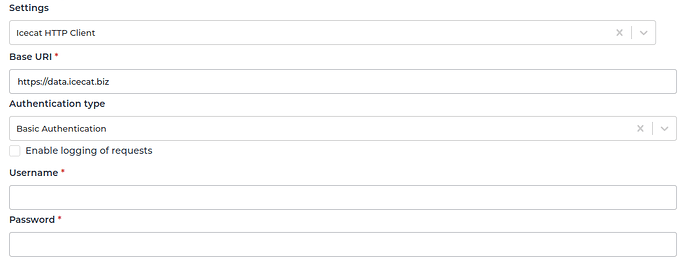
- Save the HTTP Client for use.
2. Subscribing to Entities from Icecat
2.1 Steps- Go to Connections -> Incoming, create a new incoming configuration, and select the Icecat Subscriber as the subscriber.
- Select the entity you want to subscribe to from Icecat.
- You can optionally add a transformer to transform the request parameters into something you need.
- You can optionally add a transformer to modify the request parameters into something you need.
- Select the Icecat HTTP Client to use.
- You can add a pagination feature to allow Alumio to fetch a paginated entity.
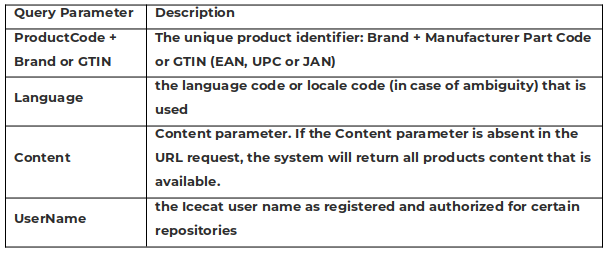
- Live Icecat Incoming/Subscriber
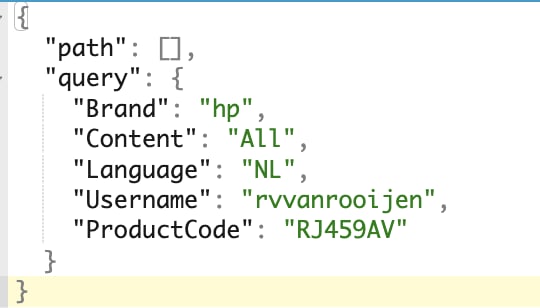
- Data Icecat Incoming/Subscriber
- Chapter 2.2 Individual Product XML (Meta) Requests (real-time)
- Chapter 2.3 Open Icecat (free) directories for batch processing
- Chapter 2.4 Full Icecat directories for batch processing
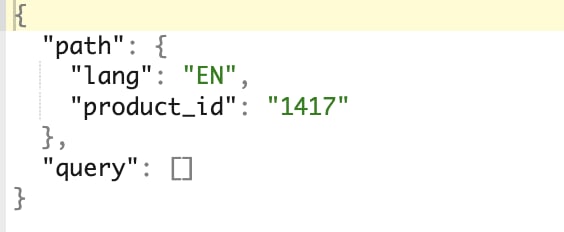
- “Path” is the path parameter of the url. For example the {id}.
- “Query” is a defined set of parameters attached to the end of a url.
Example: www.url.com?type=true&start=0