Extra information
System documentation nShift v1: System documentation nShift v2:Connector package documentation
[details=“nShift API Version 1”]Setting up HTTP Client for NShift
Steps
- In Alumio Dashboard, go to Clients > HTTP Clients. Create a new HTTP Client and select nShift V1 HTTP Client as the prototype of the HTTP Client.
- Fill in the Base URI.
- Save and Continue.
Subscribing to Entities from NShift
Steps
- Go to Connections -> Incoming and create a new incoming configuration and select NShift V1 Subscriber as the subscriber.
- Select the Command you want to subscribe from NShift.
- Add “Key” and “Actor” before Subscribing, Recommended to create Environment Variable as nShift_key and nShift_actor.
- Create Environment Variable go to Settings > Environment Variables > Create new Environment Variable > Insert Name & Value (Name as nShift_key/nShift_actor) > Save.
- Add any “Data” and “Options” needed to subscribe to the entity (optional).
- You can optionally add a transformer to transform the request parameters into something you need.
- Select the NShift HTTP Client to use.
General Concept
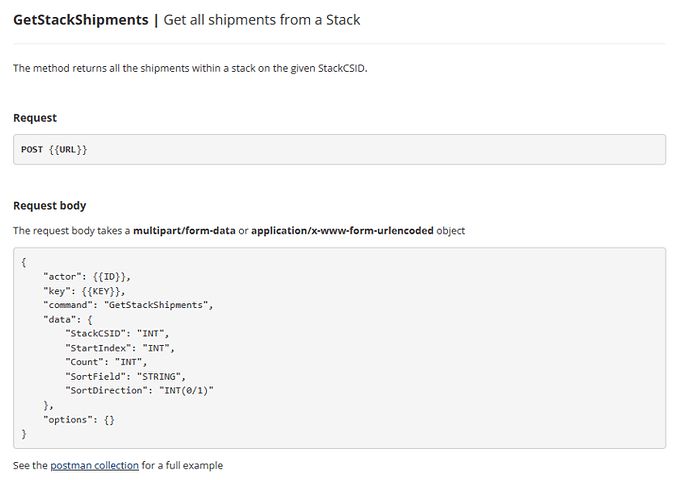
We follow NShift documentation on building this connector so you can easily use the connector based on NShift API Reference. Command It’s the Command you want to subscribe from NShift. Please refer to the entities in Management APIs from the NShift API Reference page. Key It’s the Key for Authentication of nShift. Actor It’s the Actor for Authentication of nShift. Data & Options These are the parameters you can provide to get the needed entity based on NShift API Reference. Please look at the example below when subscribing to “Get All shopments from a Stacks’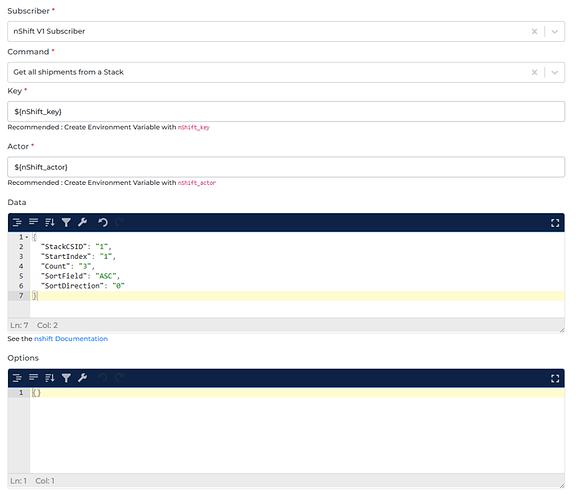
Publishing Entity to NShift
Steps
- Go to Connections -> Outgoing, create a new outgoing configuration, and select NShift Publisher as the publisher.
- Select the action that you want the publisher to do with the data.
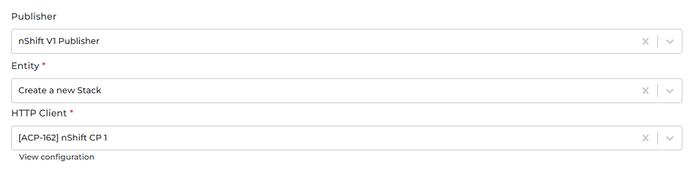
- Select the NShift entity you want the data to be published.
- Select the HTTP Client to use.
General Concept
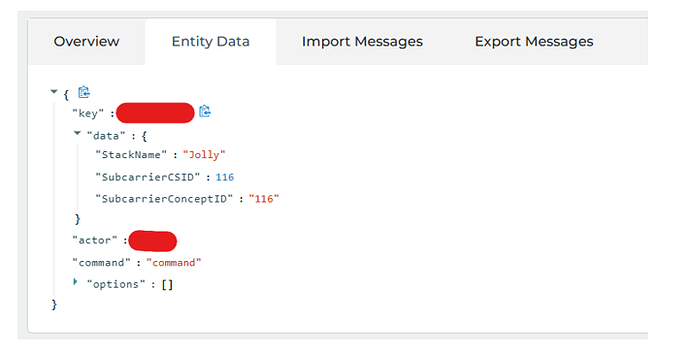
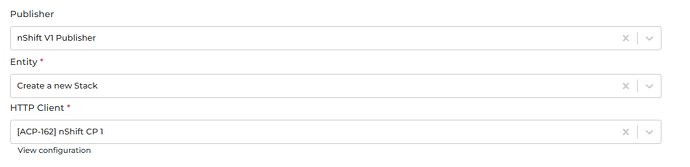
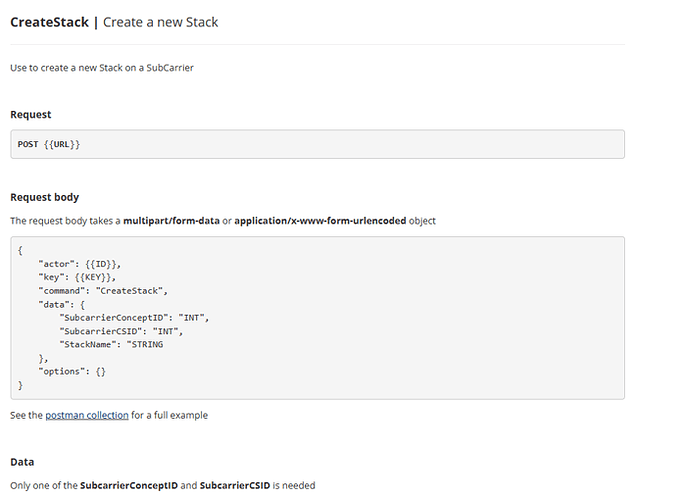
Like the subscriber, the publisher has similar methods on how to use it. The difference is the payload that will be submitted by the publisher originating from the data (from routes, from transformers in outgoing configuration). Entity We support publishing to most NShift Command. Please refer to the entities in Management APIs from the NShift API Reference page. Based on the documentation, some Command may need one or more path parameters. For Command that require an object as the request payload, please look at the example below. For example, we want to Create a new Stack. Please select “Create a new Stack” as the entity of the publisher.