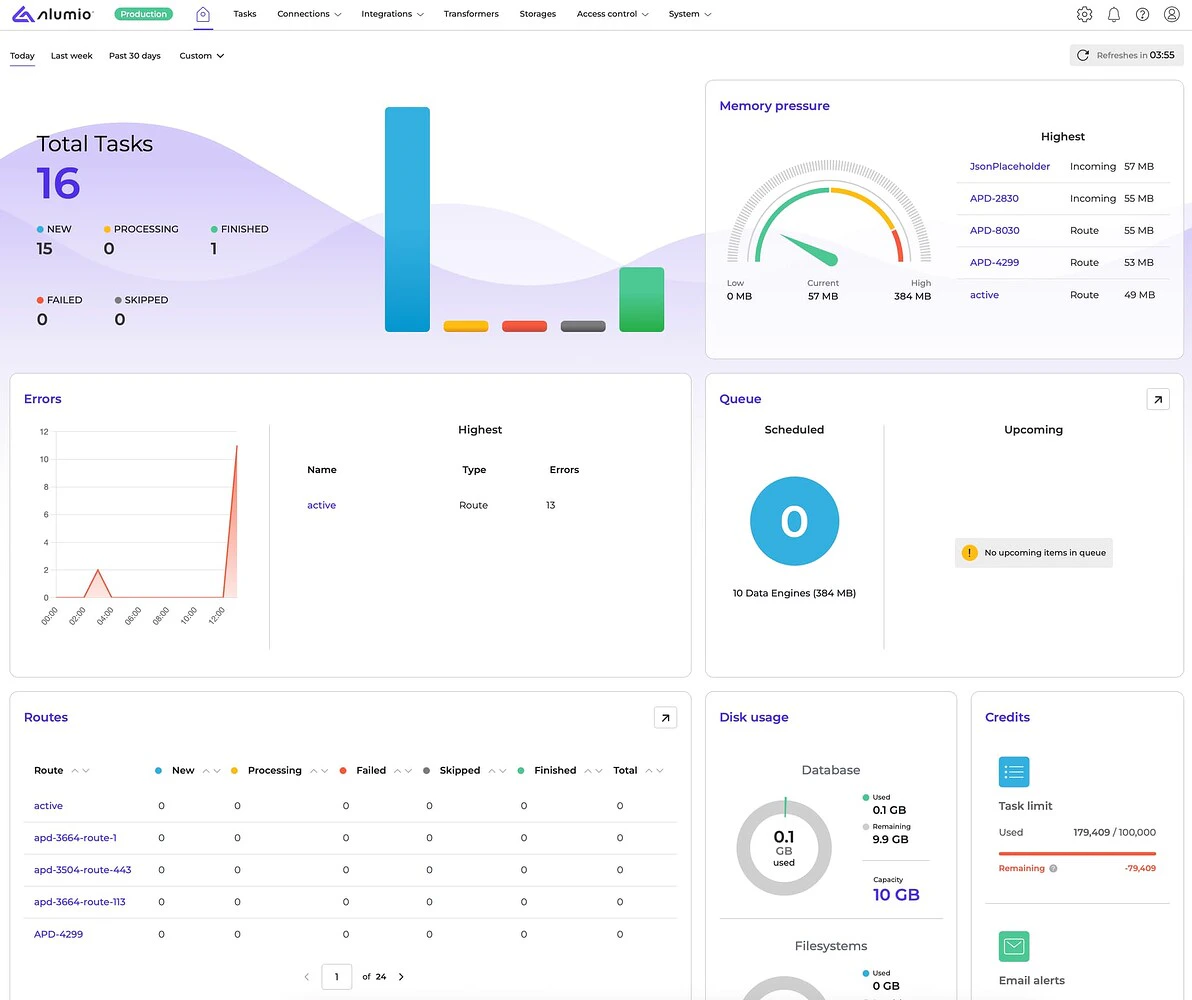
- [NEW] The new Alumio dashboard design overhaul is finally here! And it’s all about providing better visibility into your integrations, enhancing overall usability, and giving you a clear overview of your Alumio environment. With the new layout, you can now easily monitor task statistics, errors, all your Routes, memory pressure, data engines, and disk usage. Each section on the dashboard is clickable, allowing seamless navigation to more detailed views. Stay informed and track progress in real time — all from an even more streamlined and user-friendly interface.
[NEW] Another major update is our new Alert Recipients feature! With this feature, you can create and manage custom contact lists and add recipients to receive alerts via email or webhook requests to stay informed about all important updates across Alumio. For example, whether it’s your DevOps team needing instant error alerts via a webhook, or a project lead receiving task failure summaries by email, you can now automate alerts to the right people at the right time.
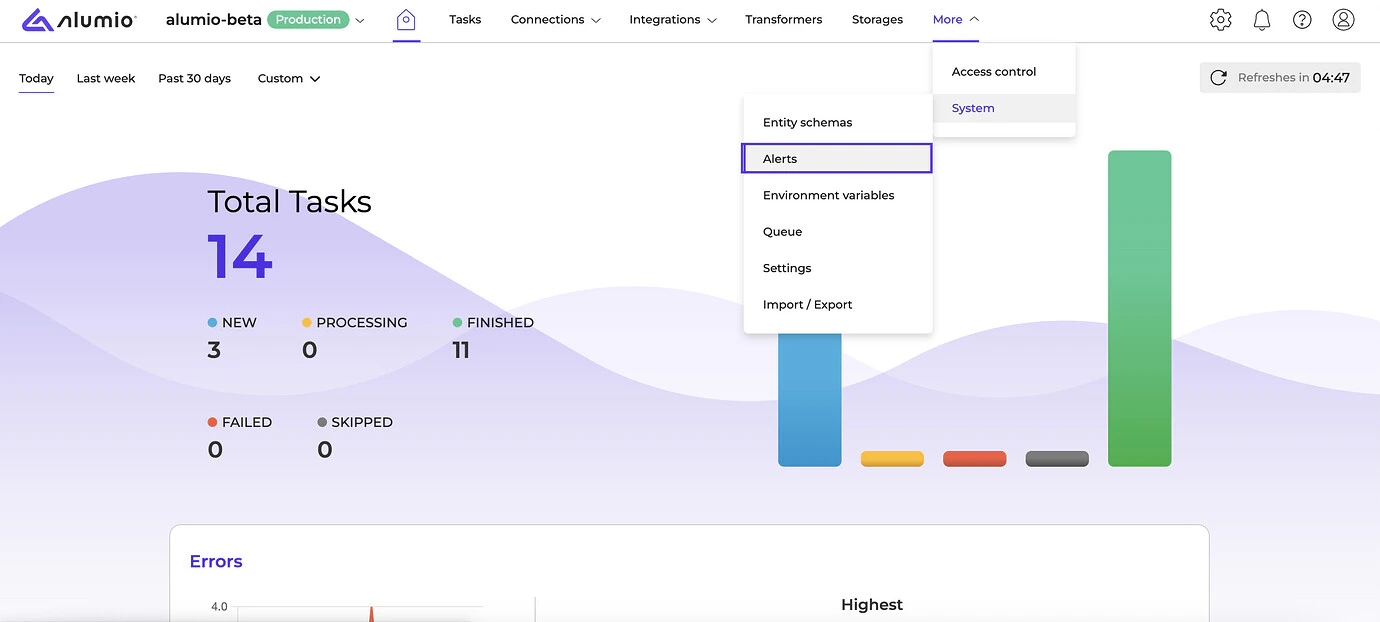
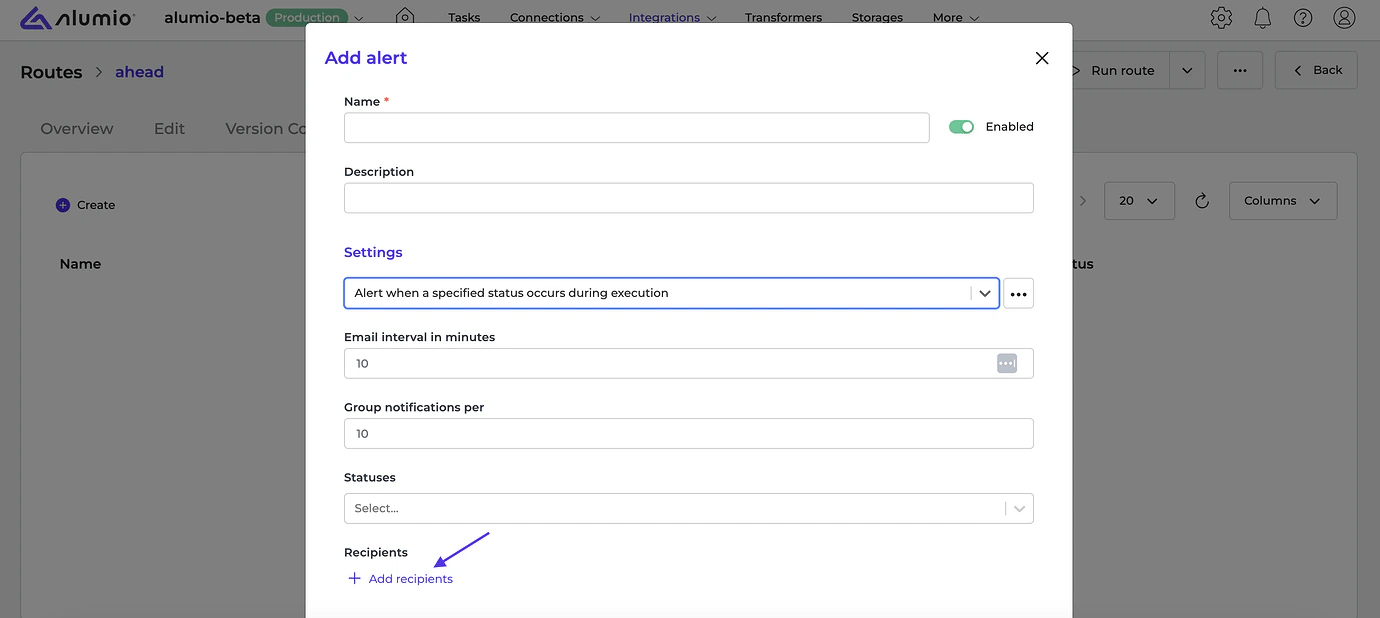
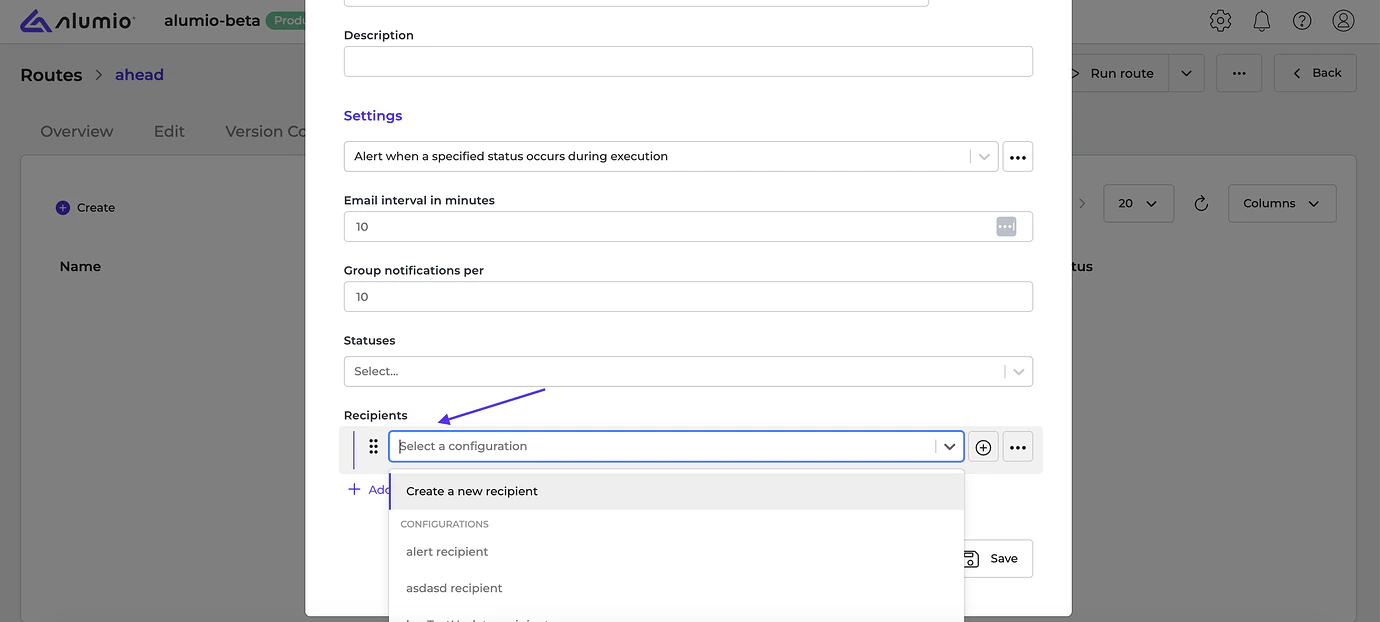
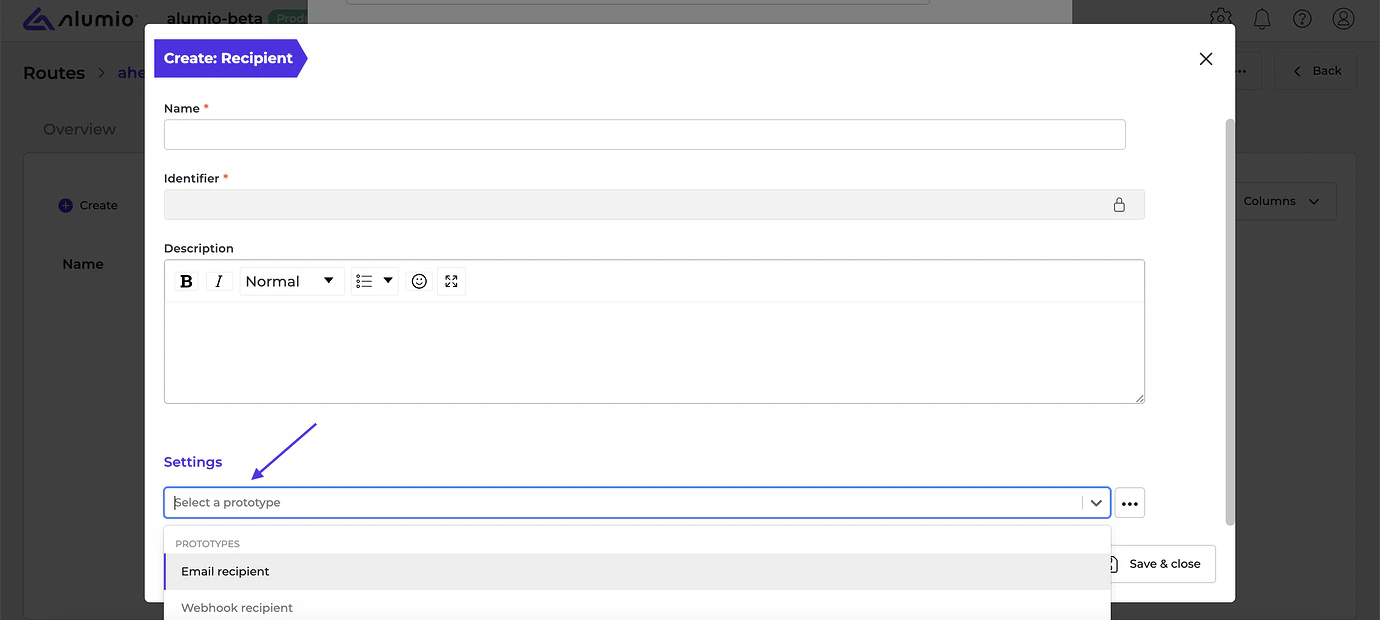
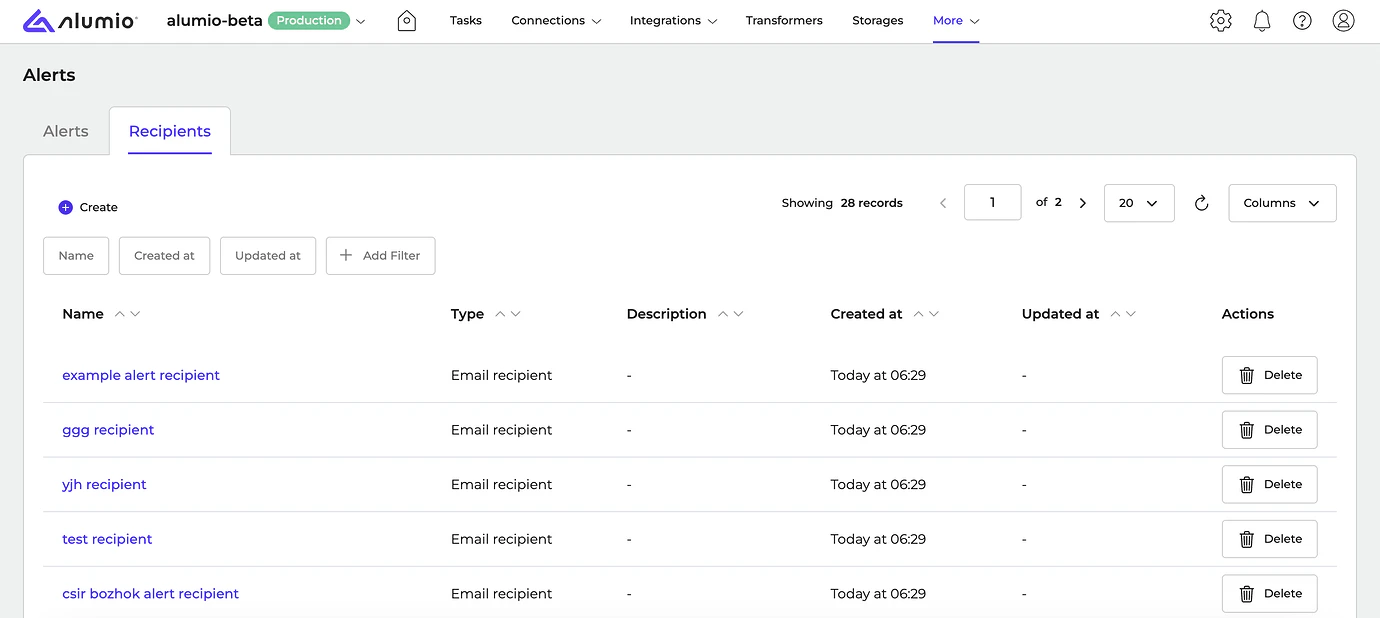
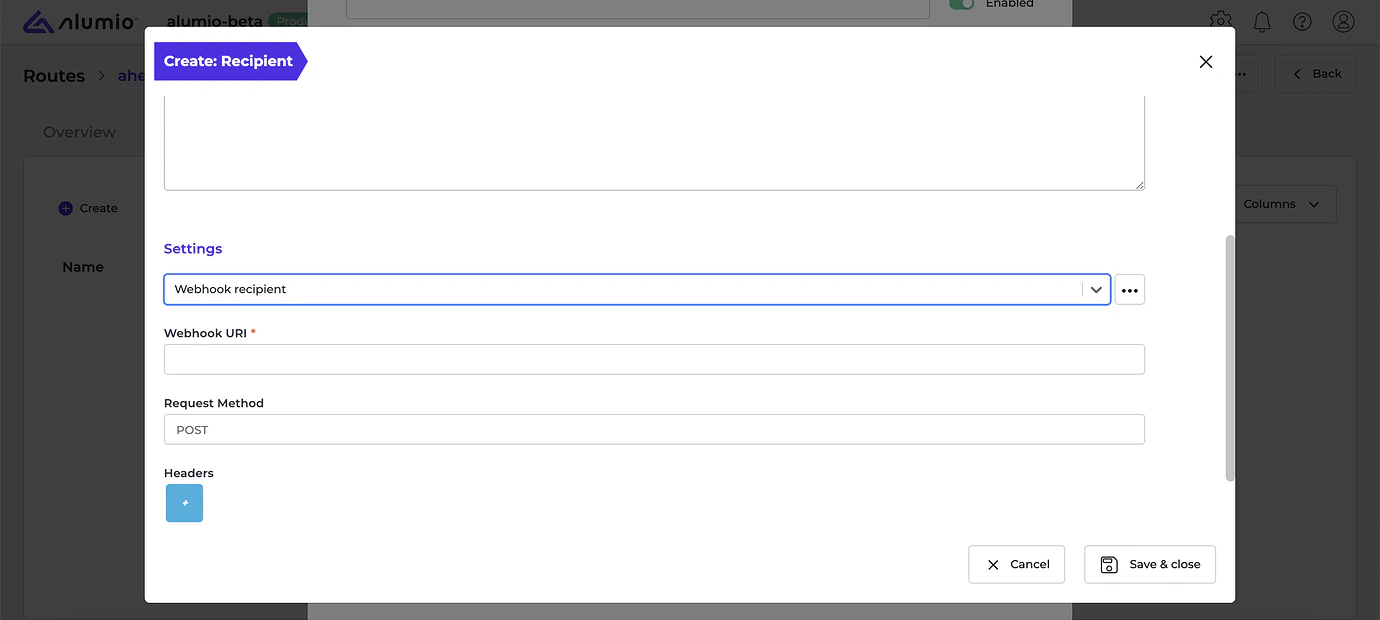
- [NEW] Webhook alerts can now be configured as recipients alongside emails, enabling Alumio to send real-time requests via Webhook URI when specific events occur across Incoming/Outgoing configurations, Routes, Queues, HTTP Proxies, and Webhooks.
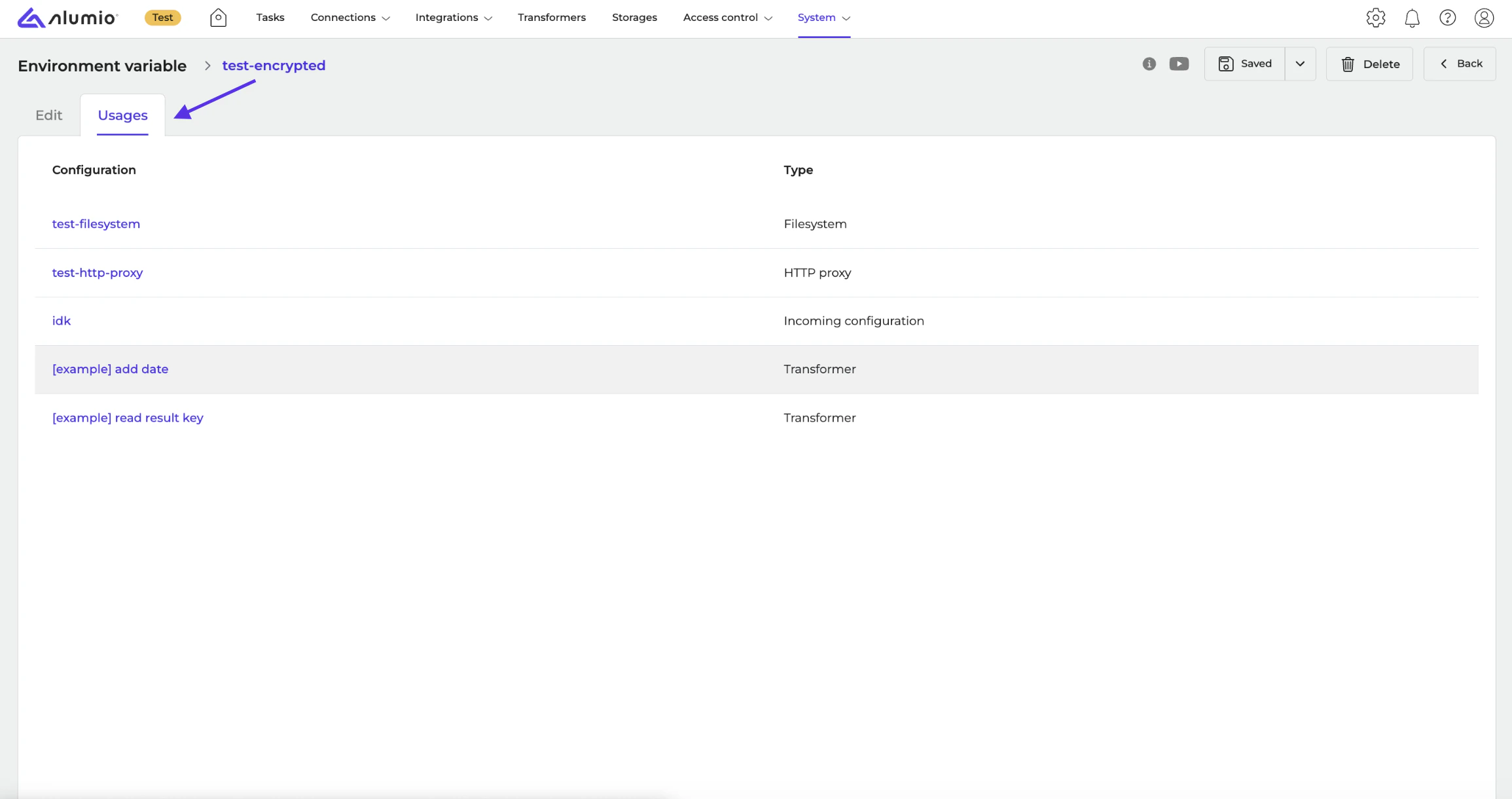
- [NEW] It’s now possible to view where environment variables are used across configurations via the new “Usages” tab on the environment variable detail page.
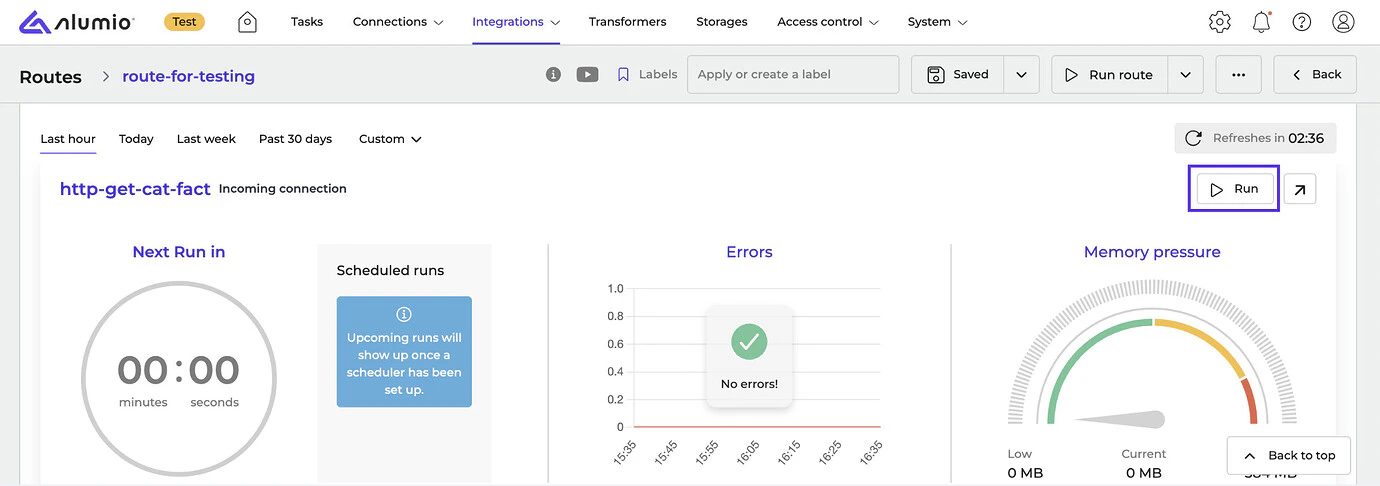
- [NEW] We’ve added the “Run” button to the Incoming and Outgoing configurations on the Route overview page for quicker access to manual execution.
- [NEW] We’ve improved error messages for SFTP file read issues to make errors easier to identify and reproduce.
- [NEW] Solved an issue where loading configurations with multiple search criteria caused out-of-memory errors.
- [NEW] Fixed a bug where webhook failures didn’t send out email alerts when configured.
- Protime Connector, v1.
- Release candidate 3.93.0-RC1: will be installed in week 32 (sandbox environments)
- Stable release 3.93.0: will be installed in week 34 (production environments)
- Important: these dates apply only to environments configured with the ‘Latest’ update cycle.
With the “Latest” update cycle, your environment will always receive the most recent version of Alumio. Updates are first deployed to sandbox environments. Two weeks later, the same version is released to production environments. Every 2 weeks a new version of Alumio is released. Long-Term Support (LTS)
The LTS version is released quarterly and is based on a thoroughly tested Alumio release that is a few versions behind the latest version, providing extra stability and security. However, selecting this option also means you won’t have access to any newly released Alumio features for a period of three months. Sandbox environments (such as UAT) receive the LTS version one month before the start of the new quarter (i.e. June), specifically on the first Monday of that month. The LTS version is deployed to production environments on the first Monday of each new quarter (i.e. July). This provides a full month for testing prior to deploying the new LTS version to production. You can switch your update cycle through the Alumio interface
- Log in to your Alumio environment.
- Navigate to System > Settings.
- Modify the Update Cycle setting and click Apply to save your changes.