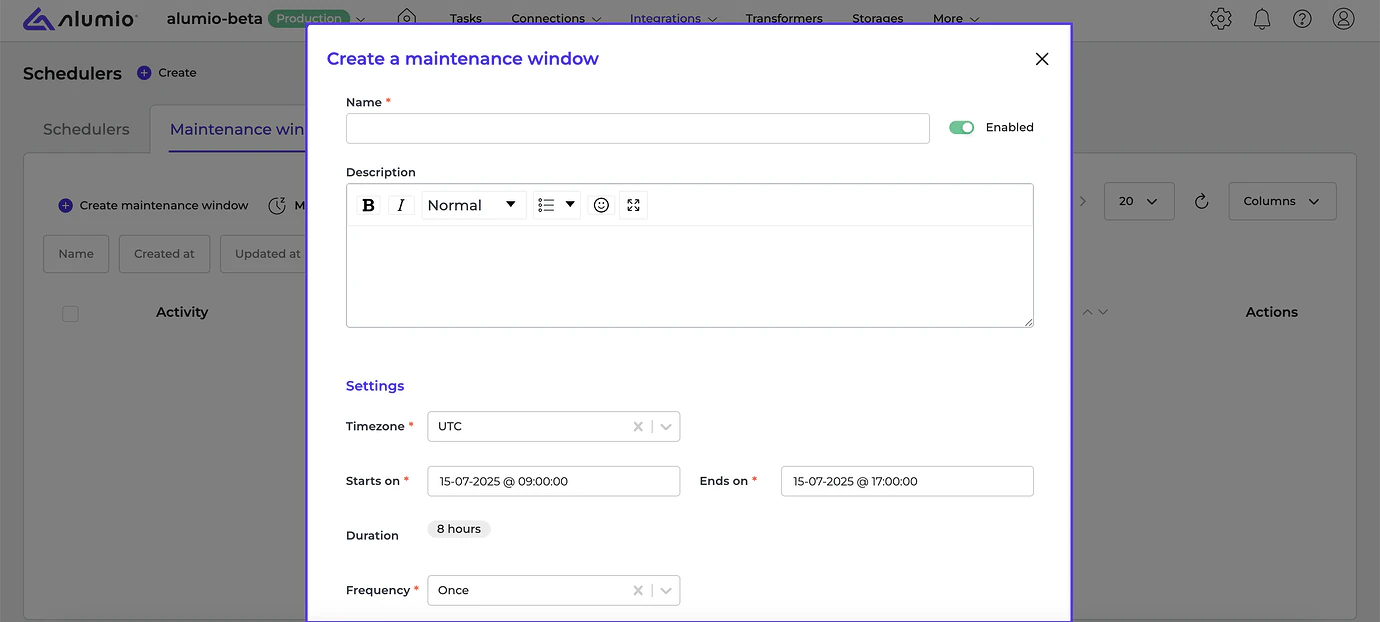
- [NEW] We are happy to now introduce support for configurable maintenance windows. This allows users to define periods during which schedulers are paused to prevent unnecessary connections and false alerts during planned external system downtimes. To use the maintenance windows functionality, go to “Schedulers → Maintenance Window tab” and schedule downtime effectively.
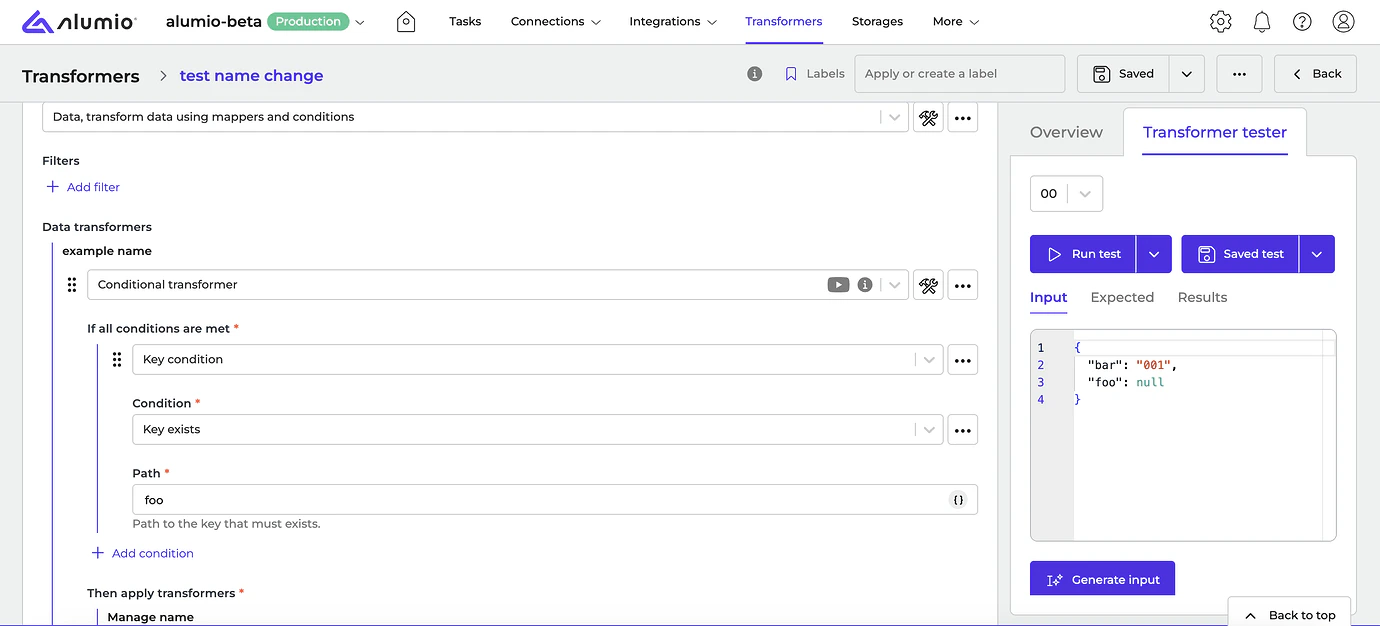
- [NEW] We’ve completely redesigned our Transformer pages to provide a clearer and more structured overview that simplifies how you customize your integrations. The newer page layout was designed to help users quickly identify applied Transformers, review configurations with better clarity, and troubleshoot with greater efficiency. This will enhance how you use our Transformers to customize your integrations on several levels.
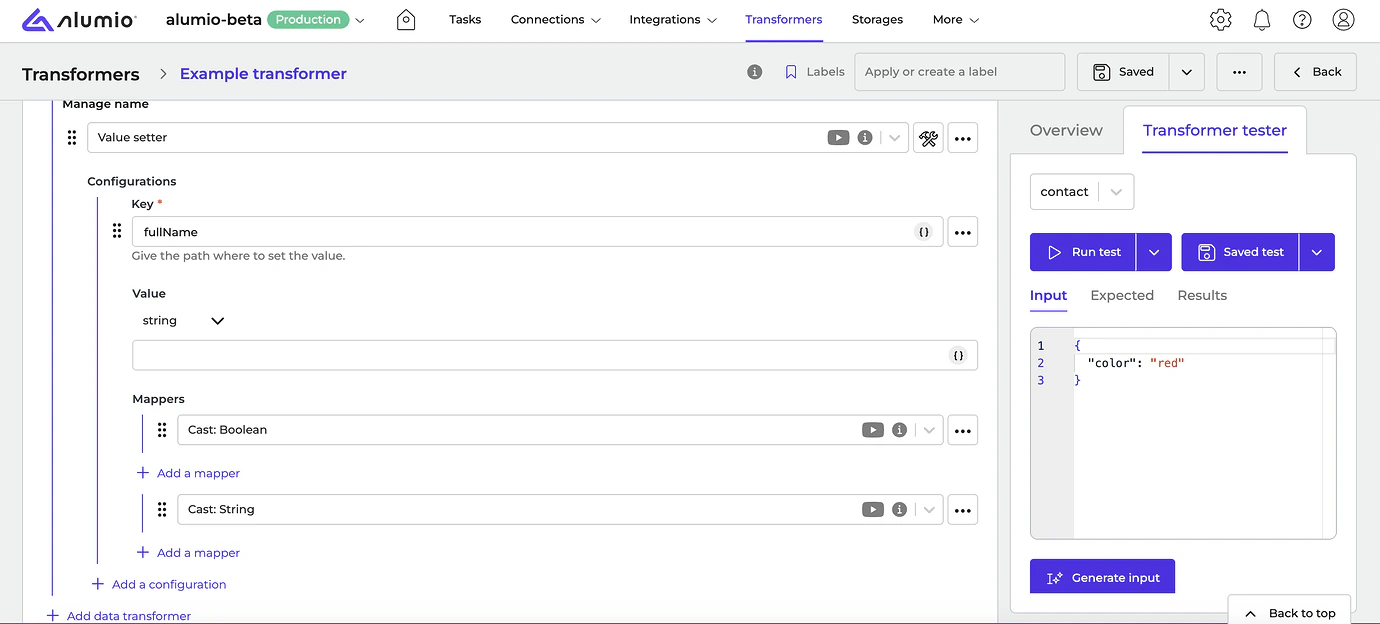
- [NEW] In addition, we now support a drag-and-drop option for fields in forms, allowing users to reorder items via a drag handle. Freely rearrange fields as per your workflow configuration preferences.
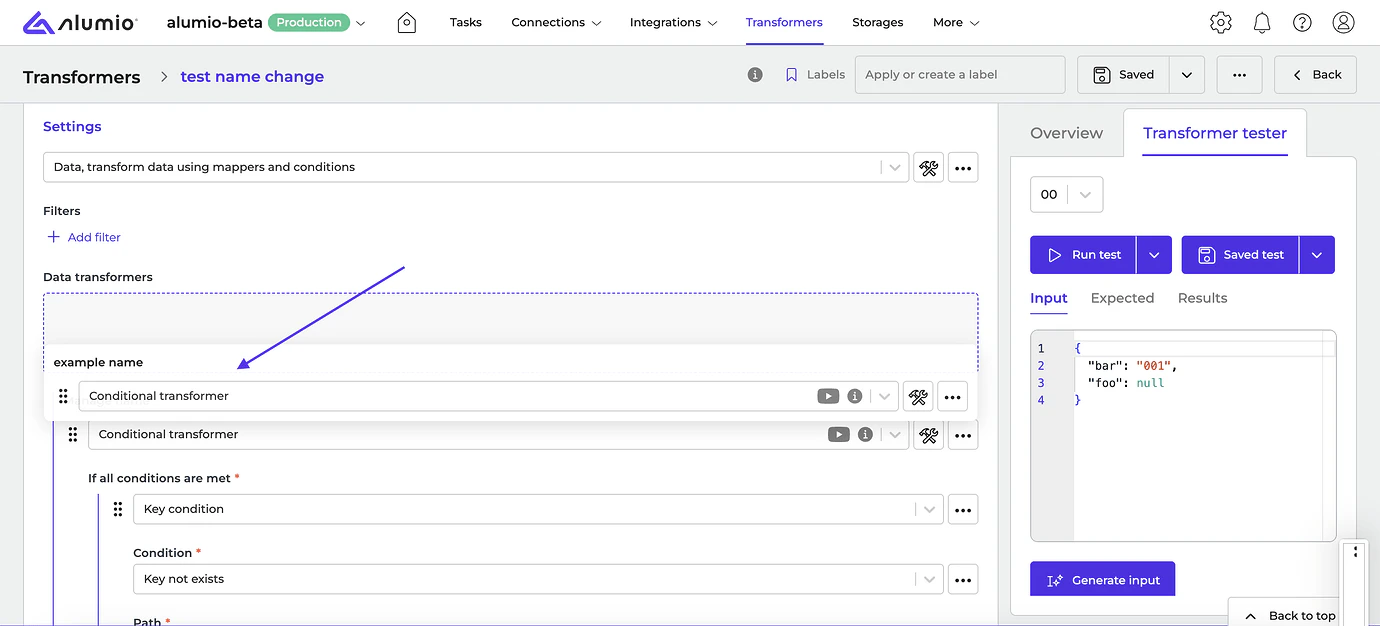
- [NEW] Hover or click to see exactly where each Transformer applies. When hovering over the field, parent elements are now highlighted to indicate the scope of the Transformer. If the field contains a placeholder, when clicking on it, the entire Transformer will be highlighted, letting users know to which area it applies.
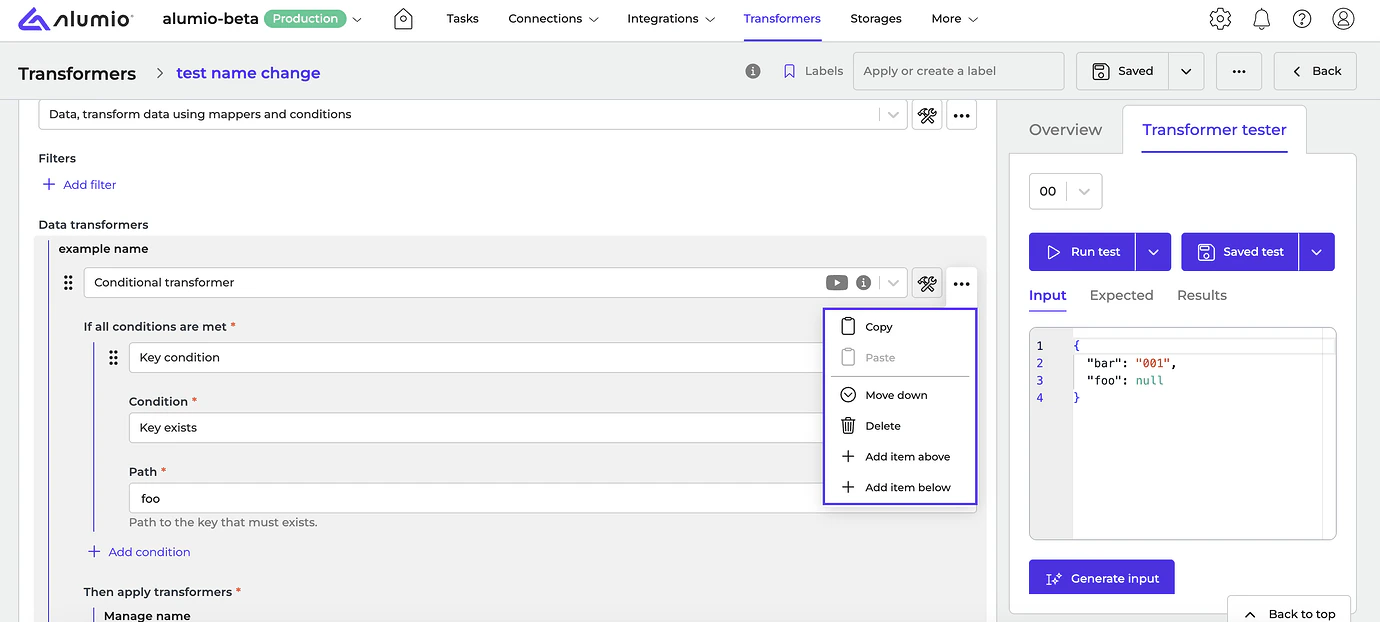
- [NEW] You can now move, delete, or add items above or below a selected Transformer using the ”…” button inside it. This gives you more flexibility when building your workflows.
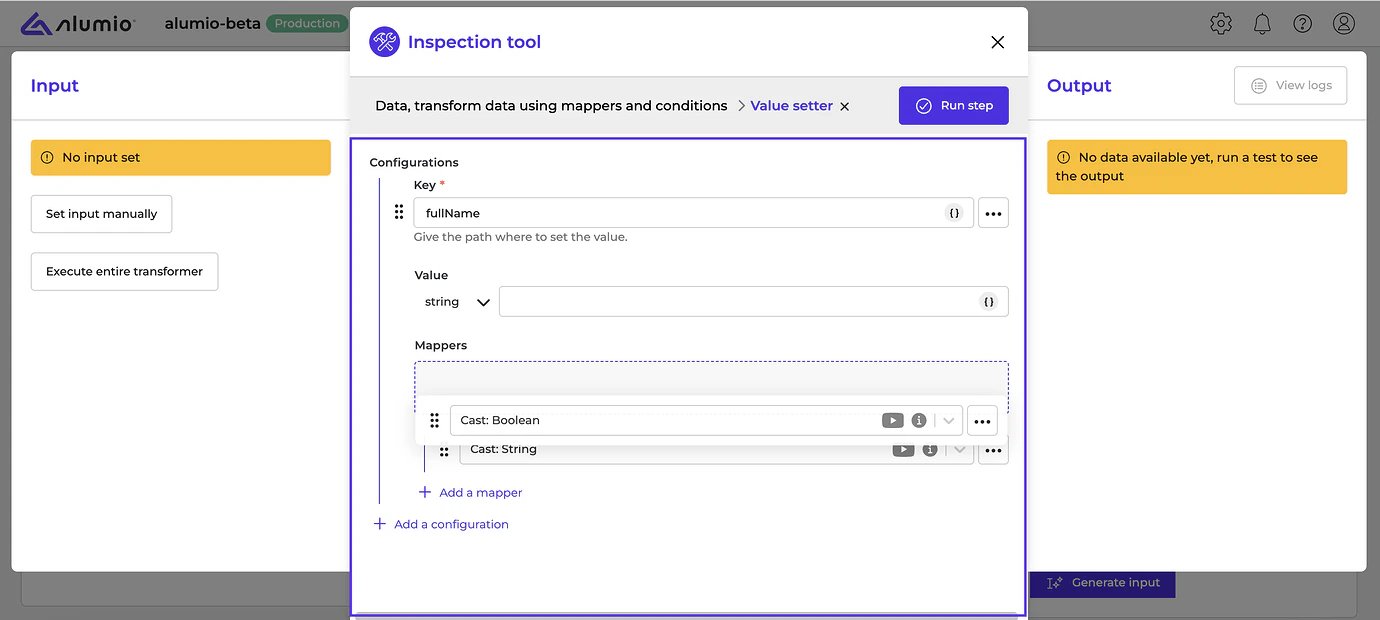
- [NEW] The redesigned layout is now available on both the Transformer details page and within the Inspection Tool, providing a consistent and improved user experience across views.
- Centra Connector.
- Release candidate 3.92.0-RC1: will be installed in week 30 (sandbox environments)
- Stable release 3.92.0: will be installed in week 32 (production environments)
- Important: these dates apply only to environments configured with the ‘Latest’ update cycle.
With the “Latest” update cycle, your environment will always receive the most recent version of Alumio. Updates are first deployed to sandbox environments. Two weeks later, the same version is released to production environments. Every 2 weeks a new version of Alumio is released. Long-Term Support (LTS)
The LTS version is released quarterly and is based on a thoroughly tested Alumio release that is a few versions behind the latest version, providing extra stability and security. However, selecting this option also means you won’t have access to any newly released Alumio features for a period of three months. Sandbox environments (such as UAT) receive the LTS version one month before the start of the new quarter (i.e. June), specifically on the first Monday of that month. The LTS version is deployed to production environments on the first Monday of each new quarter (i.e. July). This provides a full month for testing prior to deploying the new LTS version to production. You can switch your update cycle through the Alumio interface
- Log in to your Alumio environment.
- Navigate to System > Settings.
- Modify the Update Cycle setting and click Apply to save your changes.