
What’s new and improved with Alumio version 3.109.0-RC1:
Set disabled time windows for inactivity alerts
We’ve added a disabled date range option to the “Alert when no new tasks are created during a predefined timespan” alert. This enables users to configure specific days and time ranges in the Timing tab when the alert should not be triggered.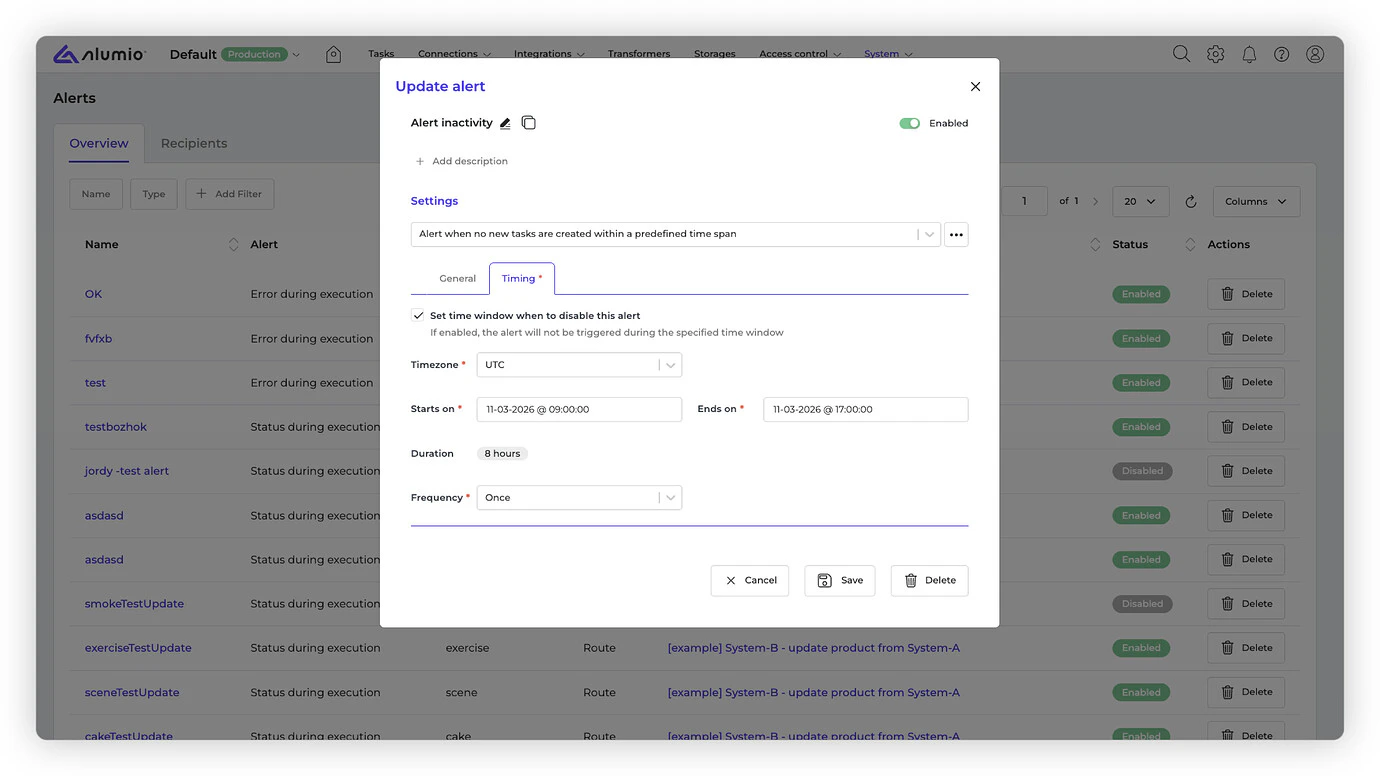
Google service account support for OAuth 2.0 authentication
We now support Google OAuth2.0 Service Account authentication, enabling secure server-to-server integrations with Google APIs without requiring user interaction.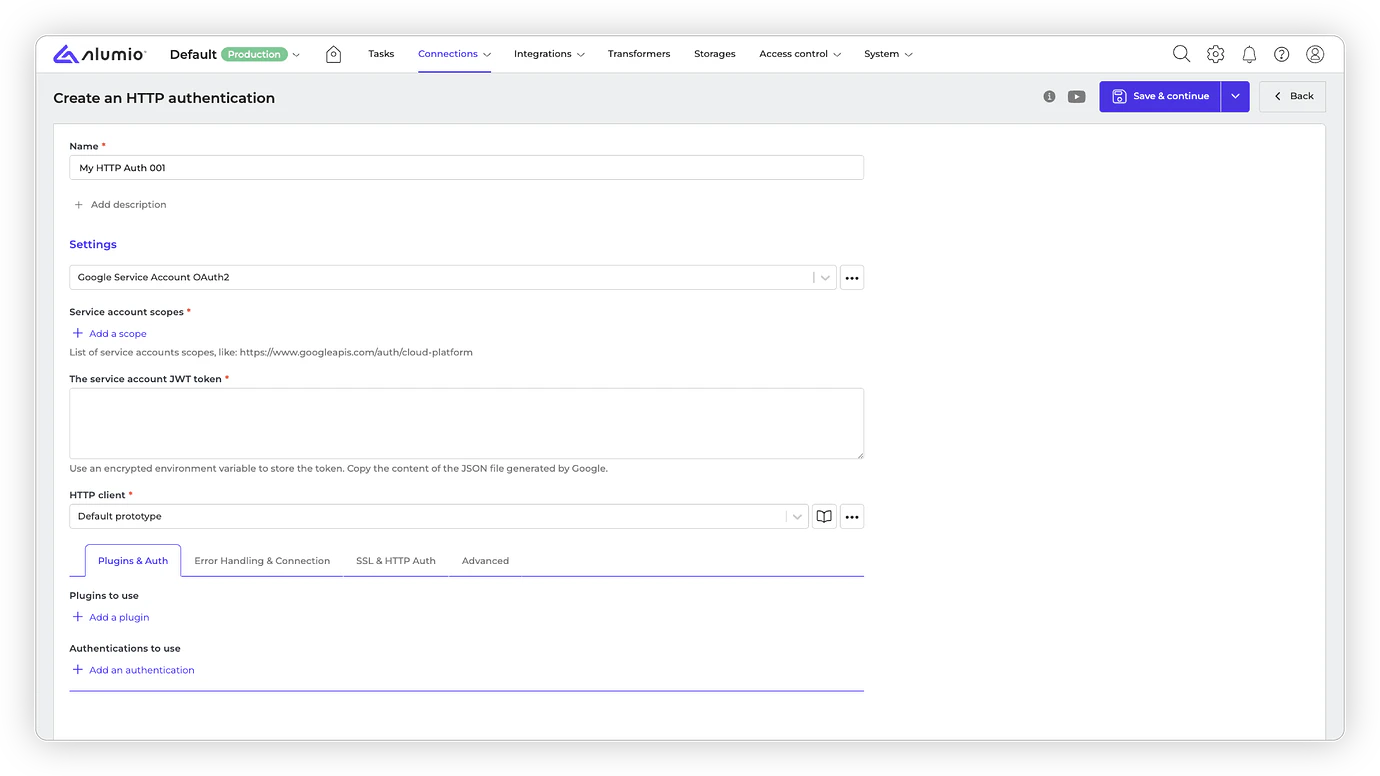
Negative filters for queues and tasks
Negative filter operators such as “Does not equal”, “Does not contain”, and “Does not include” have been added to the Queue and Tasks pages. This makes it easier for users to exclude values and investigate failures more efficiently.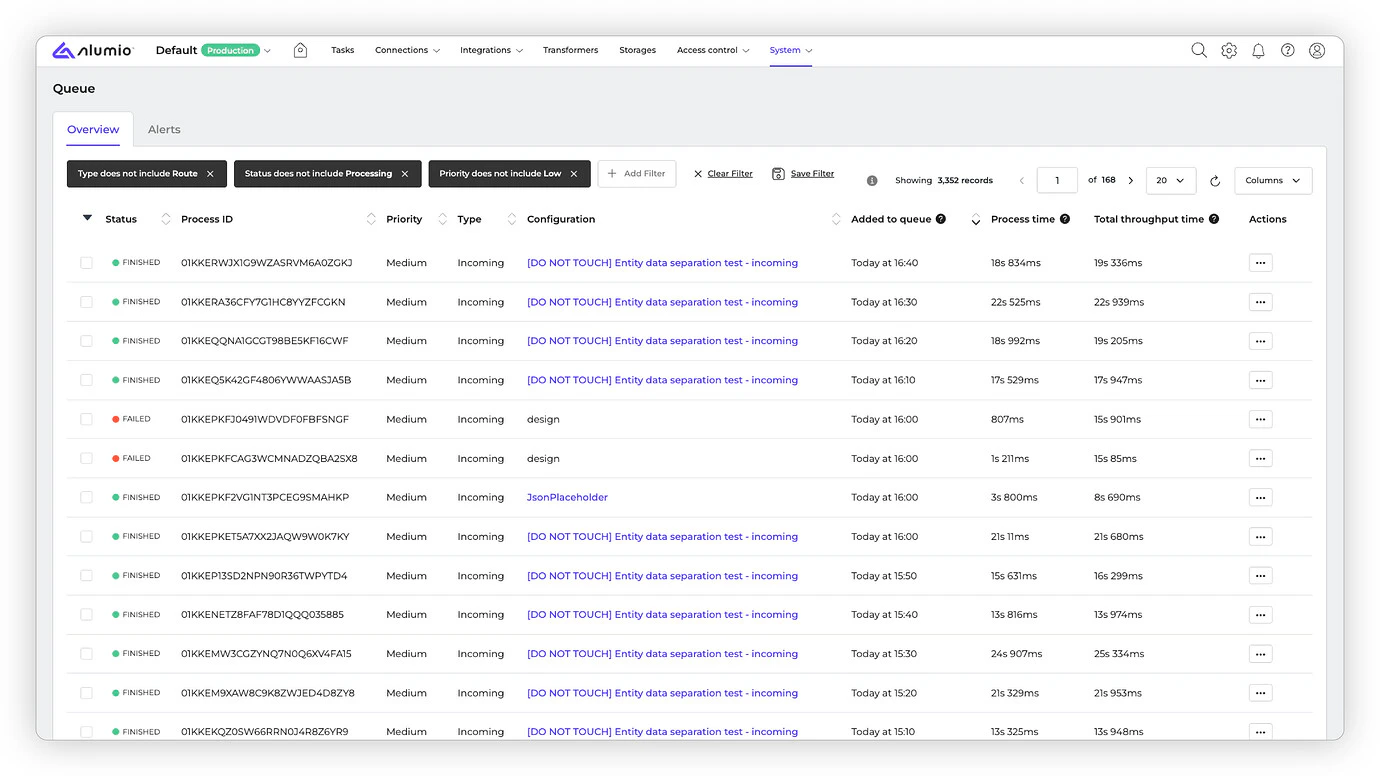
Note on JSON object property order in editors and widgets
JSON editors and view widgets now display an informational note explaining that object property order is not guaranteed.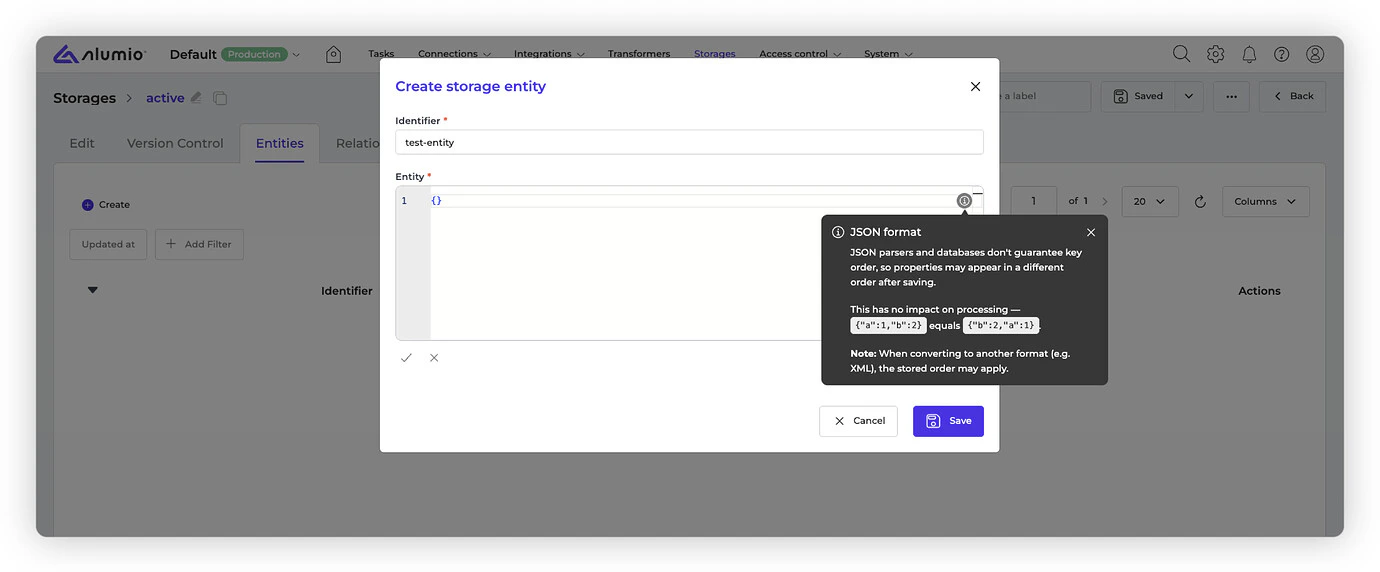
Improved validation highlighting for empty required object fields
Fixed a bug where required object fields without properties were not highlighted during validation, even though the form failed to save. This makes validation feedback clearer and helps users identify missing required fields more quickly.Removed empty category selections in Transformer manager
Fixed an issue where category selections were shown even when no prototypes were available in the Transformer manager. This prevents empty or misleading options from appearing and makes the selection flow clearer. Release dates- Important: these dates apply only to environments configured with the ‘Latest’ update cycle.
- Release candidate 3.109.0-RC1: will be installed in week 12 (sandbox environments)
- Stable release 3.109.0: will be installed in week 14 (production environments)
With the “Latest” update cycle, your environment will always receive the most recent version of Alumio. Updates are first deployed to sandbox environments. Two weeks later, the same version is released to production environments. Every 2 weeks a new version of Alumio is released. Long-Term Support (LTS)
The LTS version is released quarterly and is based on a thoroughly tested Alumio release that is a few versions behind the latest version, providing extra stability and security. However, selecting this option also means you won’t have access to any newly released Alumio features for a period of three months. Sandbox environments (such as UAT) receive the LTS version one month before the start of the new quarter (i.e. June), specifically on the first Monday of that month. The LTS version is deployed to production environments on the first Monday of each new quarter (i.e. July). This provides a full month for testing prior to deploying the new LTS version to production. You can switch your update cycle through the Alumio interface
- Log in to your Alumio environment.
- Navigate to System > Settings.
- Modify the Update Cycle setting and click Apply to save your changes.