
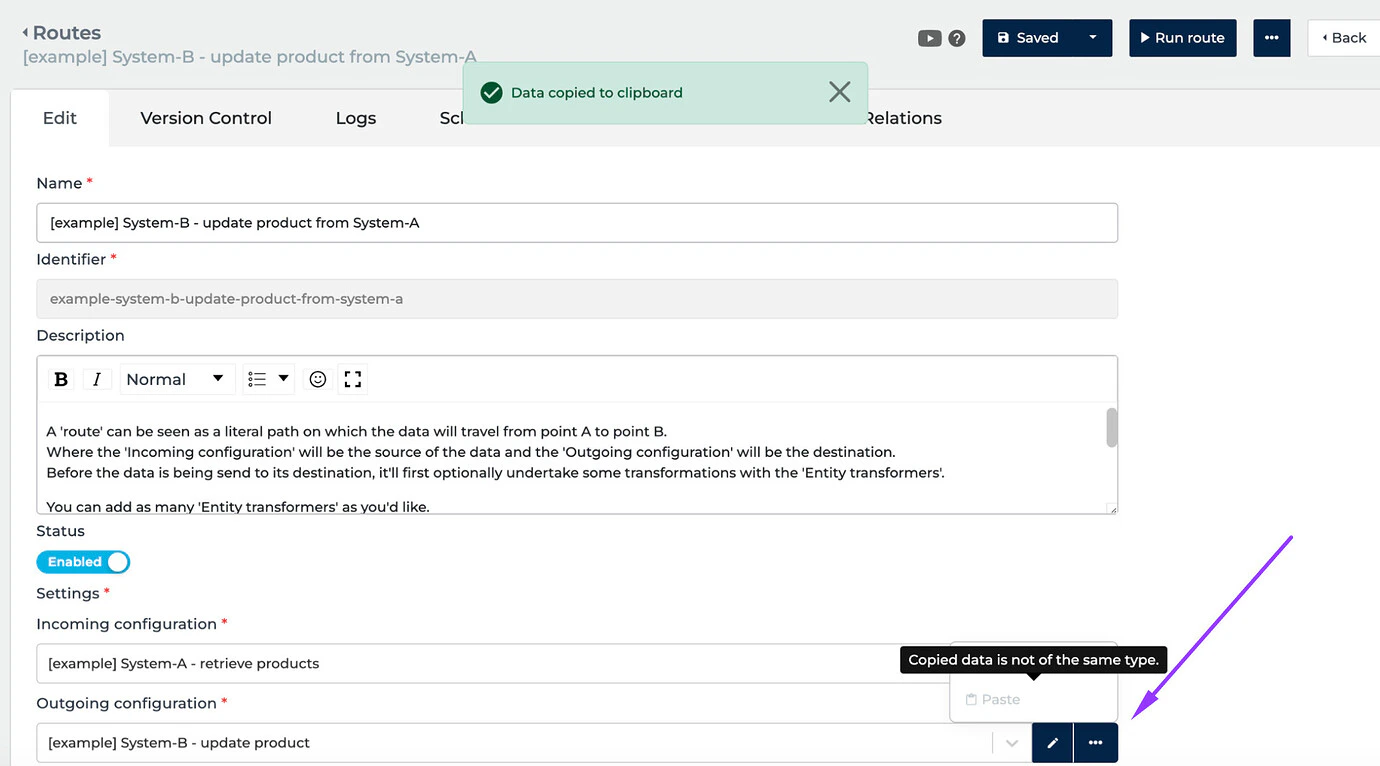
- [NEW] We’ve added the Copy/Paste function to help copy configurations and paste them into other parts of Alumio instead of creating the same configuration all over.
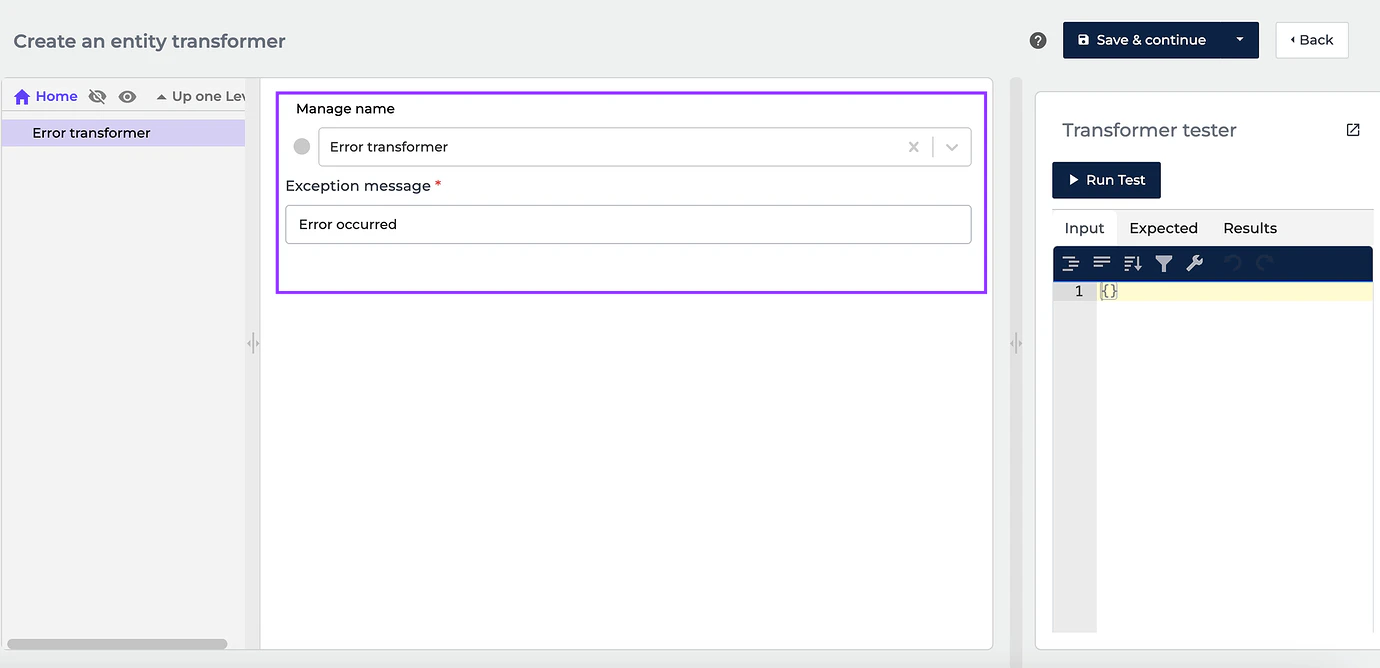
- [NEW] We’ve implemented a new “Error” Transformer. It is designed to notify users via alerts if some errors occur in the Transformer that cause the Transformer chain to abort.
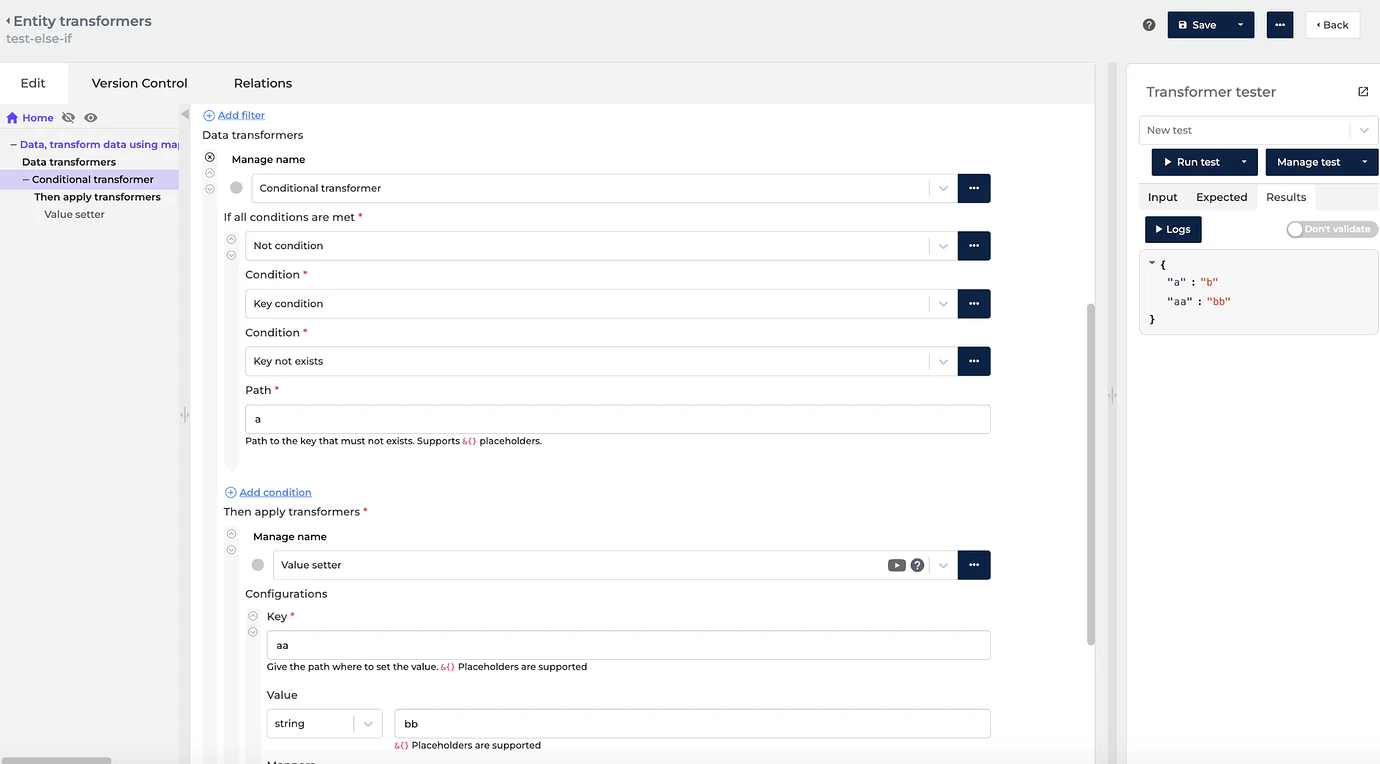
- [NEW] We now support multiple conditions in the “ELSE IF” part of a Conditional Transformer to add value comparison for different keys.
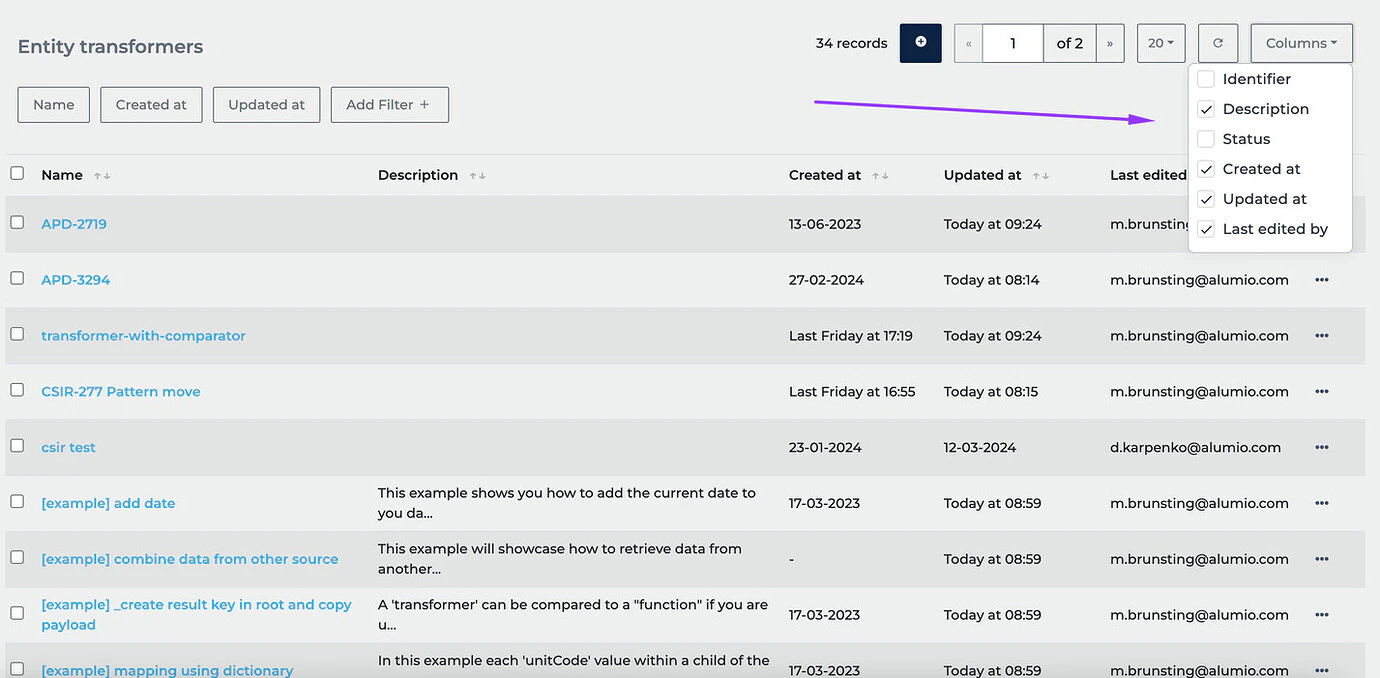
- [NEW] To help view who created a Transformer, their status, and last update, we’ve added the “Updated at” and “Last edited by” fields on the Entity Transformers overview.
- [NEW] Solved an issue where a webhook called with an additional path did not show logs in the Logs tab.
- [NEW] Resolved a bug where pagination in logs would not navigate the user to the next page when manually trying to insert the expected page.
- [NEW] Solved an issue where configurations in certain situations couldn’t be deleted from the overview page due to an “out of memory” error.
- [NEW] Fixed a bug that caused the memory usage of the Outgoing configuration to be displayed in the Incoming configurations in the Logs tab.
- [NEW] Solved an issue where making an API call to Magento oAuth1.a as a Client caused a request failure.
- [NEW] Fixed a bug where filtering by “Failed” status couldn’t be done on the Processed page due to the status absence.
- Scayle Connector, v1
- Kogan Connector, v2.0
- Accelo Connector, v0
- Caflou Connector, v1
- Freshdesk Connector, v2
- Release candidate: 3.58.0-RC1 on 02-04-2024 (For usage on UAT)
- Stable release: 3.58.0 on 16-04-2024 (For usage on Production)