
Here’s what’s new and improved with Alumio version 3.122.0:
New and improved
See both incoming and route alerts in one place
The route alerts tab now shows alerts for both the route and its incoming, matching what the alerts widget on the route overview page already shows. When creating an alert from this tab, you can select incoming alerts as well.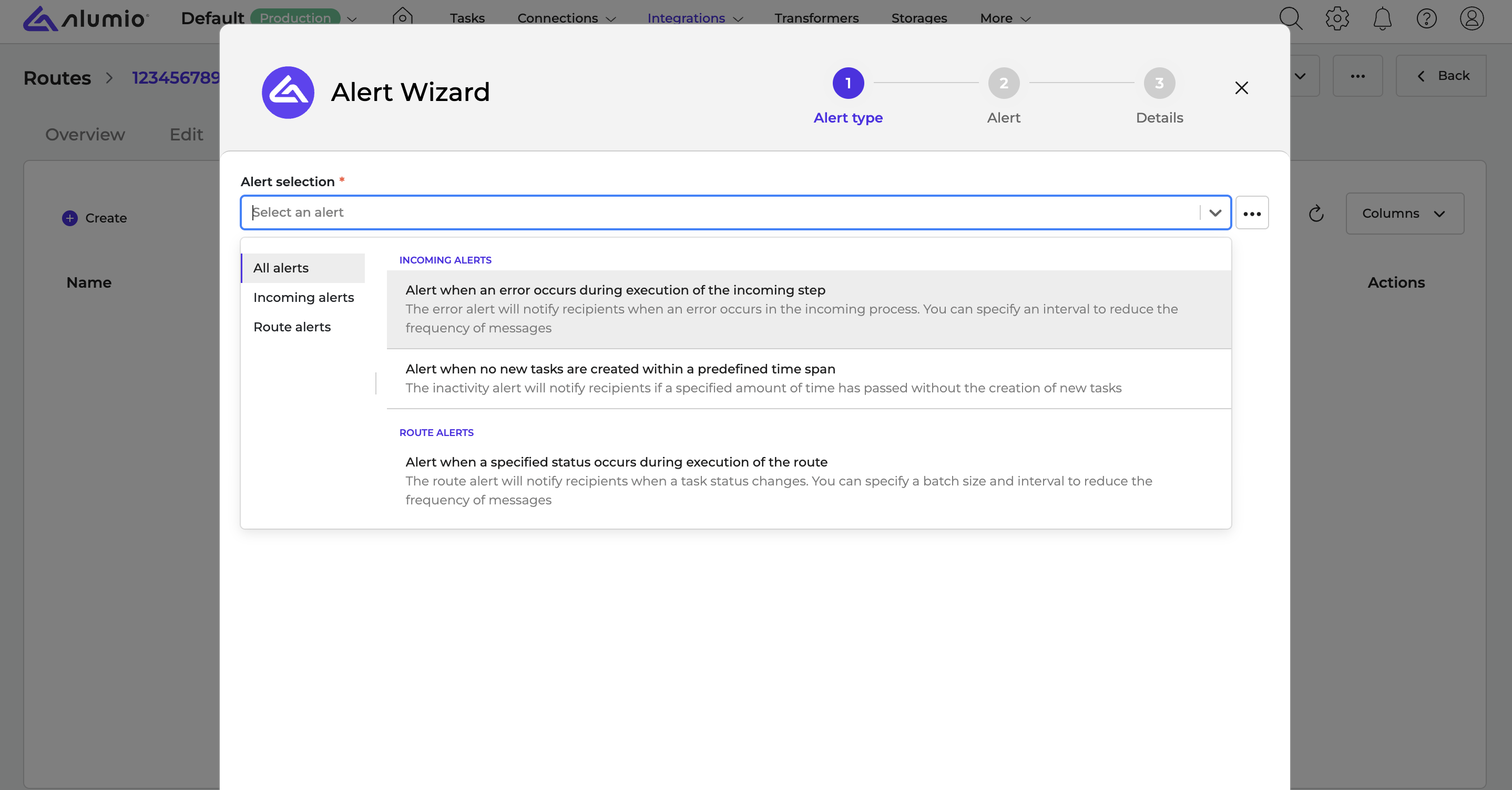
A clearer way to filter the Queue page
The configuration filter on the Queue page now uses a dropdown, so you can select an incoming or route to filter by without confusion between identifier and name.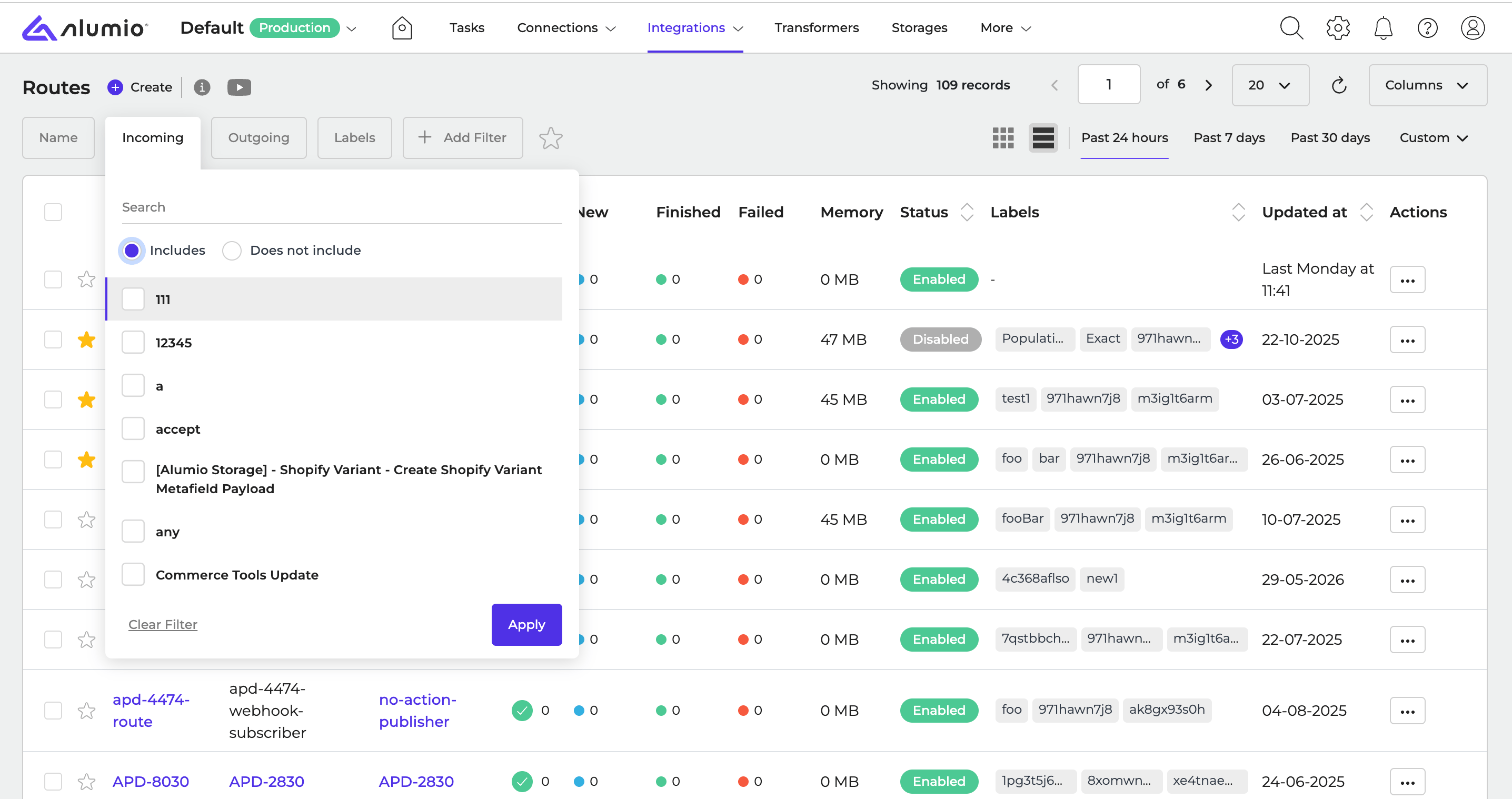
See the current version in your configuration’s history
The version control table now shows the current version alongside earlier ones, clearly marked as such. The current version can’t be restored.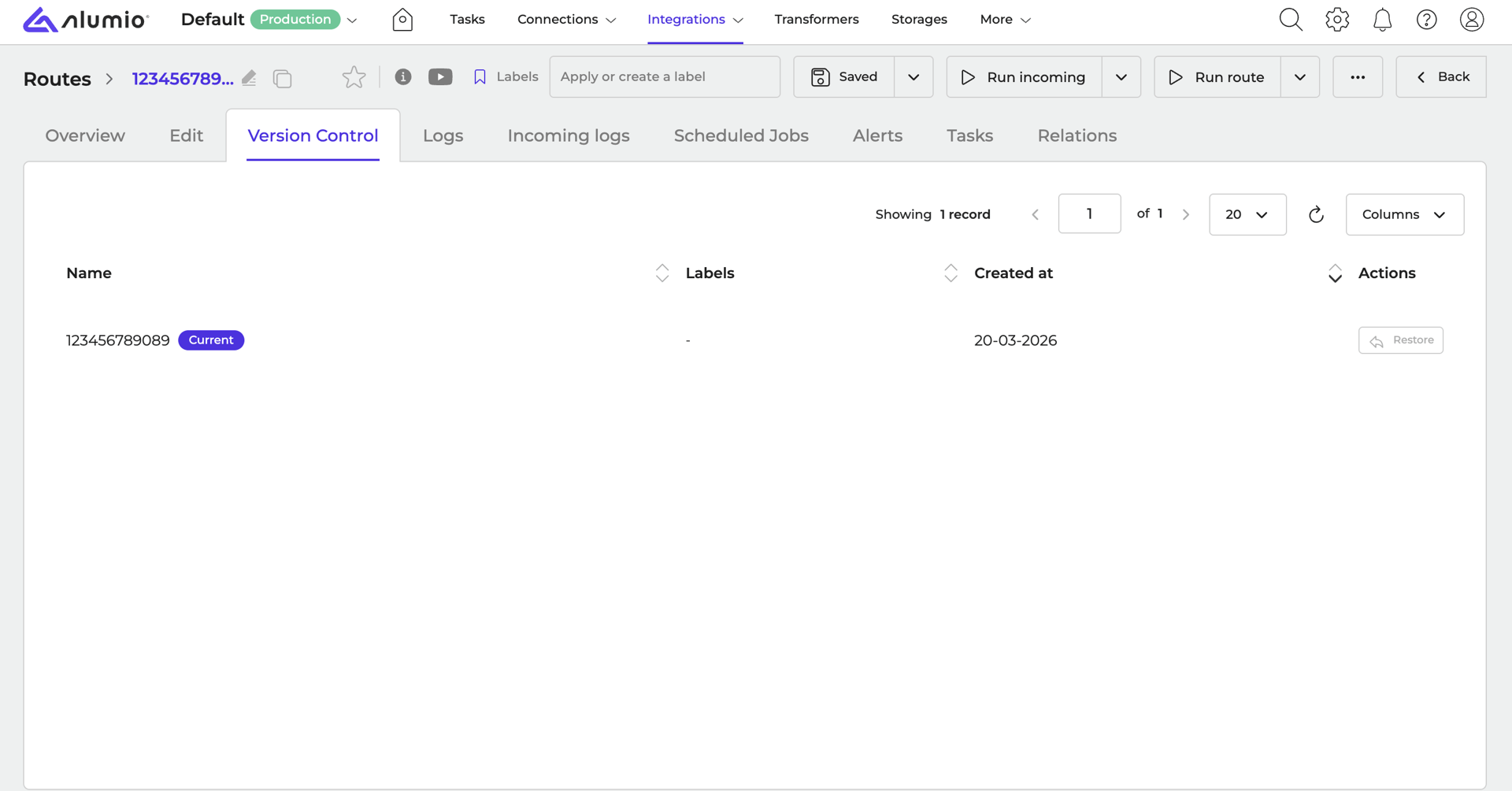
See what was imported after an import
After importing a file with the Import/Export feature, you’ll now see a table listing all the configurations that were imported.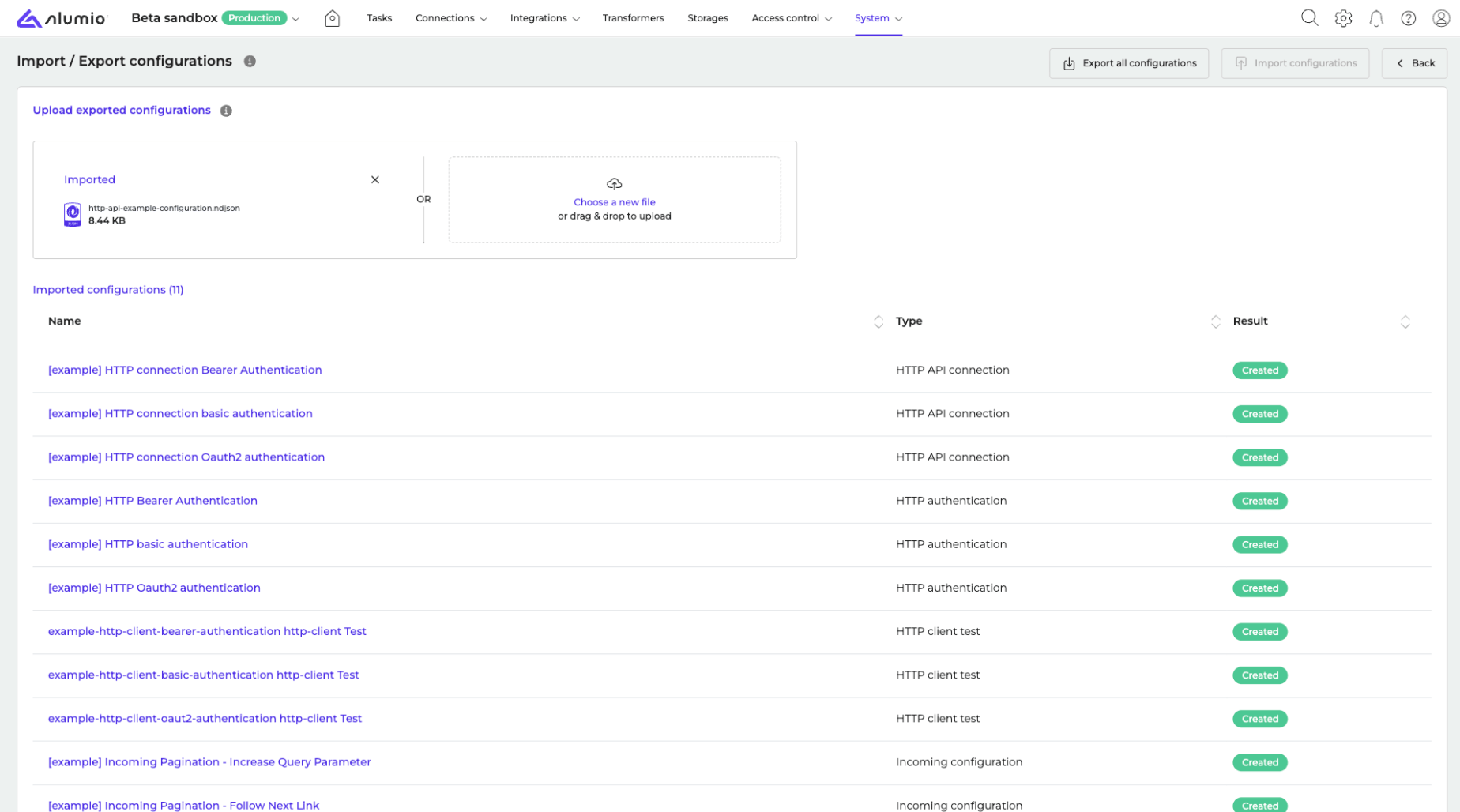
Support for non-standard FTP directory listings
The FTP directory-listing parser now handles non-standard LIST formats, including listings with a single combined ownership field, so connections to servers that return these formats no longer fail during listing.Placeholder validation now works outside the Inspection tool
Placeholders in a transformer are now validated using the currently visible input data, even when you’re not using the Inspection tool.A round of UI and UX polish across the Dashboard
We’ve made a series of consistency improvements across the Dashboard: task identifiers can now be copied to the clipboard, save and delete buttons are consistently colored and positioned across modals, modal titles follow the configuration name, and confirmation dialogs (such as deleting configurations or emptying storage) are clearer and safer to use.Fixes
Fixed the “Add alert” modal going blank when editing a recipient
Opening a recipient’s edit page from within the “Add alert” modal in the configuration stack no longer leaves the “Add alert” modal blank and positioned above the recipient modal.Fixed GraphQL GET requests not sending variables correctly
GraphQL requests using the GET method now send their variables in the standard JSON-encoded format, so variables such as pagination parameters are no longer silently ignored by GraphQL servers that follow the specification.Fixed GraphQL error responses being marked as successful
A GraphQL response that contains errors is now marked as failed, with the error messages included in the exception, instead of being silently marked as successful. This can be turned off with the new “Throw on errors” setting.Fixed the AND filter being ignored when bulk deleting storage entities
Bulk deleting storage entities now correctly applies an “and” filter, instead of ignoring it and removing all entities.Fixed dependent detection missing configurations after the move to ULIDs
Detecting whether a configuration has dependents now correctly matches both the older specification-based references and the newer identifier-based ones, so dependents are no longer missed.Release schedule
- RC available on Sandbox: week 38
- Stable release on Production: week 40
For more information about our release process, check out our release notes overview.