
Here’s what’s new and improved with Alumio version 3.125.0:
New and improved
Find errors faster from the Dashboard
The errors graph on the Dashboard now has an information icon that explains the difference between errors and failed tasks, so it is clear why a task can be finished while errors were still logged. You can now also click a point in the graph to narrow the overview on the right down to that specific moment. When you click a route or incoming in the errors widget, you now go straight to its logs, filtered on the time of the error, instead of to its edit page.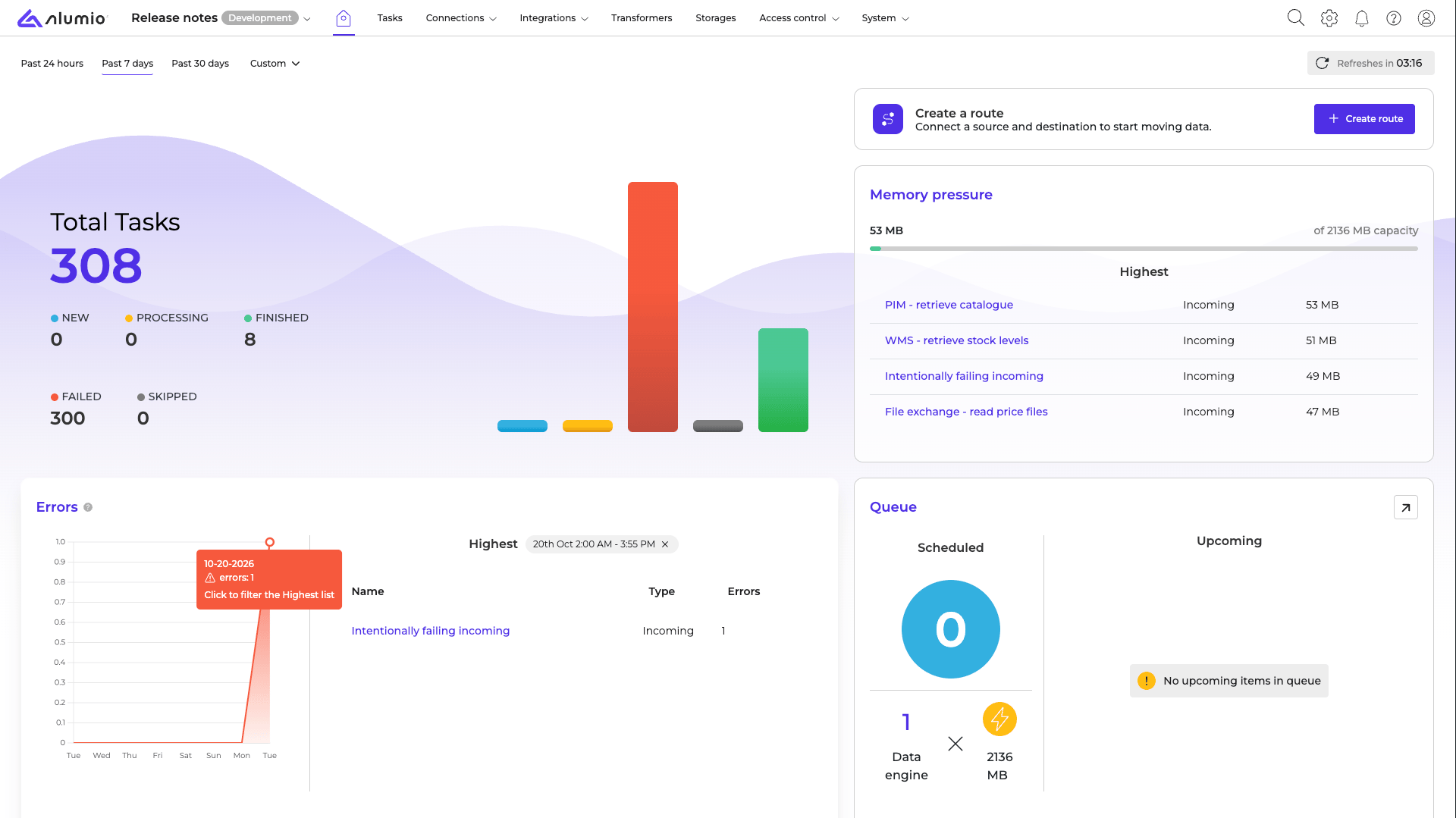
Manage your administrative and technical contacts in Alumio
System admins can now add and update the administrative and technical contacts of their environment directly in Alumio. Technical contacts receive notices about incidents, maintenance and security, and administrative contacts receive invoices and messages about your contract and account. You can add multiple contacts per type, and our team sees your changes right away. The name and email address of your Customer Success Manager are shown here as well, so you always know who to reach out to.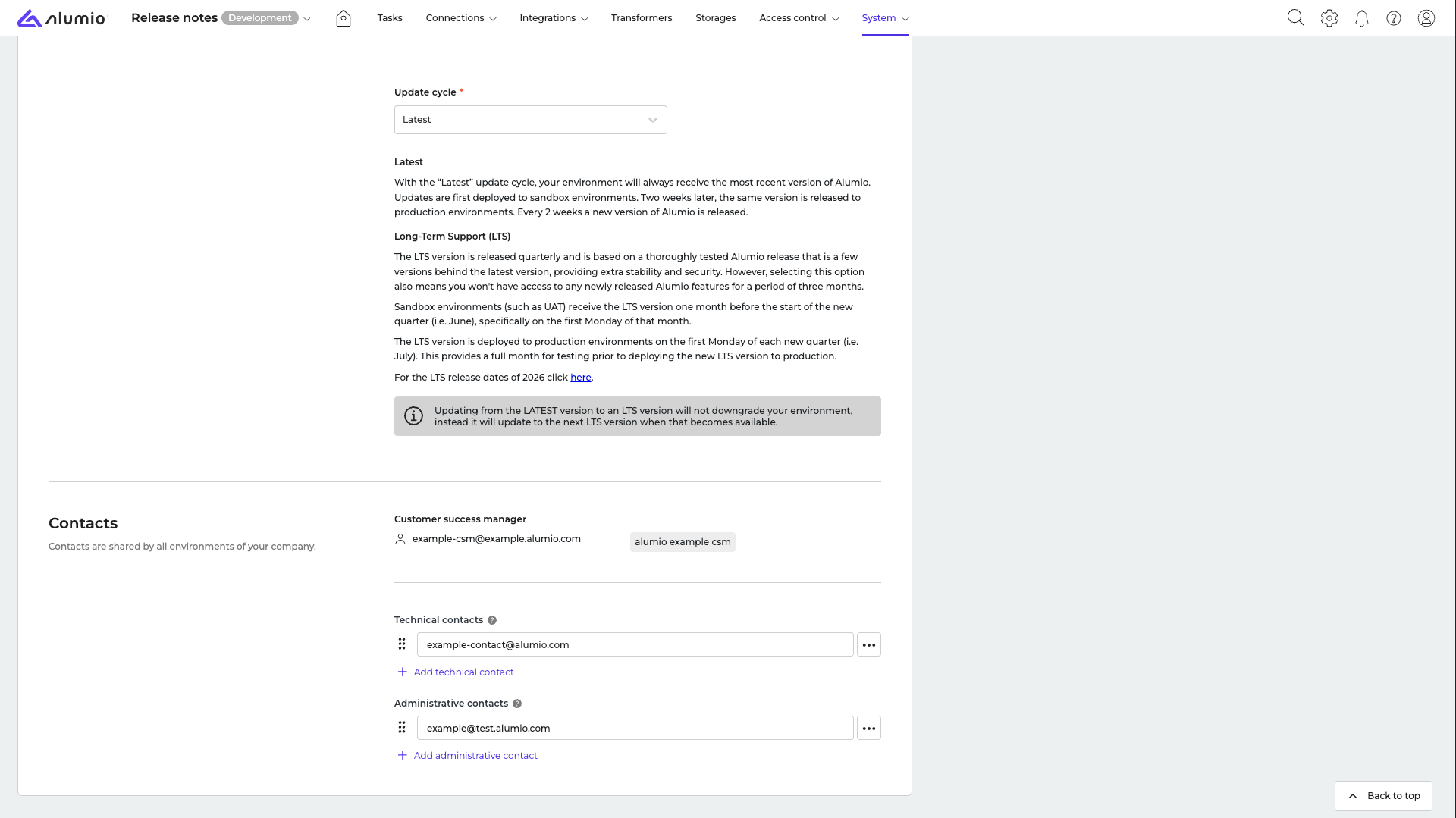
Fixes
Fixed SFTP incomings failing after a dropped connection
When processing a file took longer than the idle timeout of the SFTP server, the server closed the connection and the next file action, such as archiving or moving the file, failed. Alumio now restores the connection, so long-running SFTP incomings no longer fail for this reason.Fixed misleading errors after a finished SFTP run
When an SFTP server had already closed the connection by the time an incoming finished, the logs showed a timeout error with technical details, even though the task was finished and your data was processed. This is now handled quietly and no longer shown as an error.Fixed queue items being skipped
Queue items received through a webhook could be marked as timed out while they were still being queued, after which they were skipped without being processed. Queue items are now only marked as timed out after they have waited for a longer period, so they are processed as expected.New CSV parser that applies the Escape setting
Changing the Escape character of the CSV parser in a transformer had no effect on the result. The existing CSV parser has been deprecated and replaced by a new version that applies the Escape setting when your CSV data is parsed. Existing configurations keep working as before, and we recommend using the new version for new and updated configurations.New “Filter by transformer result” filter that compares values correctly
The “Filter by transformer result” filter compared values in the reverse order, so, for example, “Greater than” behaved like “Less than”. The existing filter has been deprecated and replaced by a new version that compares values in the same way as other filters and conditions. Existing configurations keep working as before, so check the comparator when you switch to the new version.New “Is valid UUID” condition that works with a selected version
The “Is valid UUID” condition gave an error when you selected a UUID version. The existing condition has been deprecated and replaced by a new version that you can use with a selected version without errors.Fixed incorrect environment types being shown
Lightweight sandboxes and other custom environments showed an internal identifier instead of their environment type in the environment list, on the environment details page and in emails. The correct environment type is now shown everywhere.Release schedule
- RC available on Sandbox: week 44
- Stable release on Production: week 46
For more information about our release process, check out our release notes overview.