Documentation Index

Fetch the complete documentation index at: https://docs.alumio.com/llms.txt

Use this file to discover all available pages before exploring further.

Image
To follow up on our latest usability improvements, with Alumio version 3.77.0-RC1 we’ve added enhancements to the Alumio interface and user experience. This includes restyled UI elements, highlighting environment variables in tooltips, and improvements such as hyperlinks in Import/Export Logs to executed configuration. We also now introduce new Connection version support for Shopify and new Connector support for WICS WMS. Here’s what’s new and improved with Alumio version 3.77.0-RC1:
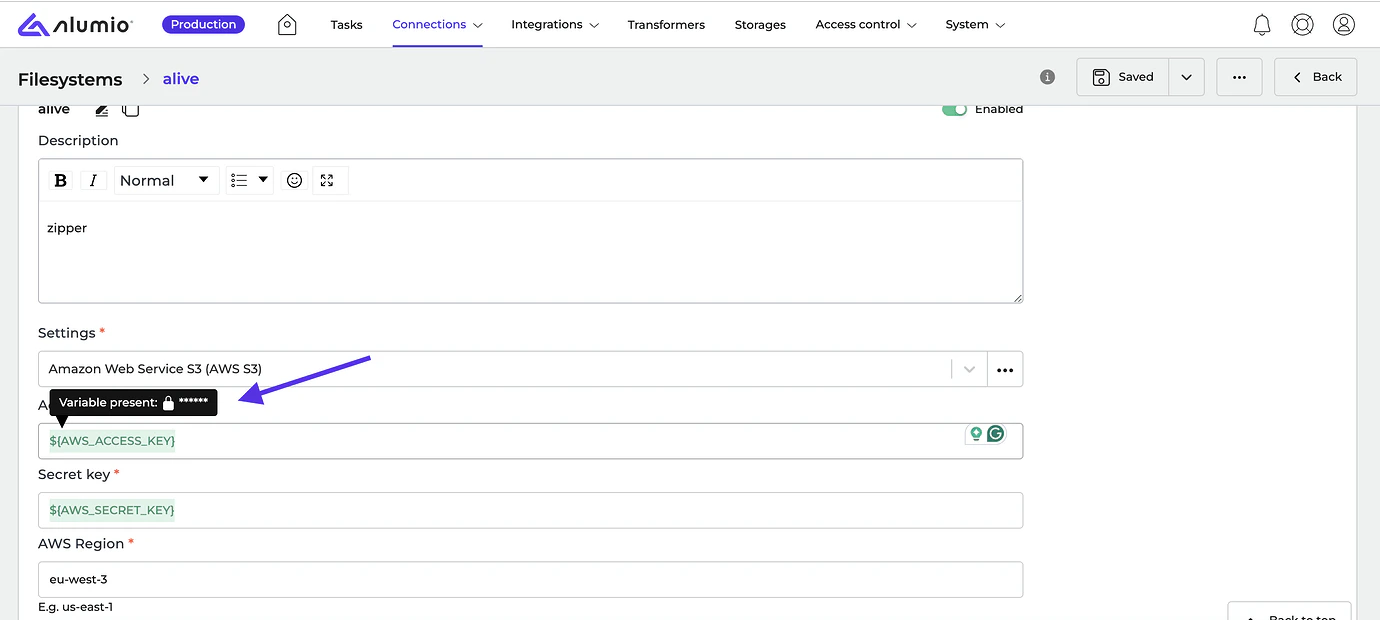
  • [NEW] You can now find environment variables in tooltips when highlighting placeholders, which improves the entire highlighting of data in inputs.
    Image
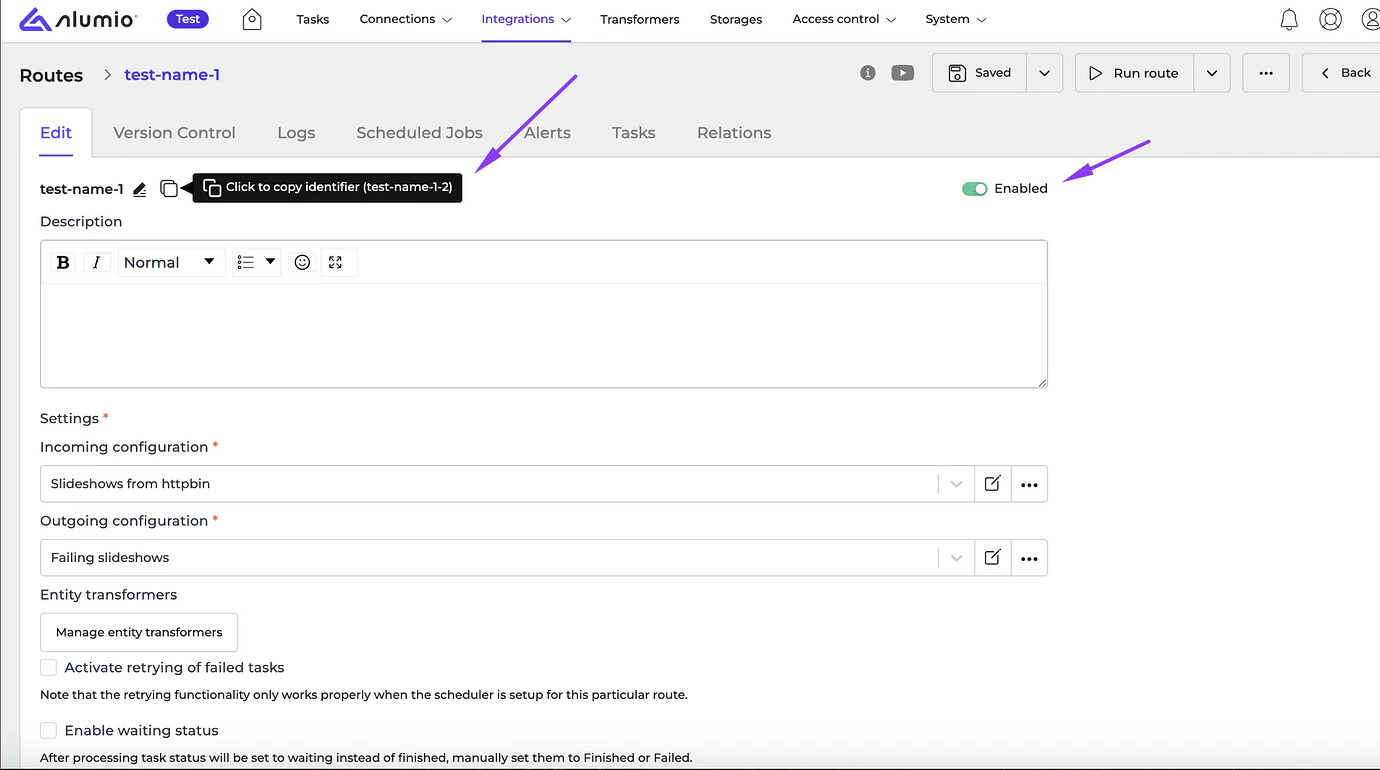
  • [NEW] We’ve restyled name widgets, status fields, and identifiers to match the new Alumio UI design.
    Image
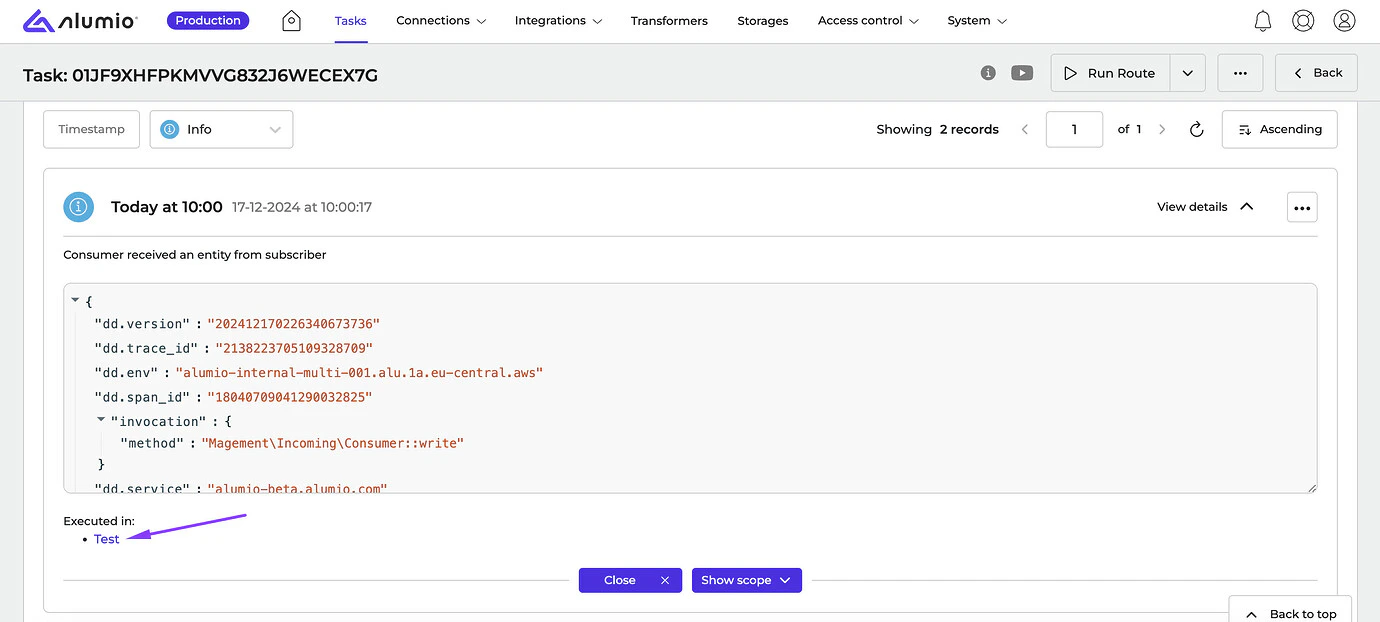
  • [NEW] We’ve added hyperlinks to the executed configurations in the Import/Export message logs to let users know where the Task has failed. Apart from this, it also shows the name of the configuration instead of the identifier.
    Image
  • [NEW] We fixed a bug where the custom Entity schema made by the user was set to “Default” when implementing the Transformer to “Execute Entity Transformers”.
New Connector we support:
  • WICS WMS Connector
New Connector version we support:
  • Shopify Connector, v2024-10
Release dates
  • Release candidate 3.77.0-RC1: will be installed on December 23-26, 2024 (Sandbox environments)
  • Stable release 3.77.0: will be installed on January 06-09, 2025 (Production environments)

How to update your environment Your UAT environment is always automatically updated every 2 weeks to the latest release candidate version. This happens on the same day as the release notes are published by Alumio. Note: Your production environment is NOT automatically updated to the next stable version. You can request production updates by contacting our Support Team via: support@alumio.com. Our Support Team will perform the update in correspondence with your planning.