Documentation Index

Fetch the complete documentation index at: https://docs.alumio.com/llms.txt

Use this file to discover all available pages before exploring further.

Image
As we welcome the fall season, we are excited to introduce several new key updates in Alumio version 3.71.0-RC1 to continue improving your integration experience. Highlights include our brand-new AI scheduler, faster page load times, improved task processing, resolution of various bugs to ensure smoother workflows, and updates to our Teamleader connector. Additionally, we’re also introducing support for new connectors, including NewRelic v2 and Pipedrive v1. Happy integrating! Here’s what’s new and improved with Alumio version 3.71.0-RC1:
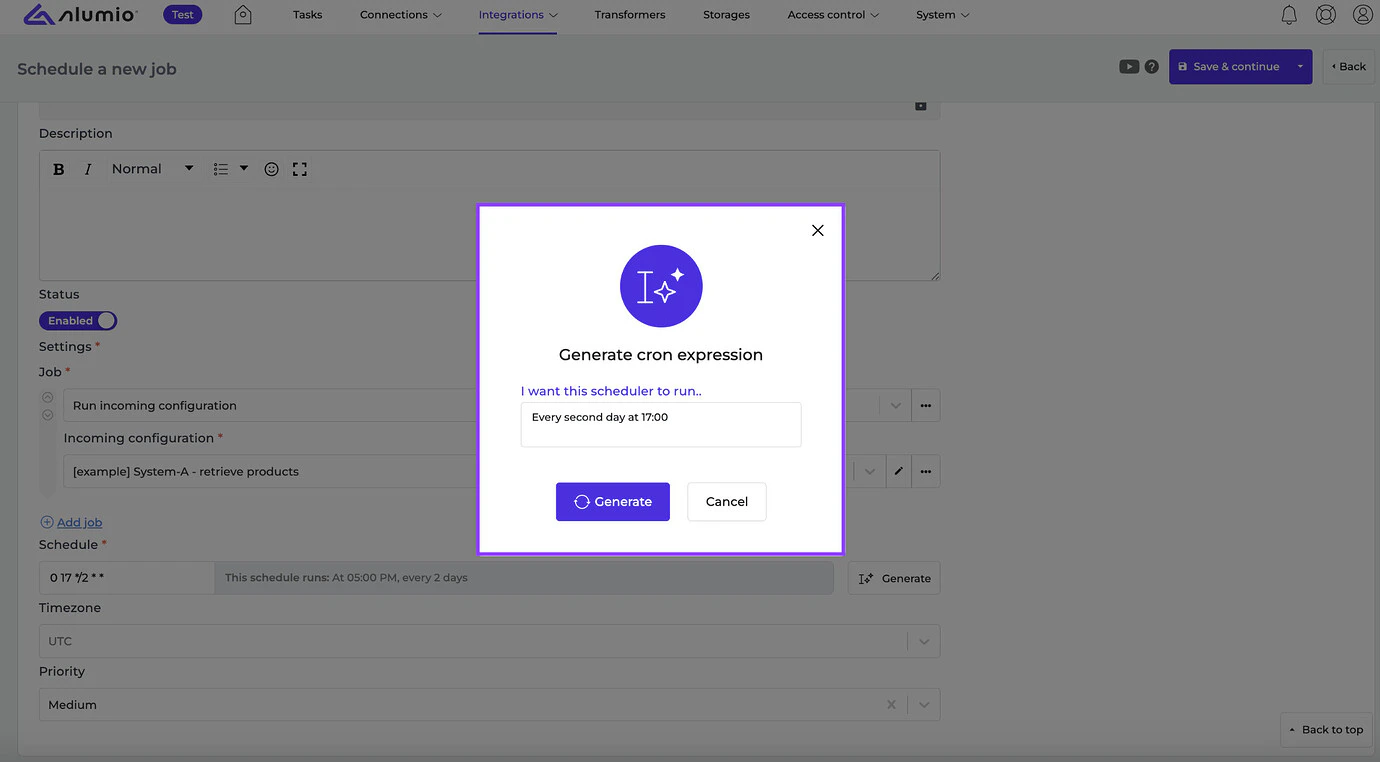
  • [New] - We are happy to introduce our new AI scheduler. Generating your scheduler expression is now possible by typing your request in a sentence.
    Image
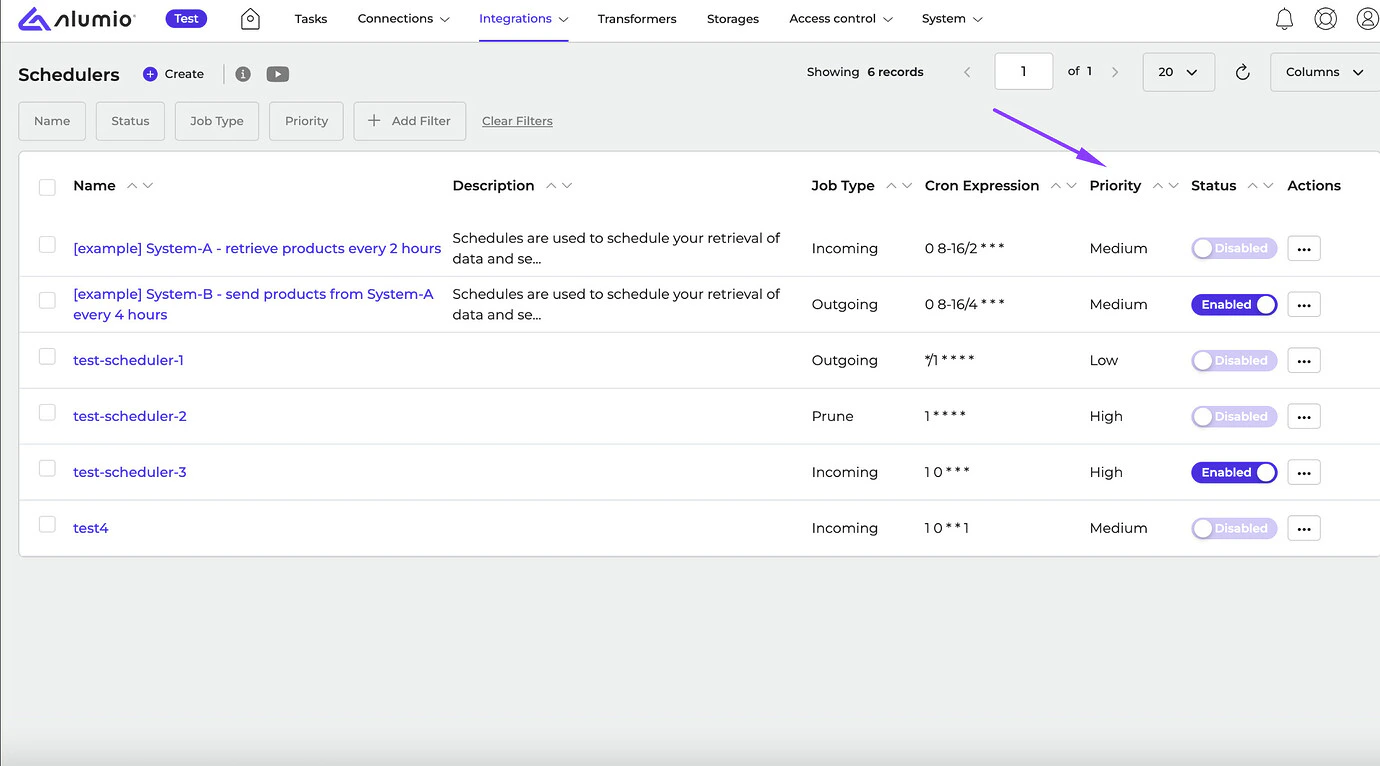
  • [New] - We’ve added the Priority column to the Scheduler overview page to inform users which jobs can be picked up faster according to the scheduler priorities.
    Image
  • [New] - We’ve drastically improved the loading time performance of detail pages in Alumio.
  • [New] - We have solved a bug in the HTTP message formatter that caused an out-of-memory issue in certain situations when using the Long and Full options.
  • [New] - We have resolved an issue where filtering by a specific route would throw an error.
  • [New] - We have improved the processed tasks on the Info page to display the correct UI look when limitations are reached.
  • [New] - We’ve updated the Teamleader Connector with a list of new endpoints to allow users to use the connector’s new functionalities.
New Connectors we support:
  • NewRelic Connector, v2
  • Pipedrive Connector, v1
Release dates
  • Release candidate 3.71.0-RC1: will be installed on September 30 - October 3, 2024 (Sandbox environments)
  • Stable release 3.71.0: will be installed on October 14-17, 2024 (Production environments)

How to update your environment Your UAT environment is always automatically updated every 2 weeks to the latest release candidate version. This happens on the same day as the release notes are published by Alumio. Note: Your production environment is NOT automatically updated to the next stable version. You can request production updates by contacting our Support Team via: support@alumio.com. Our Support Team will perform the update in correspondence with your planning.