
Here’s what’s new and improved with Alumio version 3.104.0-RC1:
Stop running Route jobs—without cutting tasks short
We’ve added a new Stop action in the Queue page that now makes it possible to stop active Route jobs. In-progress tasks are allowed to complete, while no new tasks are started—giving you a safer way to halt processing without abruptly interrupting running integrations.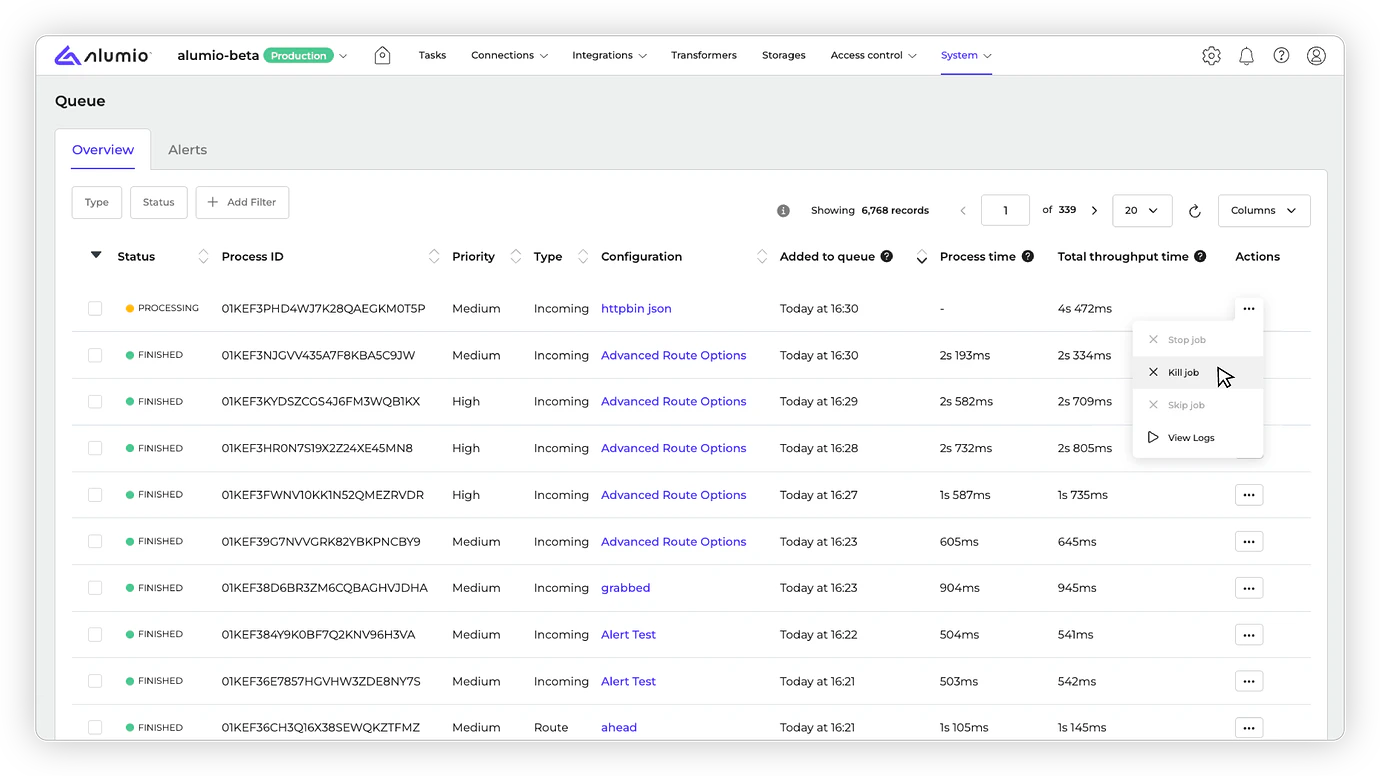
More control over secure MSSQL connections
We’ve added two support options for the MSSQL connection: Force encryption and Trust server certificate. These options make it easier to configure secure database connectivity while avoiding SSL or certificate-related connection errors.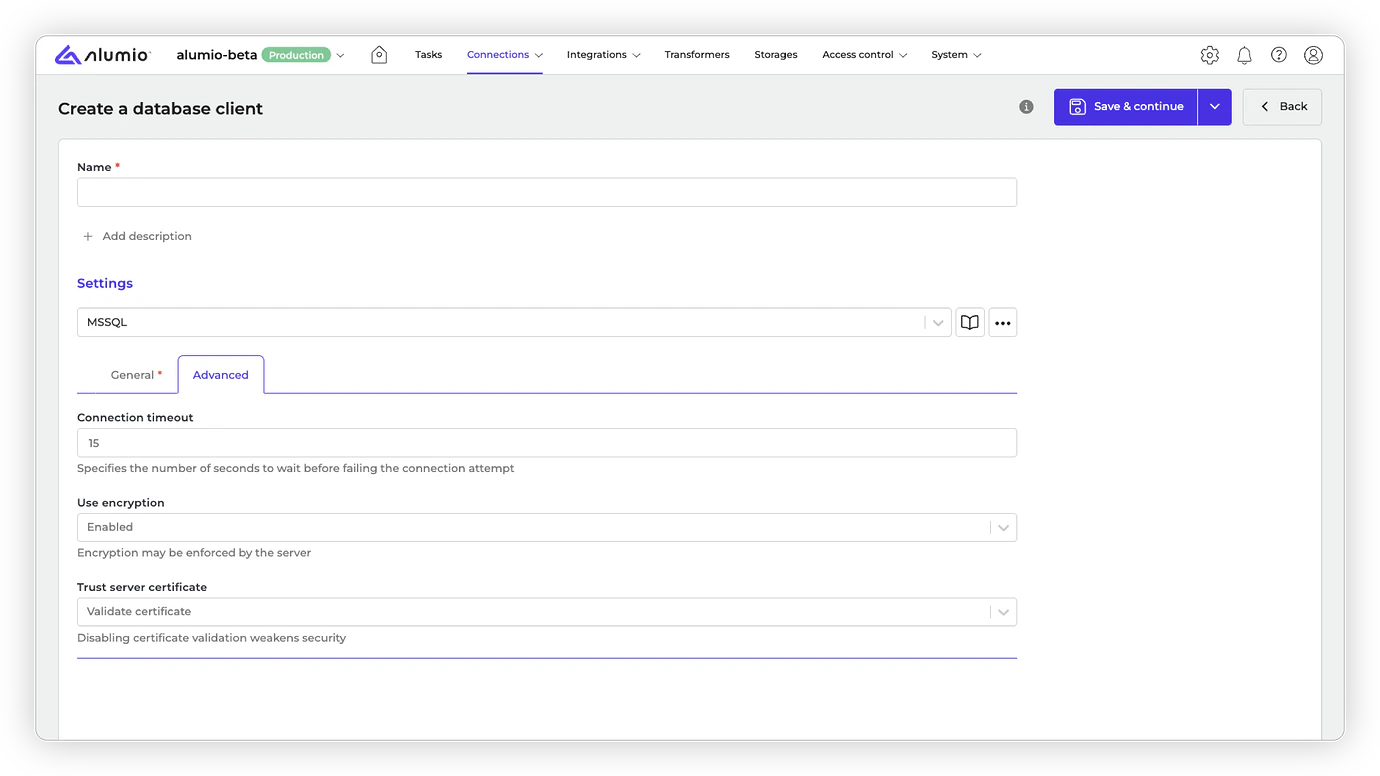
Faster access to task filtering by Identifier
We’ve improved task filtering by moving the Identifier filter to the main filter section. This makes it more easily accessible alongside commonly used filters like Created at and Updated at, making it quicker to narrow down tasks when you need them.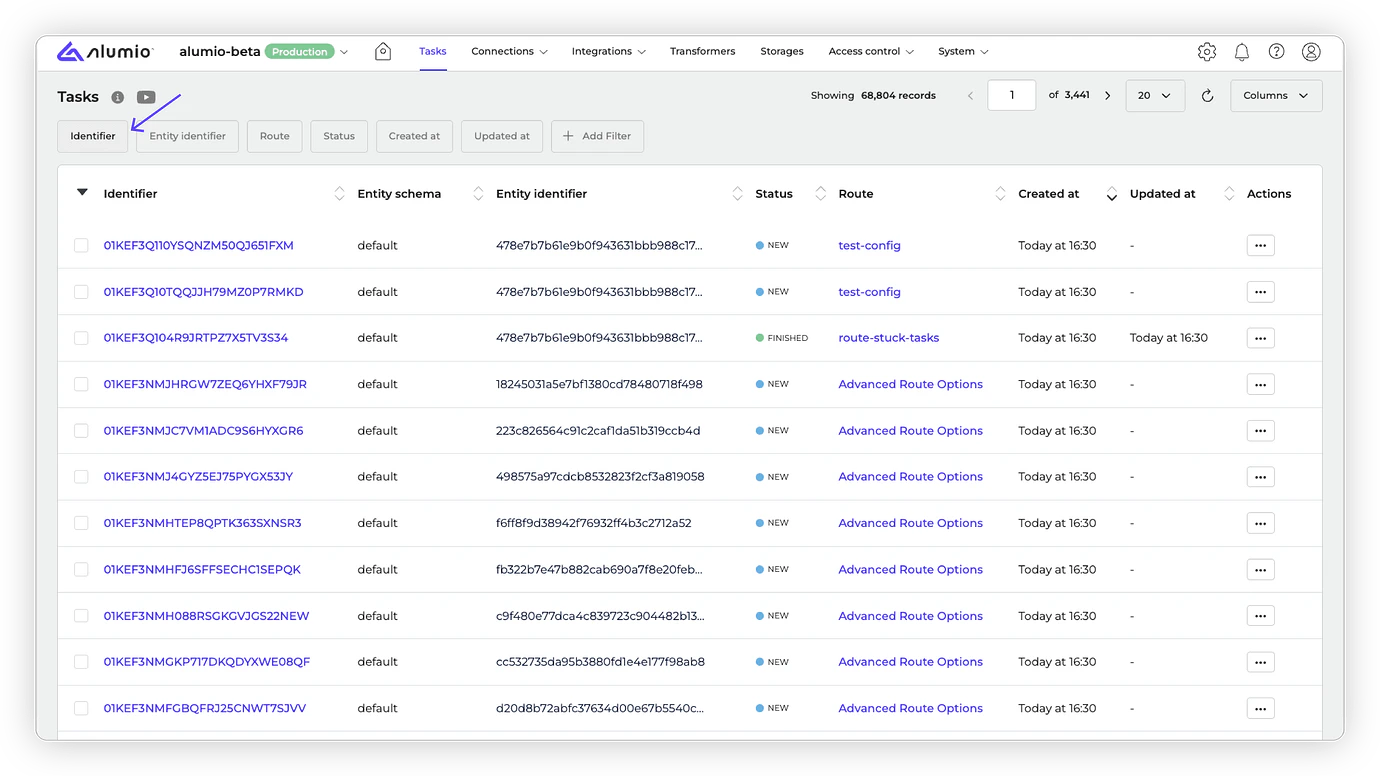
- Release candidate 3.104.0-RC1: will be installed in week 02 (sandbox environments)
- Stable release 3.104.0: will be installed in week 04 (production environments)
- Important: These dates apply only to environments configured with the ‘Latest’ update cycle.
With the “Latest” update cycle, your environment will always receive the most recent version of Alumio. Updates are first deployed to sandbox environments. Two weeks later, the same version is released to production environments. Every 2 weeks a new version of Alumio is released. Long-Term Support (LTS)
The LTS version is released quarterly and is based on a thoroughly tested Alumio release that is a few versions behind the latest version, providing extra stability and security. However, selecting this option also means you won’t have access to any newly released Alumio features for a period of three months. Sandbox environments (such as UAT) receive the LTS version one month before the start of the new quarter (i.e. June), specifically on the first Monday of that month. The LTS version is deployed to production environments on the first Monday of each new quarter (i.e. July). This provides a full month for testing prior to deploying the new LTS version to production. You can switch your update cycle through the Alumio interface
- Log in to your Alumio environment.
- Navigate to System > Settings.
- Modify the Update Cycle setting and click Apply to save your changes.