
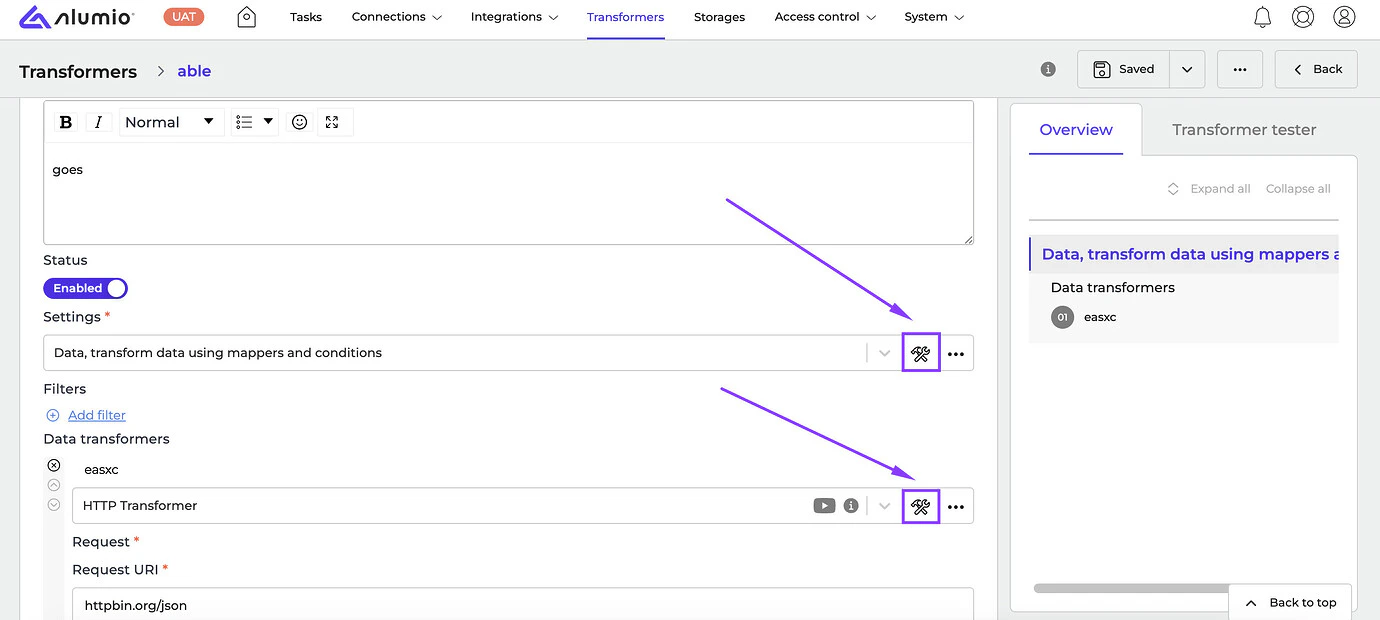
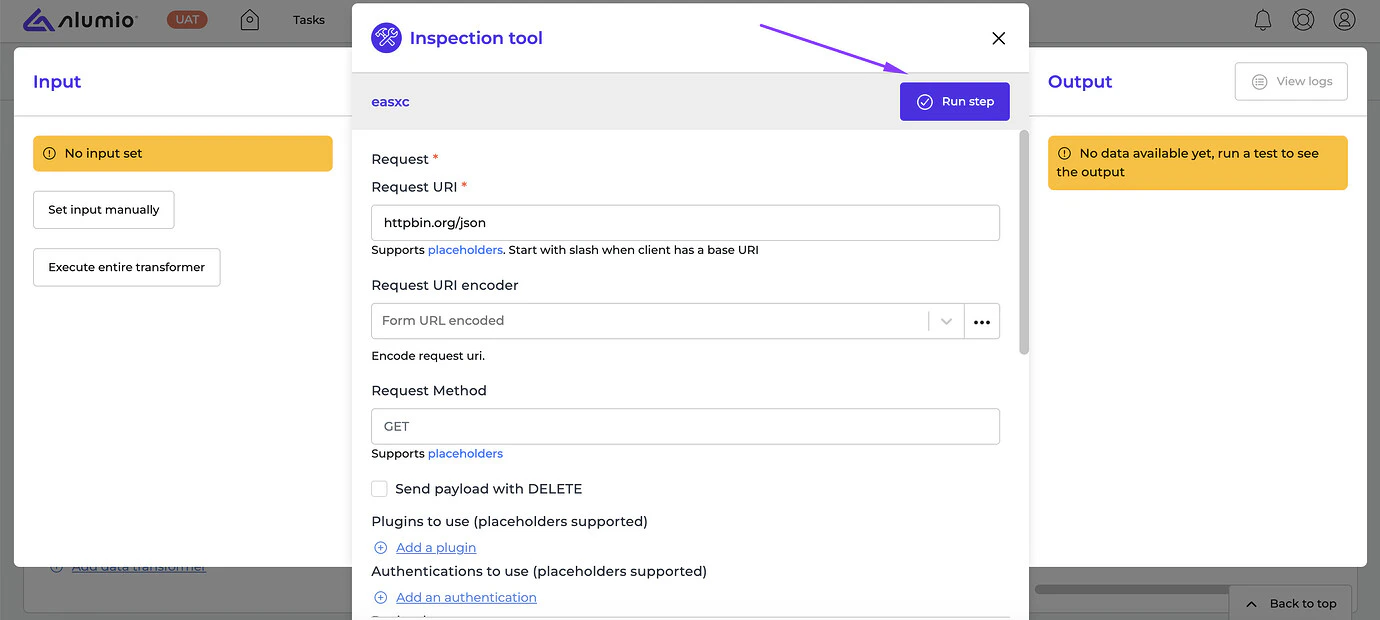
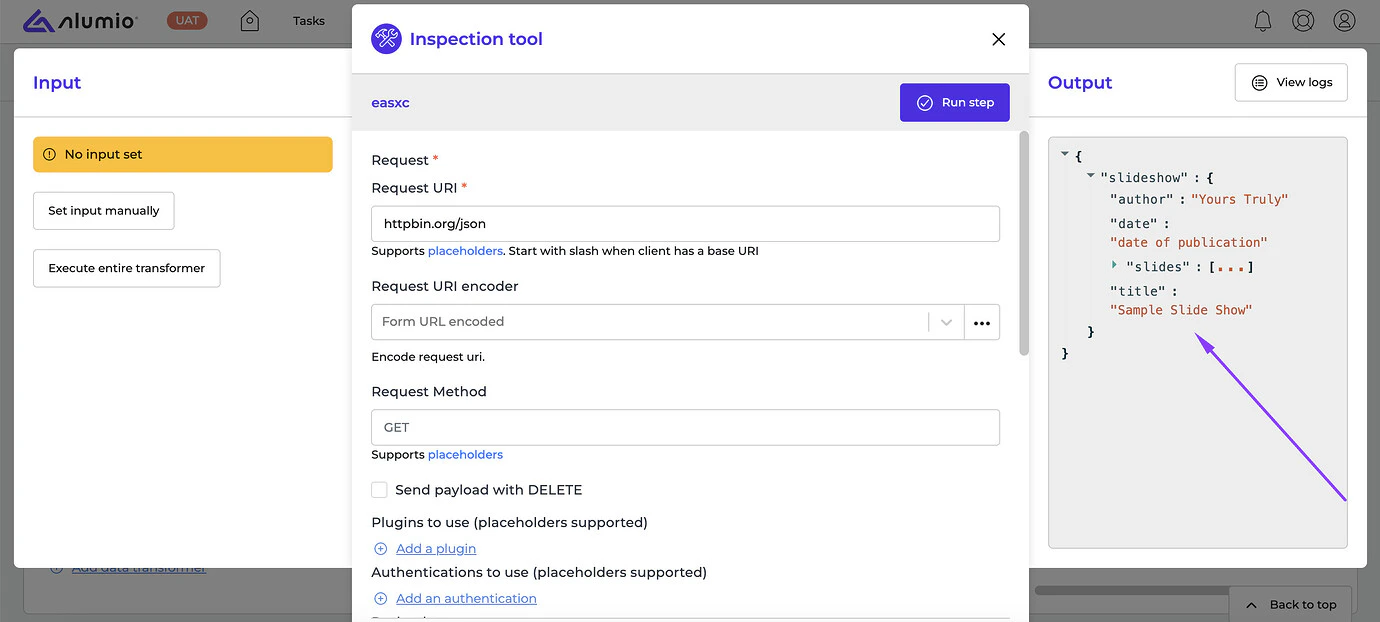
- [NEW] We’re happy to introduce the Inspection Tool, a brand-new feature in Alumio! It allows users to focus on a specific Transformer and ensure it performs with outputs. With the Inspection Tool, users can execute specific parts of a large Transformer without running the entire Transformer. It replaces the debugging functionality that was previously offered by data points and improves it by showing the input, output, and Transformer settings side by side. In addition, we support autocomplete options based on the available input data for placeholders in the Inspection Tool. To discover the new Inspection Tool, simply navigate to Transformers → click on the Inspection Tool icon → Run step and view results.
- [NEW] We’ve added validation on the JWT token name length to prevent users from entering token names of more than 45 characters, as that would result in an error.
- [NEW] We’ve resolved a problem where the counter of used Tasks on the Task Statistics page displayed all consumed Tasks from the previous year without resetting the settings.
- [NEW] We fixed a bug where the Total Throughput Time value increased even though the scheduler execution failed.
- Jumpseller Connector, v1.0.0
- Veeqo Connector
- ClickUp Connector, v2.0
- Release candidate 3.74.0-RC1: will be installed on November 11-14, 2024 (Sandbox environments)
- Stable release 3.74.0: will be installed on November 25-28, 2024 (Production environments)