
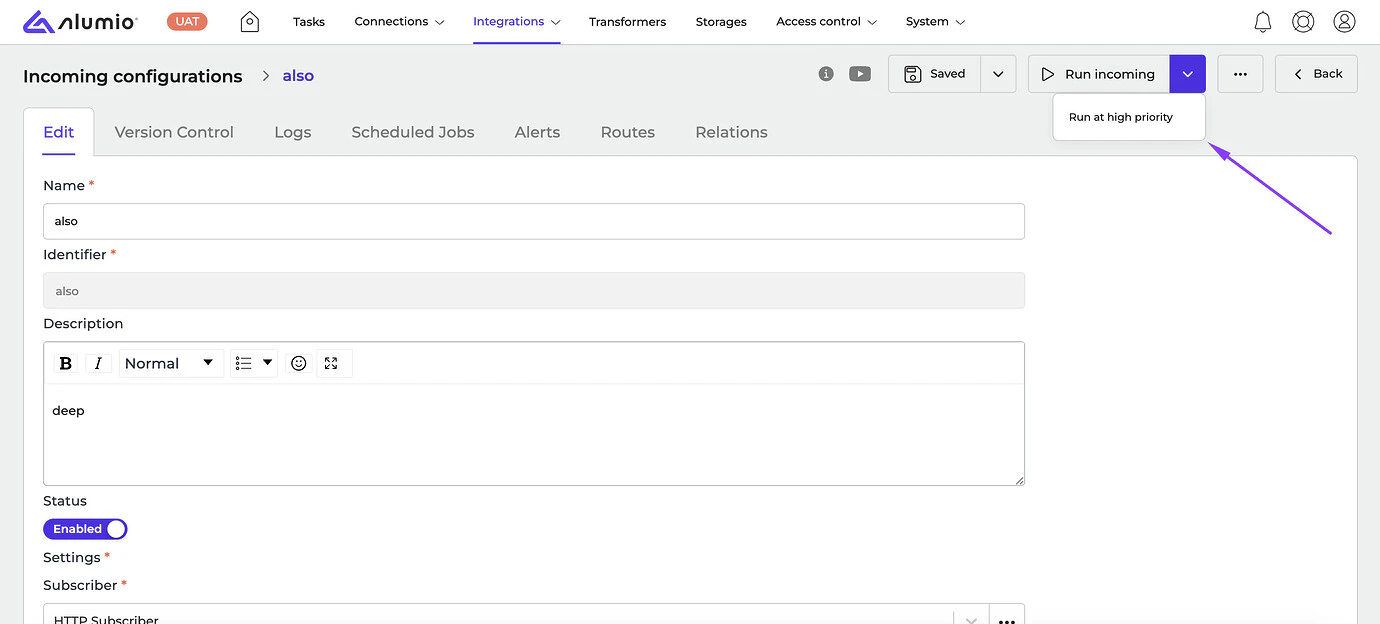
- [NEW] Now users can set the priority by themselves when manually executing a Route or Incoming configuration in Alumio. By default, the “Medium” priority is selected, however, users can run configurations with the “High” priority by clicking on the “Run Route/Incoming” button from the dropdown on the details page. This makes sure the process will be moved to the top of the queue.
- [NEW] Placeholders and environment variables
${},&{}, and?{} have been improved by highlighting them in different colors to differentiate correct and incorrect inputs.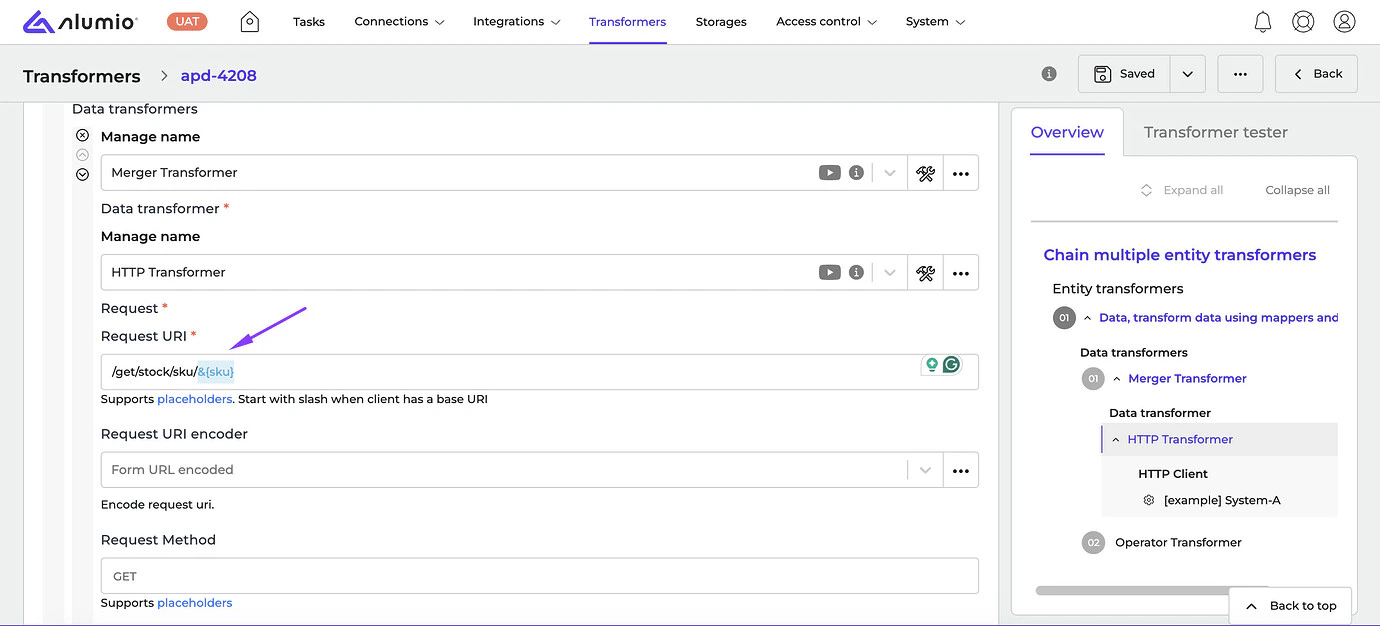
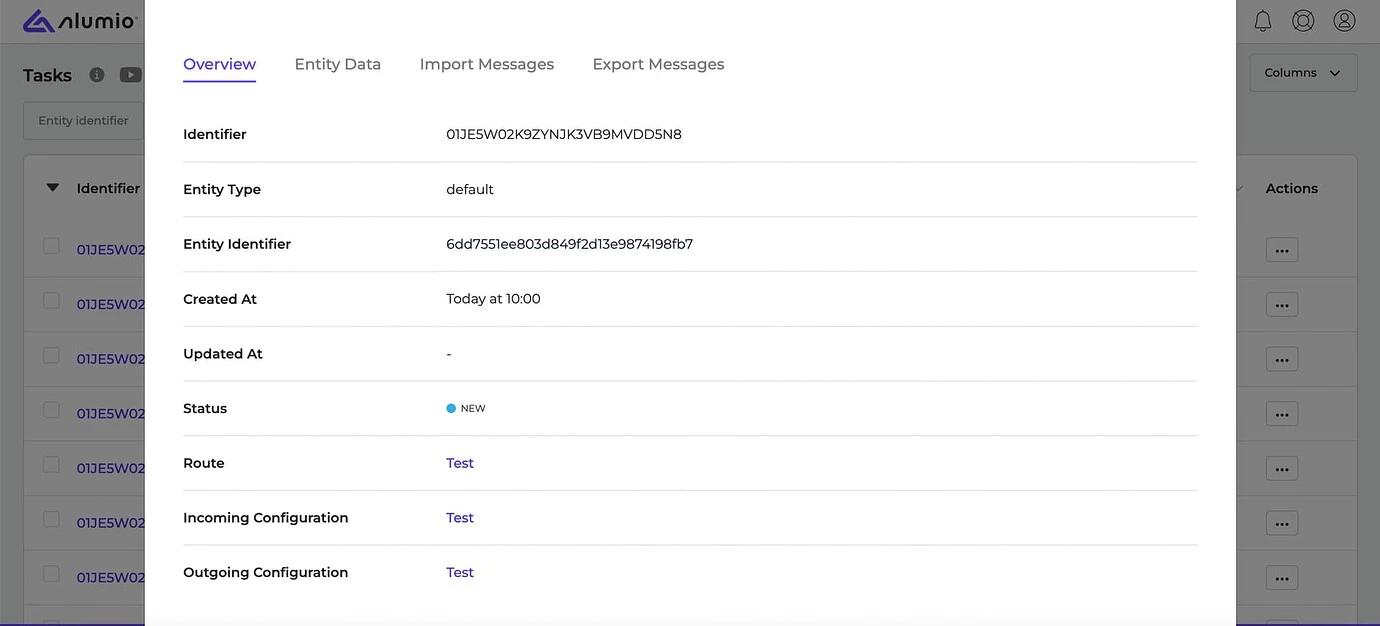
- [NEW] We’ve restyled the Task details popups to improve the view and usability of popups.
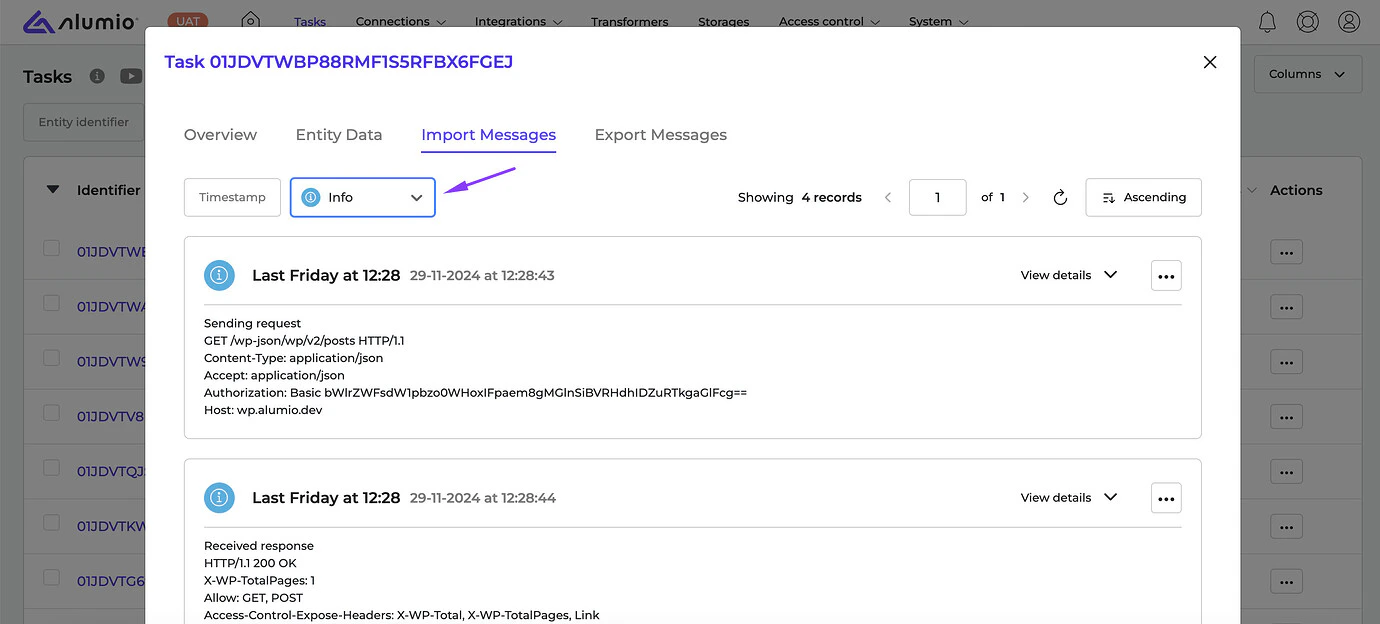
- [NEW] We’ve enhanced the Log display in the Task Import/Export messages to improve the usability and search in different log levels.
- [NEW] We’ve improved the behavior of the Queue job: when Alumio is shutdown because of the out-of-memory issue or gets killed, configuration statuses should display as “Failed” or “Killed” instead of “Started”.
- [NEW] We fixed a bug where editing the Object box of the Transformer caused uncontrolled resizing of the field.
- Release candidate 3.76.0-RC1: will be installed on December 09-12, 2024 (Sandbox environments)
- Stable release 3.76.0: will be installed on December 23-26, 2024 (Production environments)