
Here’s what’s new and improved with Alumio version 3.116.0:
Logs that visually match what you’re inspecting
We are pleased to introduce custom log designs for various types of activity in Alumio. When viewing logs on a Task, Route, or connection detail page, you will now see purpose-built log layouts tailored to the type of activity that was performed. This applies to HTTP requests and responses, HTTP Proxies, Webhooks, Database queries, Storage operations, emails, Queue events, and process activity. Each log type surfaces the details that are most relevant to that activity, making it significantly faster to understand what happened and troubleshoot issues in your integrations.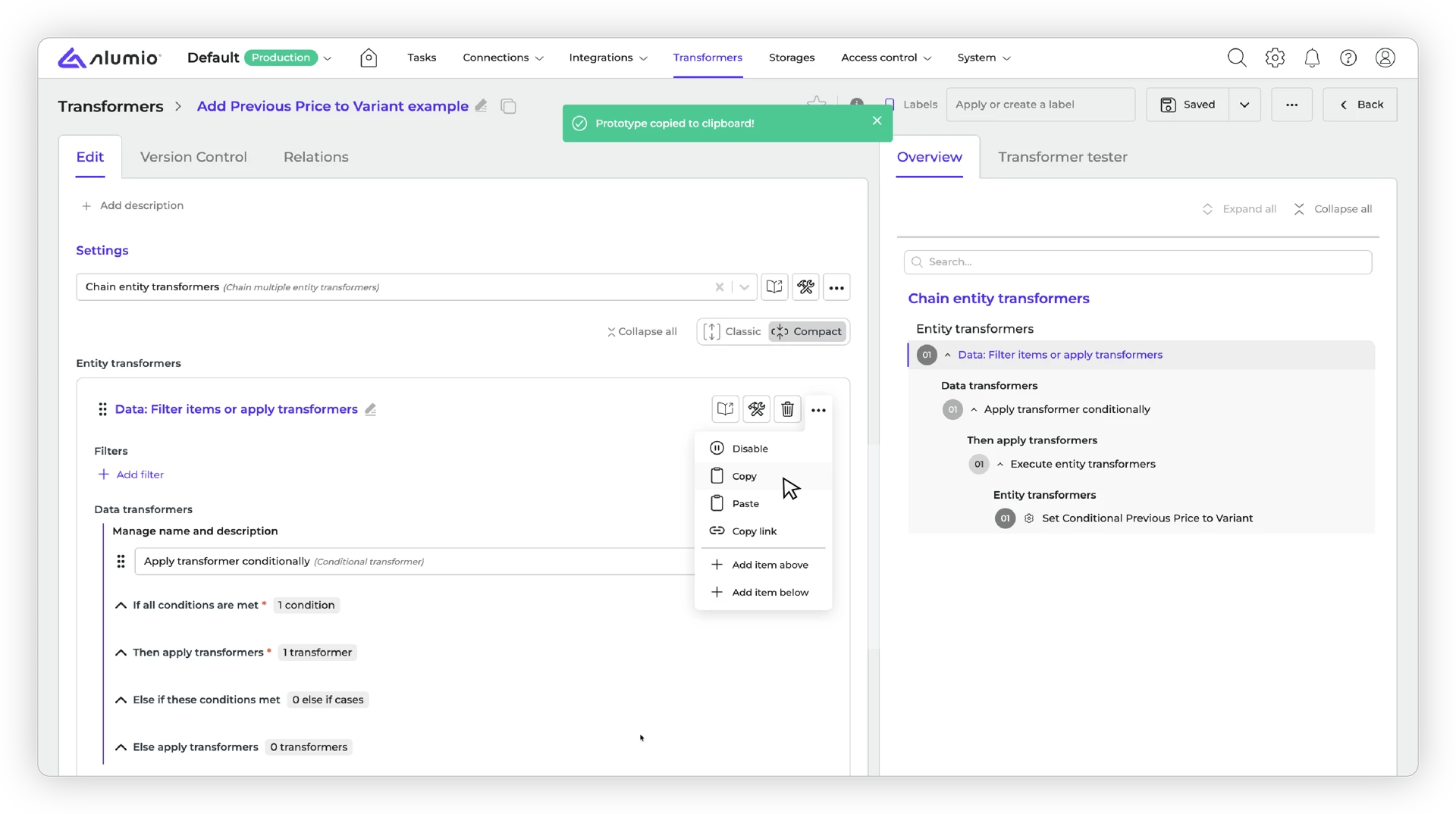
Paste configurations straight into array items
You can now copy and paste configurations into array items more easily. A “Paste from clipboard” option has been added directly to the array item menu, making it faster to duplicate and reuse settings without extra steps.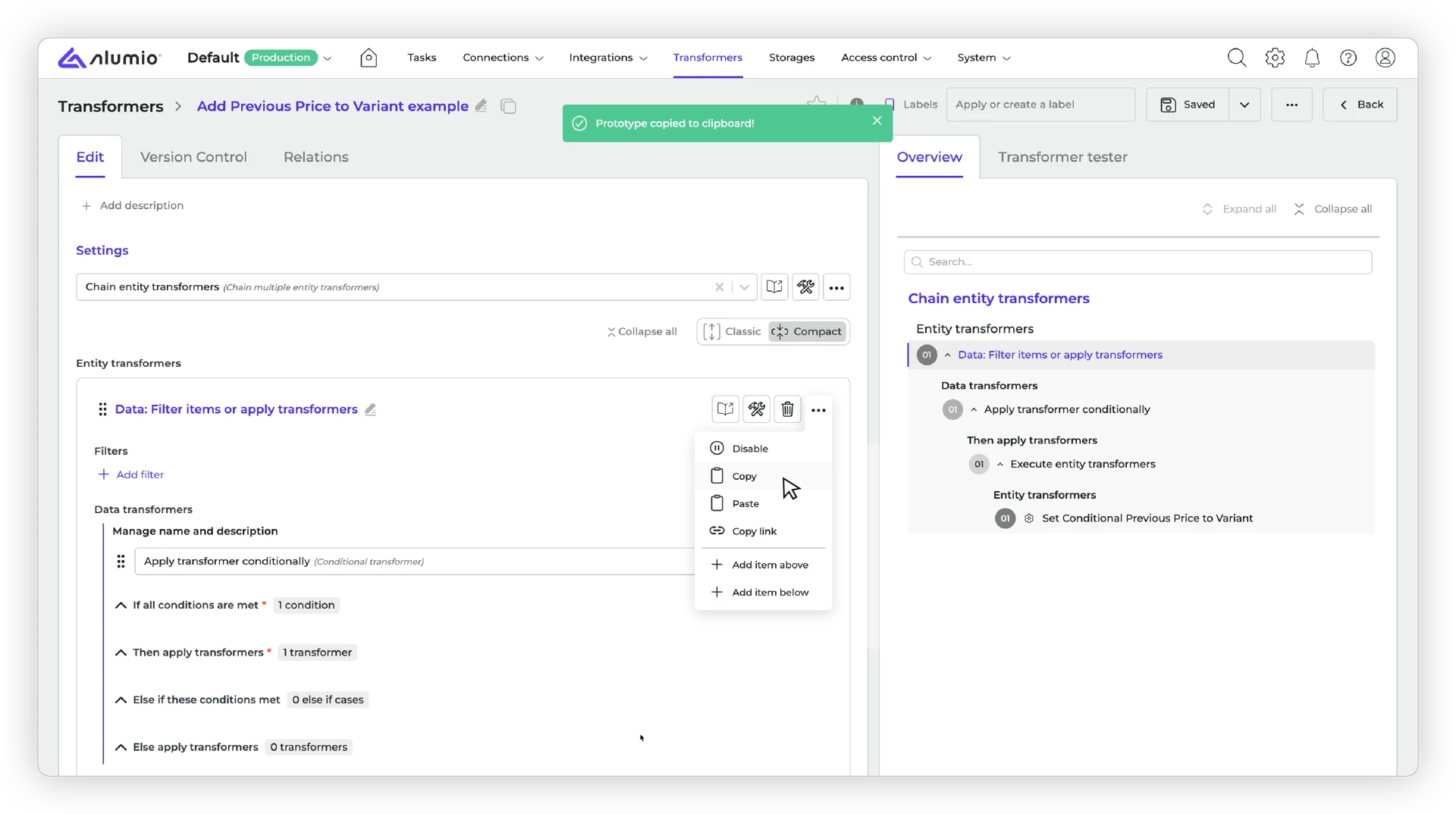
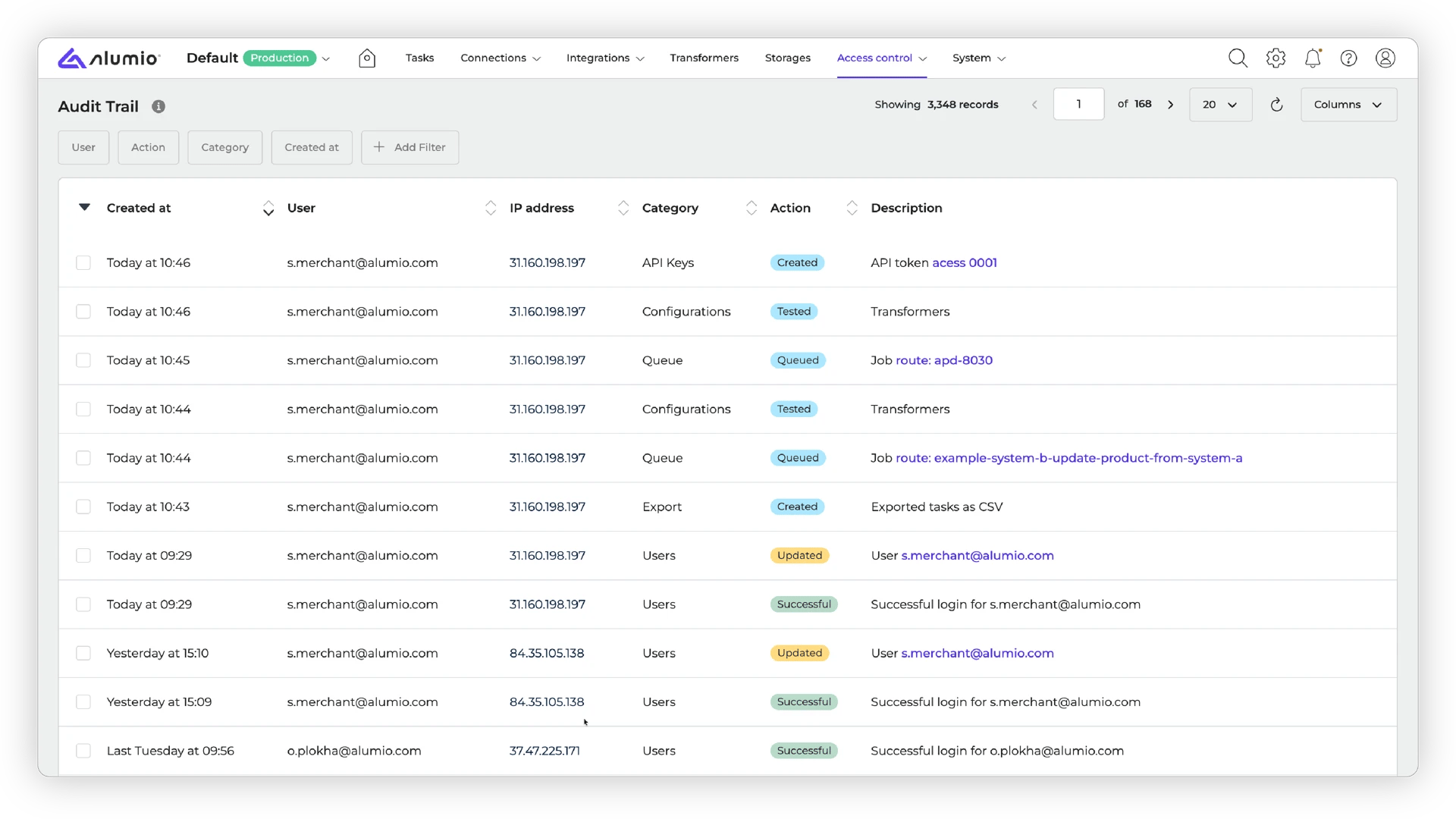
Audit trails now show a more complete picture
The Audit trail now tracks a wider range of actions, including running routes, testing configurations, exporting tasks to CSV, marking tasks as resolved, assigning data engines, and retrieving access tokens. This gives you a more complete record of activity on your environment.-1.webp?fit=max&auto=format&n=x1dOiDbkU2QvkOYa&q=85&s=351b1df2f7f79a95c5aa5b37bbbd0401)
Get pattern guidance, right where you configure
Help texts and documentation links for pattern fields are now available directly in the dashboard. When working with patterns, you can click [Learn more about patterns] to go straight to the relevant documentation, making it easier to understand how each pattern type works and when to use it..webp?fit=max&auto=format&n=x1dOiDbkU2QvkOYa&q=85&s=bb1bb38f838826b98b91494b929e2359)
A cleaner public API reference
The API schema hosted on the docs site has been cleaned up and improved. Internal-only endpoints have been removed from the public reference, and deprecated items have been updated.Clearer terminology across the platform
Several terminology updates have been applied across the platform to improve clarity and consistency. This includes renaming “List” to “Array or object” in relevant places and aligning component naming to make navigation more intuitive.Test large data sets with better responsiveness
The Dashboard now handles large test data more efficiently. When testing transformers or working with large data sets, the interface stays responsive because data is no longer held in a way that could slow things down.Missing quick-add dropdown for array items in Safari is fixed
An issue where the quick-add dropdown for array items was not appearing in Safari has been resolved. You can now add items to arrays as expected in Safari.Fixed a test error in the Inspection tool after re-enabling a transformer
An issue where running a test from the Inspection tool would throw an error if the transformer had previously been disabled and re-enabled has been resolved.Connector updates
The following connectors have been updated with the new version:- BigQuery, v2
Release schedule
- Release candidate 3.116.0-RC1: scheduled for deployment in week 26 (sandbox environments)
- Stable release 3.116.0: scheduled for deployment in week 28 (production environments)
- Important: these dates apply only to environments configured with the ‘Latest’ update cycle. Find more information on how to update your environment.