
Overview
The Transformers package provides pre-configured examples for transforming, processing, and preparing data within Alumio integration flows. These examples show how transformers can be used to modify data structures, apply business logic, validate information, and prepare data before it is sent to another system. Transformers are an essential part of an integration flow because they allow data to be adjusted between different systems with different data structures or requirements. They can be used to split large datasets, transform values, filter records, generate files, organize data, and perform advanced data manipulation. This package includes examples covering common transformation scenarios, from basic data mapping to advanced processing operations. These templates can be used as a starting point and customized based on specific integration requirements.General Information
In Alumio, Transformers are used to process and modify data during an integration flow. They can be added to Incoming Configurations, Routes, or Outgoing Configurations to change the structure, format, or content of data before it continues to the next processing step. The Transformers package shows different transformation capabilities, including:- Splitting items from API responses into individual records
- Writing processed data into files
- Combining records into batches
- Filtering data based on conditions and validation rules
- Performing operations on arrays and values
- Rendering dynamic templates
- Updating stored values
- Grouping related records
- Moving data between different accessors
- Mapping and modifying data structures
Package Contents
The following Transformer examples are included in the package:1. Split Items
Split Items: Get Items from HTTP Request with PaginationShows how to split multiple items retrieved from an HTTP request into individual records that can be processed separately within an integration flow. The package includes three transformer examples using different HTTP pagination approaches:
- Pagination Follow Next Links in HTTP Header: shows how to retrieve and split items from an HTTP response where the next page reference is provided through HTTP response headers
- Pagination Increase Query Parameter: shows how to retrieve and split items by increasing a query parameter value for each request, such as page number or offset
- Pagination Follow Next Link: shows how to retrieve and split items by following the next page reference provided in the HTTP response body
- Processing paginated API responses
- Splitting API response items into individual records
- Creating separate tasks for each item
- Supporting different API pagination strategies
2. Write Items
Write Items to a FileShows how to write processed items into files stored on a local filesystem using the Write Items to a File transformer. The package includes two transformer examples with different file format types:
- CSV Format: shows how to convert processed data into a CSV file structure and store it on the local filesystem. Commonly used for exporting structured tabular data
- JSON Format: shows how to convert processed data into a JSON file structure and store it on the local filesystem. Commonly used for exchanging structured data between applications
- Exporting processed integration data
- Generating CSV or JSON files
- Preparing files for external systems or further processing
3. Batch Items
Create Batches by Combining ItemsShows how to combine multiple items into a single batch before continuing the integration process. Batching helps optimize data processing by reducing the number of operations when handling large datasets. Use cases:
- Creating batch API requests
- Combining multiple records into one payload
- Improving processing efficiency for large datasets
4. Filtering
Filtering Transformer ExamplesShows how to filter data using different filtering methods. Filtering allows you to control which records should continue through the integration flow based on specific conditions or validation rules. The package includes multiple filtering examples:
- Filter Based on Transformer: shows how to filter data based on the output or result of another transformer
- Filter by Storage Entities: shows how to filter data by comparing values stored in Alumio storage entities
- Key Condition: shows how to filter records based on the existence or value of a specific key
- Not Condition: shows how to exclude records that match a specific condition
- Validate by JSON Schema: shows how to validate and filter data by checking whether the payload matches a defined JSON schema structure
- Value Condition: shows how to filter records based on specific field values
- Applying business rules
- Removing unnecessary records
- Validating incoming data
- Processing only matching records
5. Operator
Operator Transformer ExamplesShows how to use the Operator Transformer to perform operations on data values and arrays. The package includes examples using different operator types:
- Array Intersect: shows how to compare two arrays and return only values that exist in both arrays
- Array Merge: shows how to combine multiple arrays into a single array
- Array Diff: shows how to compare arrays and return values that are different between them
- Comparing datasets
- Combining collections of data
- Identifying differences between records
- Preparing data structures
6. Render Template
Render a Template TransformerShows how to generate dynamic content using templates based on incoming data. The transformer allows data to be combined with predefined templates to create formatted output structures. Use cases:
- Creating dynamic payloads
- Generating formatted messages
- Preparing structured content for external systems
7. Storage
Update a Storage Entity TransformerShows how to use the Storage Transformer to update values in Alumio storage entities during an integration flow. Storage entities allow reusable values to be maintained and accessed during processing. Use cases:
- Updating stored values
- Maintaining integration state
- Saving temporary information
- Reusing data between processing steps
8. Grouping
Group Records TransformerShows how to use the Grouping Transformer to organize multiple records into groups based on specific fields or conditions. The transformer helps structure related data before further processing or sending it to another system. Use cases:
- Grouping records by attributes
- Creating grouped payload structures
- Preparing aggregated data
- Organizing related items
9. Move Data Accessor
Move Data Between Accessors TransformerShows how to move data between different locations within an Alumio data structure. The package includes multiple accessor movement examples:
- Pattern to Children Accessor: moves data from a matching pattern into a children accessor structure
- Key to Key Accessor: moves data from one key accessor to another key accessor
- Key to Structure Accessor: moves data from a key accessor into a structured data accessor
- Pattern to Key Accessor: moves data from a matching pattern into a specific key accessor
- Restructuring payload data
- Moving values between fields
- Preparing data for mapping
- Adjusting payload structures
10. Mappers
Mapper Transformer ExamplesShows how to use the Mapper Transformer to modify and transform data values using different mapper operations. The package includes the following mapper examples:
- List: Split into Chunks: shows how to split a list into smaller groups containing a defined number of items
- List: Fill List with Value: shows how to add or fill list elements with a specified value
- List: Flip Keys and Values: shows how to swap keys and values within a list structure
- String: PCRE Replace: shows how to replace parts of a string using PCRE (Perl Compatible Regular Expression) patterns
- Restructuring list data
- Formatting values
- Replacing text values
- Preparing data for outgoing requests
Typical Use Cases
The Transformers package can be used for various integration scenarios, including:- Transforming API responses before sending them to another system
- Processing large datasets from APIs
- Creating export files
- Preparing batch requests
- Applying validation and filtering rules
- Mapping data between different applications
- Generating custom payload structures
- Managing temporary integration data
- Reorganizing complex data structures
Customization
These transformer examples are designed as reusable templates. After importing the package, you can customize:- Transformation logic
- Input and output data structures
- Filtering conditions
- Mapping configurations
- File formats
- Batch processing rules
- Template content
- Storage values
Integration Flow Example
A typical transformation flow works as follows:- Incoming Configuration retrieves data from a source system.
- Transformer processes and modifies the data based on the required logic.
- Outgoing Configuration sends the transformed data to the target system.
- Route manages the complete integration process.
Template Import
Follow these steps to import a template to Alumio:- Log in to your Alumio dashboard.
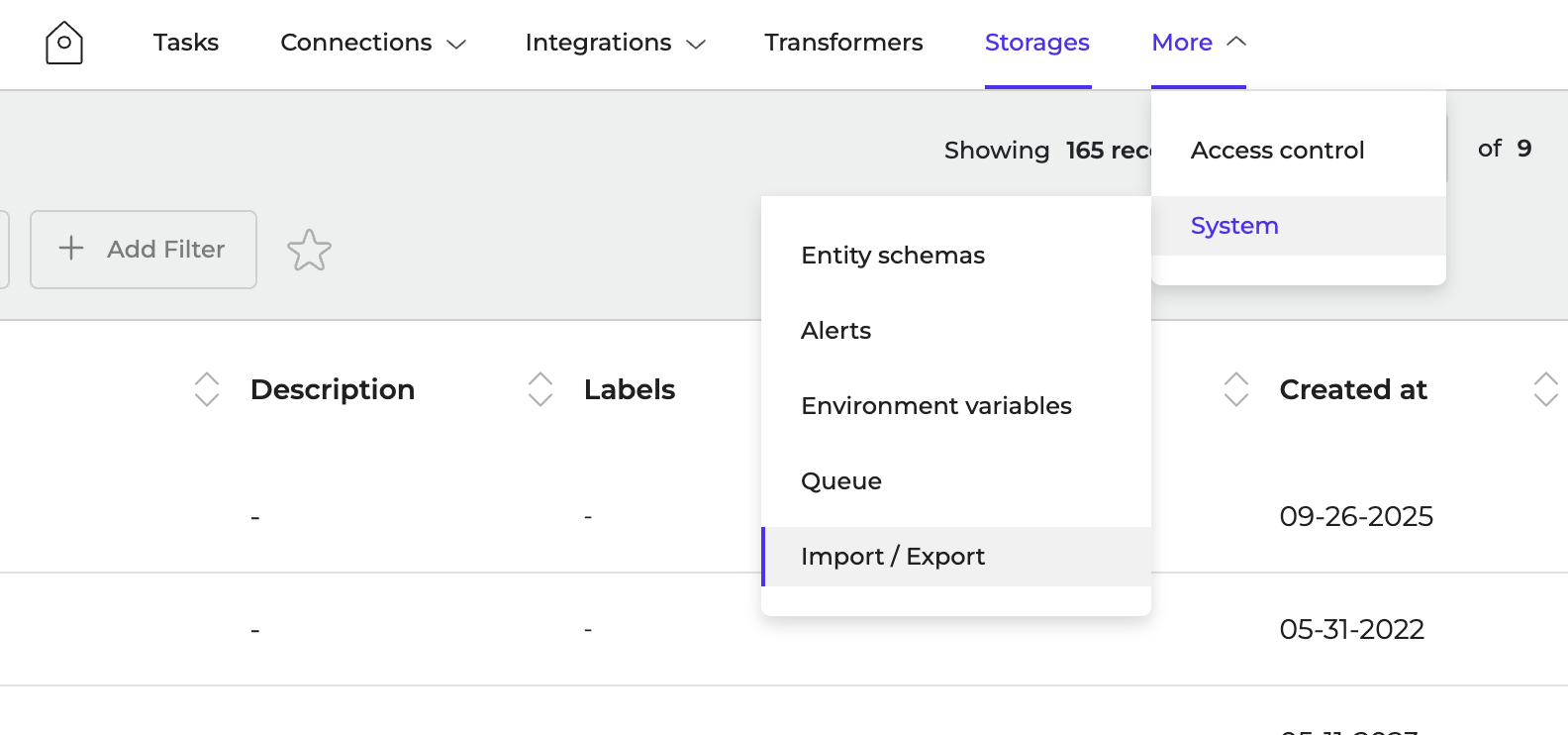
- Navigate to More > System > Import/Export
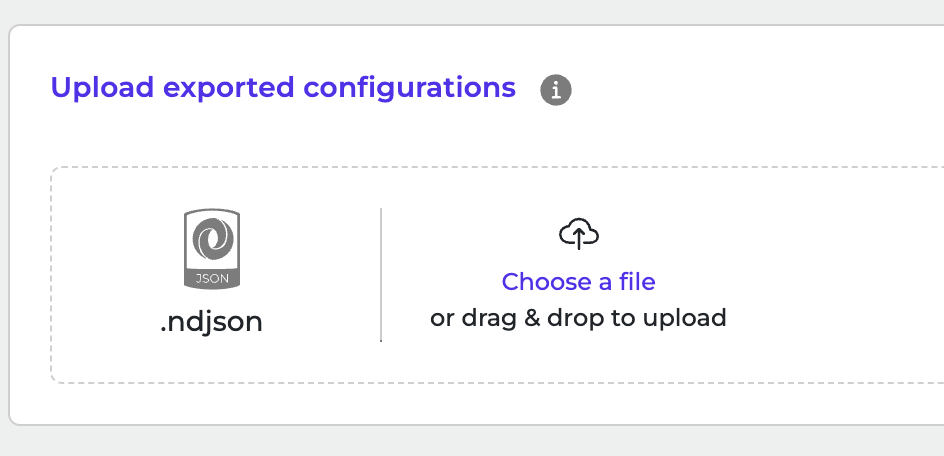
- Click to browse or drag and drop ndjson file to upload it.
- Click Import Configurations to start the import.