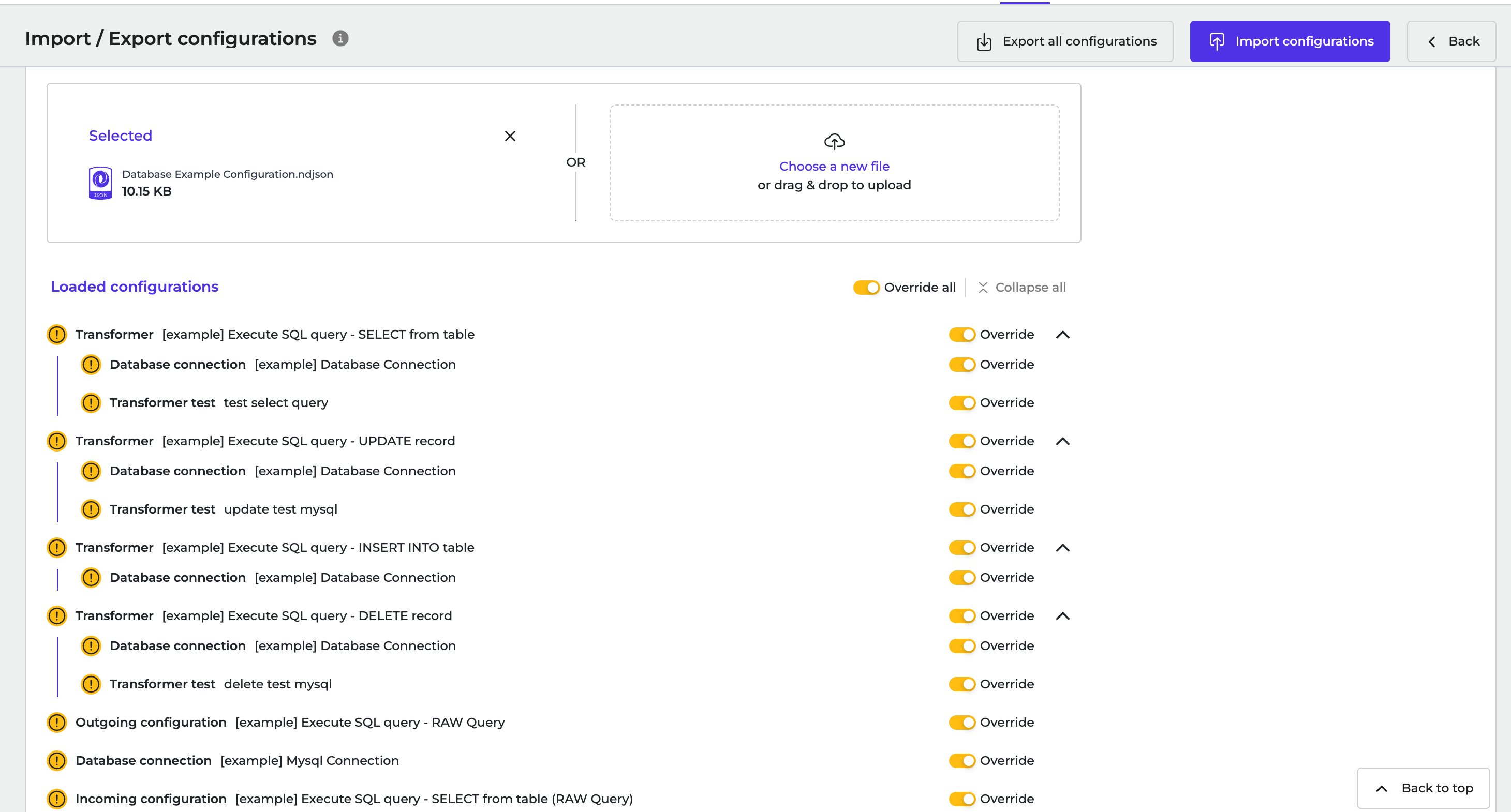
Overview
The Database package provides pre-configured examples for building integrations that interact with database systems. These examples show how Alumio can retrieve data from a database, process and transform it, and write it back to a database using Incoming configurations, Outgoing configurations, and Transformers. The package helps you quickly set up database integrations by providing reusable templates for common database operations. You can use these examples as a starting point and customize them based on your database structure, queries, and integration requirements.General Information
The Database package shows how different Alumio components work together in a database integration flow:- Incoming configuration: retrieves data from a database using a database subscriber.
- Transformer: processes, normalizes, or restructures database records before sending them to another system.
- Outgoing configuration: writes processed data into a database using a database publisher.
Package Contents
The package includes the following example configurations: 1. Create a Database Generic SubscriberShows how to retrieve data from a database using a generic Database subscriber. Can be used to execute database queries and import records into Alumio for further processing. Common use cases include:
- Importing records from existing database tables.
- Synchronizing database data with external systems.
- Creating scheduled data extraction processes.
Shows how to write processed data into a database using a generic Database publisher. Demonstrates how Alumio can export transformed data and store it in a target database. Common use cases include:
- Updating database records from external systems.
- Creating new records in database tables.
- Synchronizing data between multiple systems.
Shows how to transform and prepare database data before it is published or sent to another system. Helps convert raw database records into the required data structure. Common use cases include:
- Renaming or mapping fields.
- Formatting database values.
- Removing unnecessary data.
- Preparing data for the target system.
Typical Use Cases
The Database package can be used for various integration scenarios, including:- Synchronizing data between databases and external applications.
- Migrating data from one database system to another.
- Importing records from legacy database systems.
- Exporting processed integration data into database tables.
- Automating scheduled database data synchronization.
Customization
These configurations are designed as reusable templates. After importing the package, you can customize:- Database connection settings.
- SQL queries or database operations.
- Table structures and field mappings.
- Transformers and data processing rules.
- Routes and scheduling settings.
Integration Flow Example
A typical Database integration flow works as follows:- Incoming configuration retrieves data from the source database.
- Transformer processes and converts the data into the required format.
- Outgoing configuration sends or stores the processed data in the target database.
- Route connects all components and manages the data flow between them.
Template Import
Follow these steps to import a template to Alumio:- Log in to your Alumio dashboard.
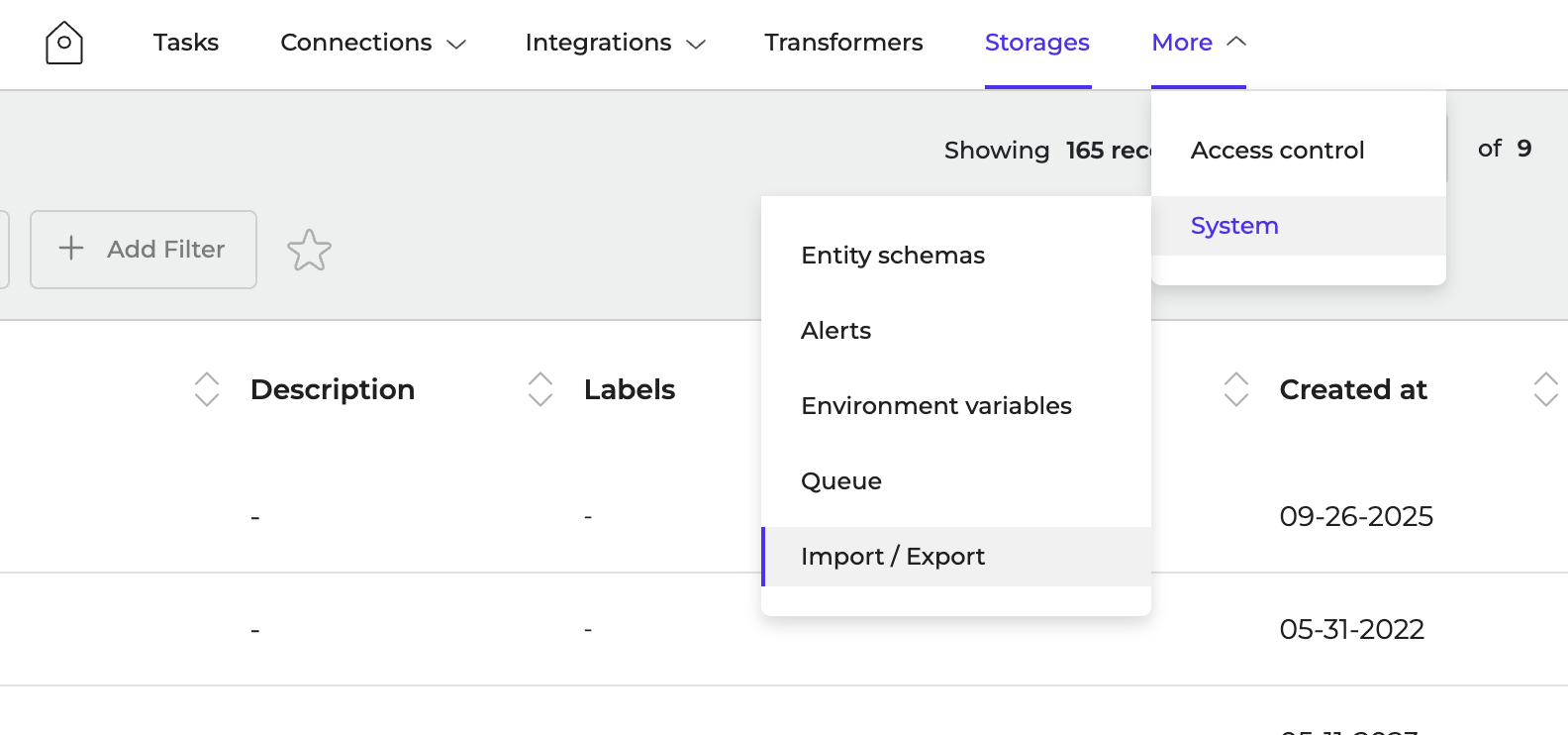
- Navigate to More > System > Import/Export
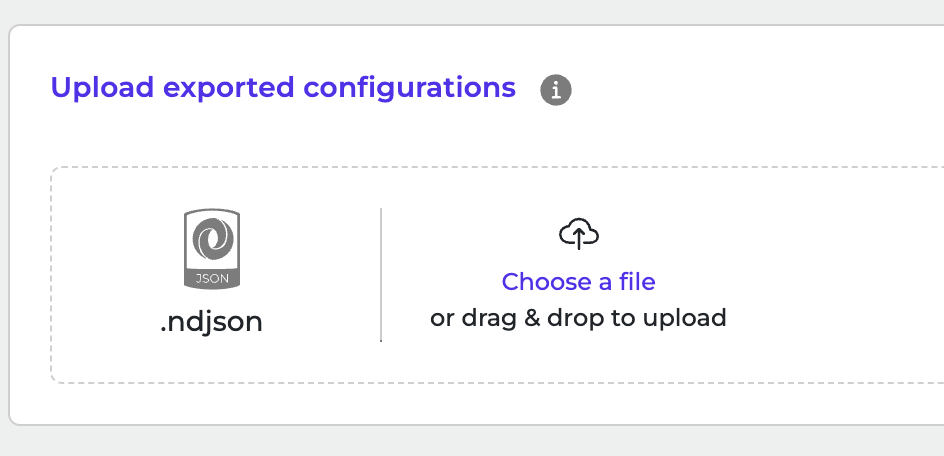
- Click to browse or drag and drop ndjson file to upload it.
- Click Import Configurations to start the import.