
Overview
The HTTP API package provides pre-configured examples for building integrations with external systems through HTTP-based APIs. These examples show how Alumio can communicate with RESTful services by configuring HTTP connections, authentication methods, and data retrieval strategies. The package includes examples for creating secure API connections, retrieving data from HTTP endpoints, and handling large datasets using pagination. These templates provide a starting point for building API integrations and can be customized based on your API requirements.General Information
The HTTP API package shows how different Alumio components work together when integrating with external HTTP services:- HTTP API Connection: defines reusable connection settings for communicating with HTTP endpoints, including base URLs, headers, and authentication settings
- Incoming Configuration: retrieves data from external APIs and supports pagination to process large datasets efficiently
- Authentication Configuration: provides examples of securing API requests using different authentication methods
- Transformer: processes and prepares API responses before sending data to another system
Package Contents
The package includes the following example configurations: 1. HTTP Authentication ExamplesShows how to configure authentication when connecting to secured HTTP APIs. These examples cover different authentication methods commonly used by external services. Included authentication examples:
- Basic Authentication
Shows how to authenticate HTTP requests using a username and password. Commonly used for APIs that require basic credential-based authentication. - Bearer Authentication
Shows how to authenticate requests using a bearer token. Commonly used for APIs that provide access tokens for API authorization. - OAuth 2 Authentication
Shows how to authenticate HTTP requests using the OAuth 2 framework. Commonly used when integrating with APIs that require token-based authorization flows.
Shows how to retrieve paginated data from HTTP APIs by following the next page URL provided in the API response. Commonly used by APIs that return a navigation link or cursor for retrieving the next set of results. Example flow:
- Send an initial request to the API endpoint.
- Receive the response containing data and a next page link.
- Follow the provided link to retrieve the next page.
- Continue until all pages are processed.
Shows how to retrieve paginated data by increasing request parameters for each API call. Commonly used by APIs that use parameters such as:
- Page number
- Offset
- Limit
- Cursor values
- Send the initial API request with pagination parameters.
- Increase the configured query or body parameter value.
- Send the next request using the updated parameter.
- Continue until all available data has been retrieved.
Typical Use Cases
The HTTP API package can be used for various integration scenarios, including:- Connecting Alumio with REST APIs
- Synchronizing data between external applications
- Importing large datasets using API pagination
- Integrating with third-party services requiring authentication
- Automating data exchange between business systems
Customization
These configurations are designed as reusable templates. After importing the package, you can customize:- API base URL and endpoints
- Authentication credentials or tokens
- Request headers and parameters
- Pagination settings
- Response processing logic
- Transformers and data mapping rules
Integration Flow Example
A typical HTTP API integration flow works as follows:- HTTP API Connection establishes communication with the external API.
- Authentication securely authorizes requests.
- Incoming Configuration retrieves data from the API endpoint.
- Pagination automatically retrieves additional pages when required.
- Transformer processes and prepares the retrieved data.
- Route manages the data flow between configurations.
Template Import
Follow these steps to import a template to Alumio:- Log in to your Alumio dashboard.
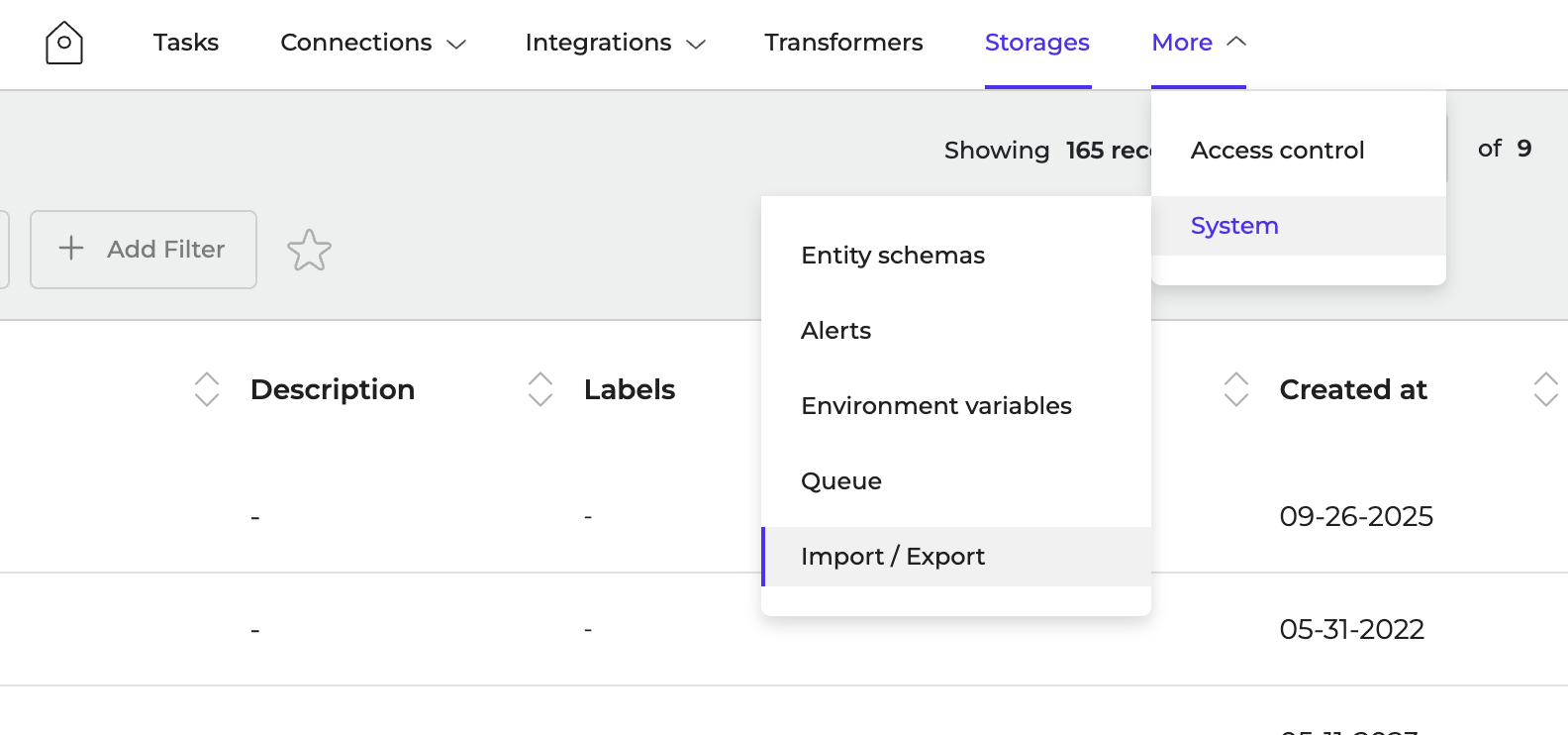
- Navigate to More > System > Import/Export
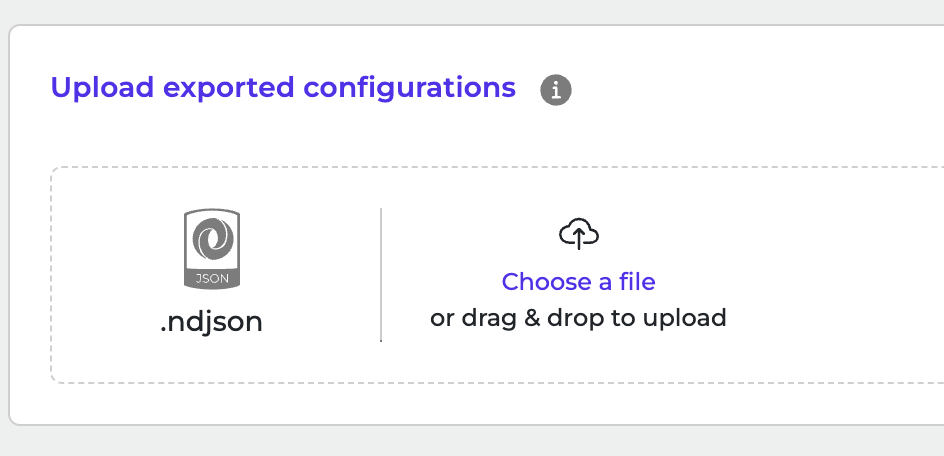
- Click to browse or drag and drop ndjson file to upload it.
- Click Import Configurations to start the import.