What Webhooks can do
Webhooks give you control over how incoming data from external systems is received and handled. You can:- Receive real-time data from external systems via a dedicated POST endpoint.
- Link one or more Incoming configurations to route different entities to different Routes from a single Webhook URL.
- Apply pre-processors to validate incoming requests before Alumio accepts the data.
- Apply post-processors to run logic after the data has been consumed and tasks have been created.
- Control the response returned to the caller, including the status code, headers, and body format.
- Validate cryptographic request signatures for secure Webhook integrations.
Filtering Webhooks
The overview page lists all Webhooks in your environment. Filters are available for Name, Created at, Updated at, and Labels. Use + Add Filter for additional conditions.Creating a Webhook
A Webhook is configured through three tabs: General, Processors, and Response. The General tab defines the core connection: the Incoming configuration to trigger when the Webhook is called, optional additional Incoming configurations for multi-entity routing, logging, and job queue priority. The Processors tab contains pre-processors and post-processors. Pre-processors validate the incoming request before Alumio accepts the data, for example, matching a shared-secret header or validating a cryptographic signature. Post-processors run after the data has been consumed and tasks have been created, for example, responding to a Business Central subscription validation request. The Response tab controls what Alumio returns to the caller: the HTTP protocol version, status code, custom headers, and response body format.Using a Webhook
To allow an external system to call your Webhook, share the Webhook endpoint URL and any pre-processor details (required headers or signature configuration) with the sending system. The full endpoint URL follows this pattern:https://{environment}.alumio.com/api/v1/webhook/{identifier}
Additional path segments can be appended to the Webhook URL to pass extra variables into the incoming request.
Header data from incoming requests is accessible in Entity transformers using Alumio placeholder syntax (e.g. &{headers.X-event-type}) when the Incoming configuration is set up with the Add headers option enabled.
Securing Webhooks
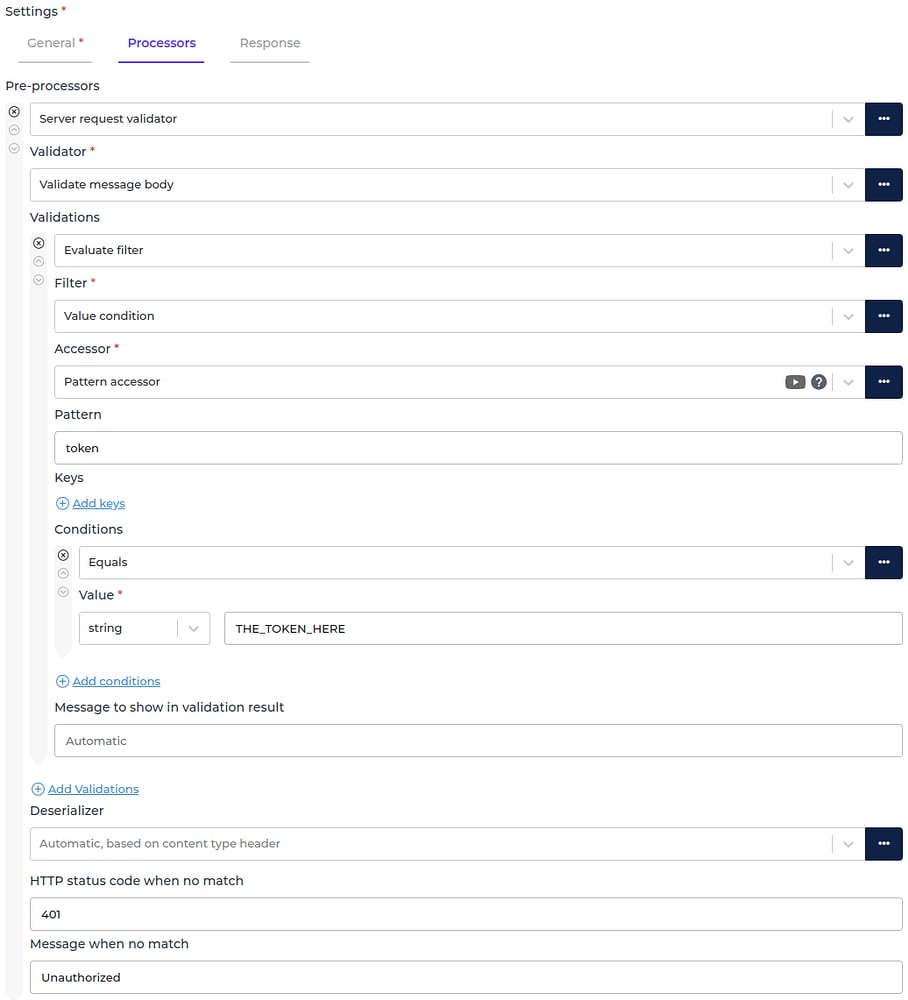
Webhook endpoints in Alumio are publicly accessible URLs. To prevent unexpected or malicious requests from being processed, you should add one or more security layers using pre-processors. Three approaches are available:Token validation
When the external system includes a token in every webhook request, Alumio can validate it before processing. The token can be located in different parts of the request: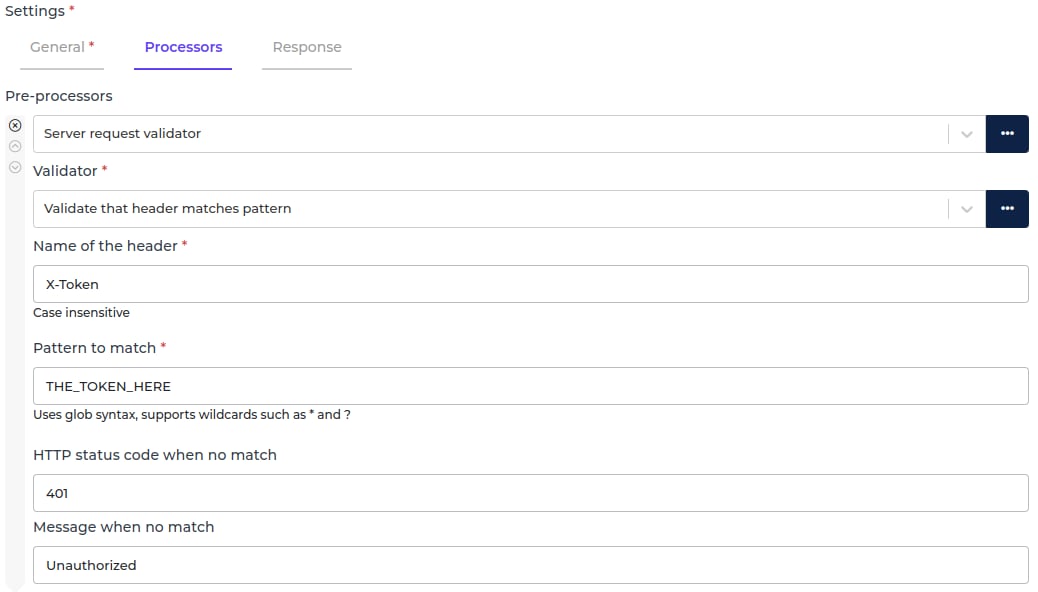
IP address whitelist
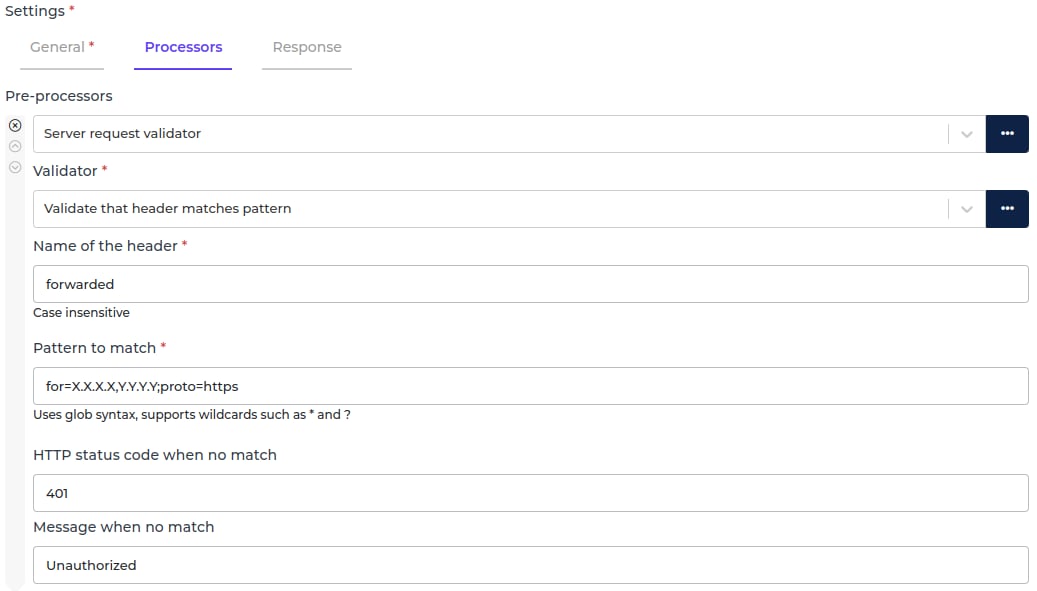
If you know the IP addresses the external system sends requests from, you can restrict the Webhook to only accept requests from those addresses. Any request originating from an IP address not on the whitelist is rejected before processing.