
Overview
The Base64 Media Retriever is a configuration-based transformer that retrieves media files (such as product images) from a Magento 2 source and converts them into Base64-encoded strings for inclusion in the data payload. It replaces the deprecated prototype-basedbase64-media-retriever previously used in the Legacy Magento 2 Connector.
This component has been migrated from a prototype-based implementation to a configuration-based setup as part of the Legacy Magento 2 Connector replacement project.
Prototype vs Configuration-based
If you need to transform a different payload structure or serve a different use case, you must duplicate this transformer and adjust the configuration accordingly. Do not modify an existing configuration as another Route already uses it.
Type
TransformerPurpose
This transformer fetches media files referenced in the source payload (typically product images) and encodes them as Base64 strings. This is useful when the target system expects media to be embedded directly in the payload rather than referenced by URL.Configuration
Input / Output
Input: Payload containing media file URLs or paths (JSON) Output: Same payload with media files replaced or enriched with Base64-encoded stringsExample Input
Example Output
Usage
- Navigate to Transformers in your Alumio environment.
- Search for or create a new Base64 Media Retriever transformer.
- Configure the
media_url, andoutput_fieldparameters. - Add this transformer to the relevant route in the transformation step, typically after the Subscriber and before the target Publisher.
Deprecated VS New
An example of the deprecated configuration: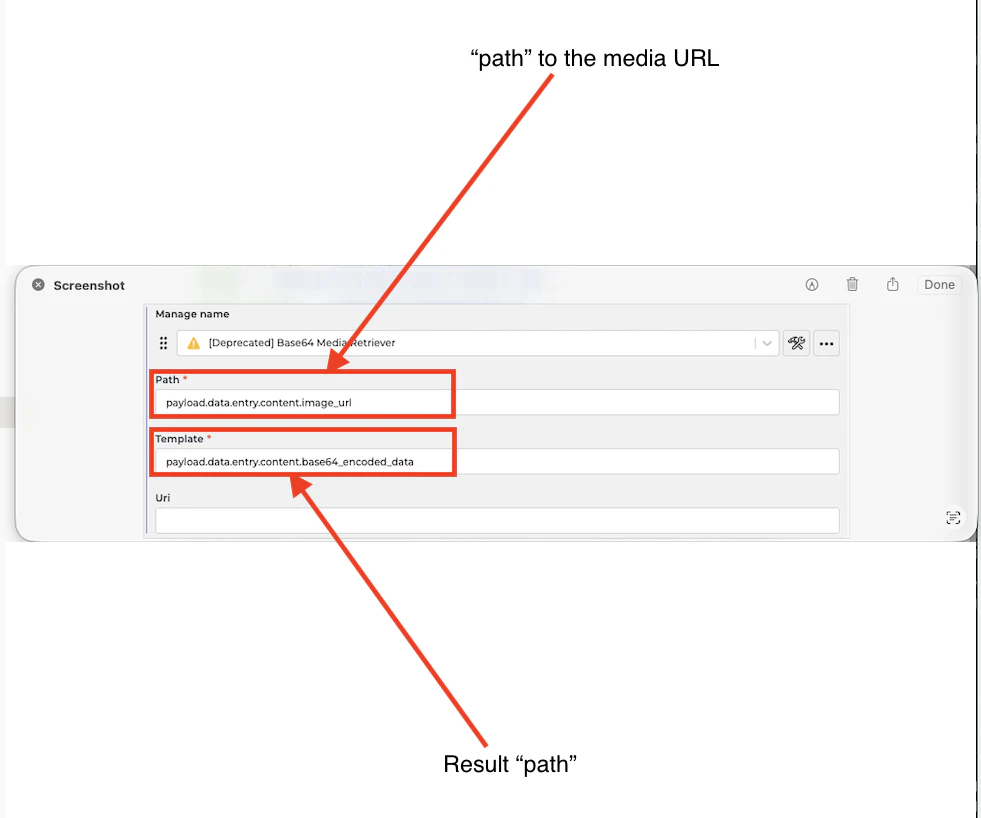
An example of the new configuration:
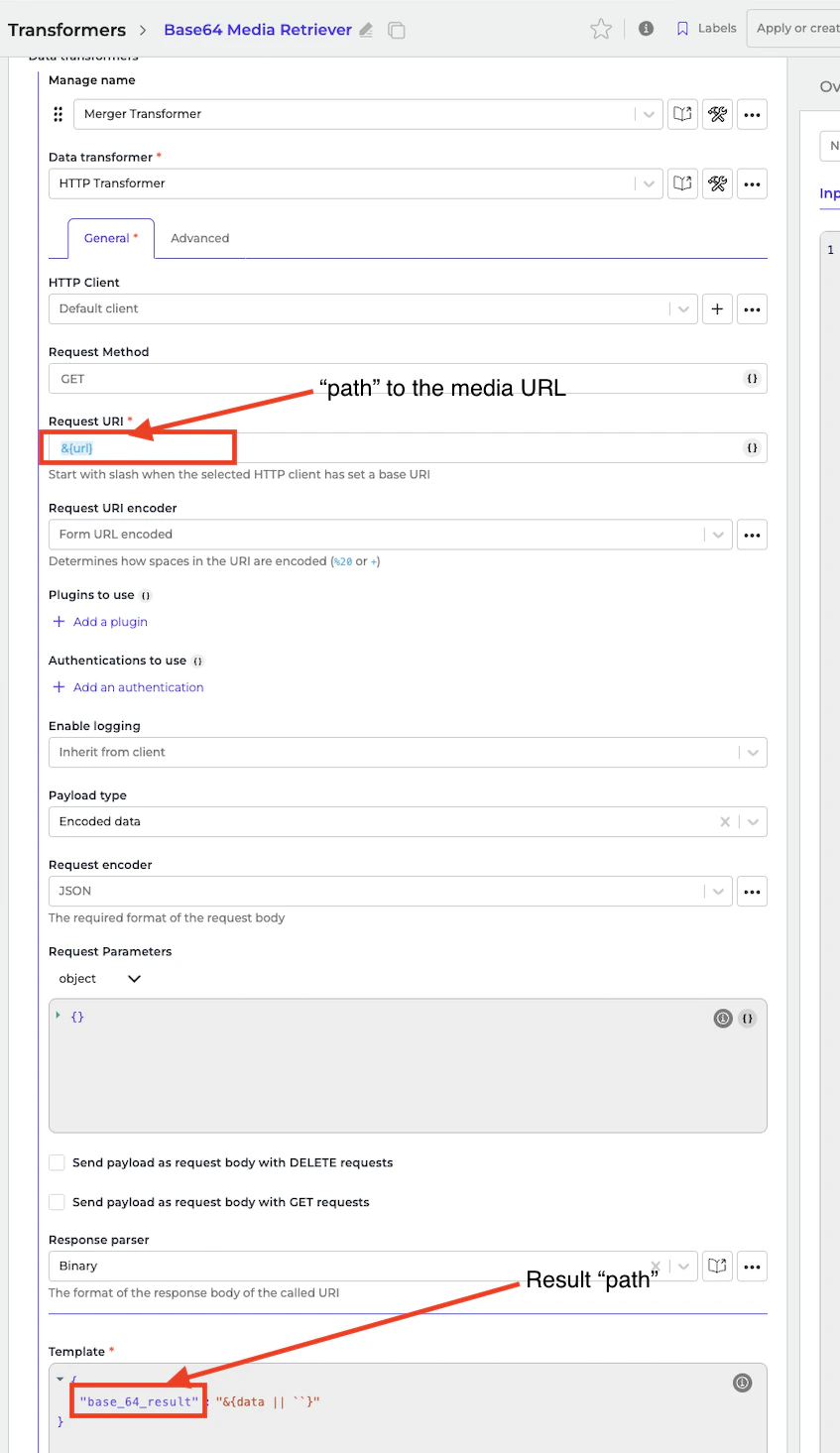
Notes
- Replaces the prototype:
base64-media-retriever - Unlike the prototype-based implementation, this configuration-based transformer is not reusable across different purposes or payloads. If you need to transform a different payload structure or serve a different use case, you must duplicate this transformer and adjust the configuration accordingly.
- Large media files will significantly increase payload size. Consider whether Base64 encoding is strictly required by the target system.
- If the target system supports URL-based media references, it is recommended to pass the media URL directly instead of encoding it.
- Ensure the
media_base_urlis accessible from the Alumio environment at runtime.