Documentation Index
Fetch the complete documentation index at: https://docs.alumio.com/llms.txt
Use this file to discover all available pages before exploring further.
Fetching Families from Akeneo
- In Alumio, go to “Integrations → Incoming → Akeneo - Fetch - Families”. This incoming is created to get family axes in Akeneo to determine a super attribute in Spryker. The family axes exist in the family variants, but Akeneo require code in the endpoint.
Akeneo - Fetch and update storage - Family Variants - Axes
This transformer is a custom pagination HTTP call to get family variants. It saves the family axes in the storage “Akeneo - Family Variants - Axes”.
Fetching Attributes from Akeneo
- In Alumio, go to “Integrations → Incoming → Akeneo - Fetch - Attributes”.
Akeneo - Prepare convert category - Labels - To localizations
This transformer converts label data from Akeneo.
{
"labels": {
"de_DE": "E-commerce",
"en_GB": "E-commerce",
"en_US": "E-commerce",
"es_ES": "E-commerce",
"fr_FR": "E-commerce",
"it_IT": "E-commerce",
"nl_NL": "E-commerce",
"pt_PT": "E-commerce"
}
}
Since this structure is not compatible with Spryker, this transformer converts it into a more suitable and workable format.
{
"localizations": [
{
"localeCode": "de_DE",
"translation": "E-commerce"
},
{
"localeCode": "en_GB",
"translation": "E-commerce"
},
{
"localeCode": "en_US",
"translation": "E-commerce"
},
{
"localeCode": "es_ES",
"translation": "E-commerce"
},
...
]
}
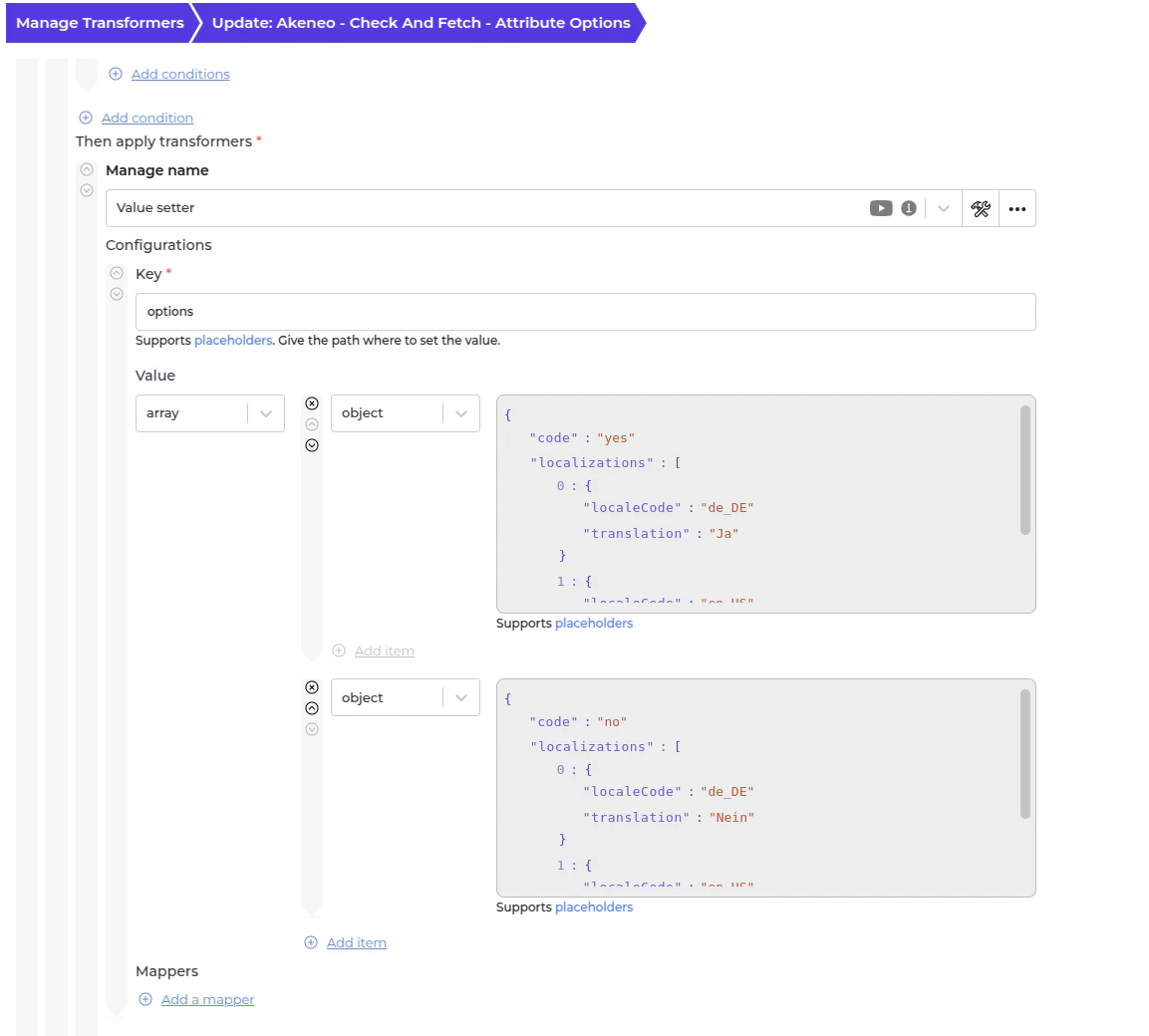
Akeneo - Check and fetch - Attribute options
This transformer checks whether an attribute has available options. If the attribute is a boolean, the transformer will generate options based on its value, which can be customised in the Value Setter.
Akeneo - Fetch and convert - Attribute Options - To Alumio Base Attribute Options
This transformer performs a custom paginated HTTP request to retrieve attribute options and then converts them into the Alumio base attribute option format.
Akeneo - Convert - Attribute - To Alumio Base Attribute
This transformer converts the entire attribute data into Alumio Base data.
{
"code": "zoom_capability_472",
"isSuper": false,
"typeCode": "text",
"localizations": [
{
"localeCode": "de_DE",
"translation": "Zoom-Fähigkeit"
},
...
]
}
Akeneo - Map - Type code - To Spryker Code
This transformer is used to map the type code in Akeneo into a Spryker one. For example,
- pim_catalog_boolean → select.
- pim_catalog_select → select.
Akeneo - Check - Axes - Is Super Attribute
This transformer checks the super attribute using storage “Akeneo - Family Variants - Axes” that was created by the Incoming “Akeneo - Fetch - Families”.
Akeneo - Filter - Attribute
- Use this transformer to filter previously created task attributes to avoid duplication.
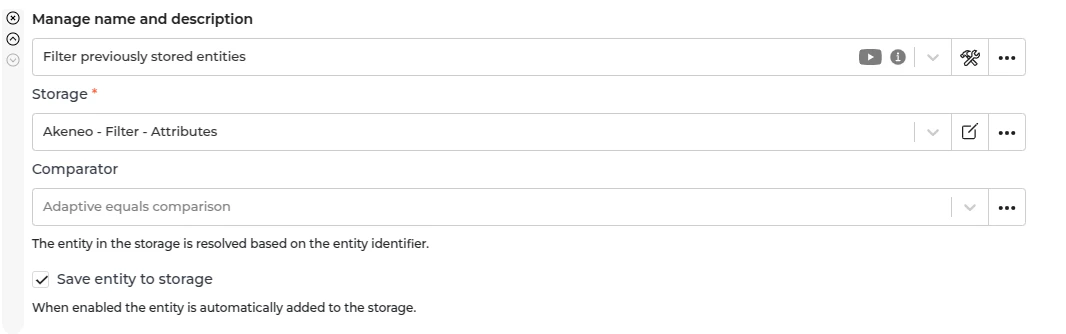
- To recreate a task, remove the entity from the storage “Akeneo - Filter - Attributes”.
Fetching Attributes from Spryker
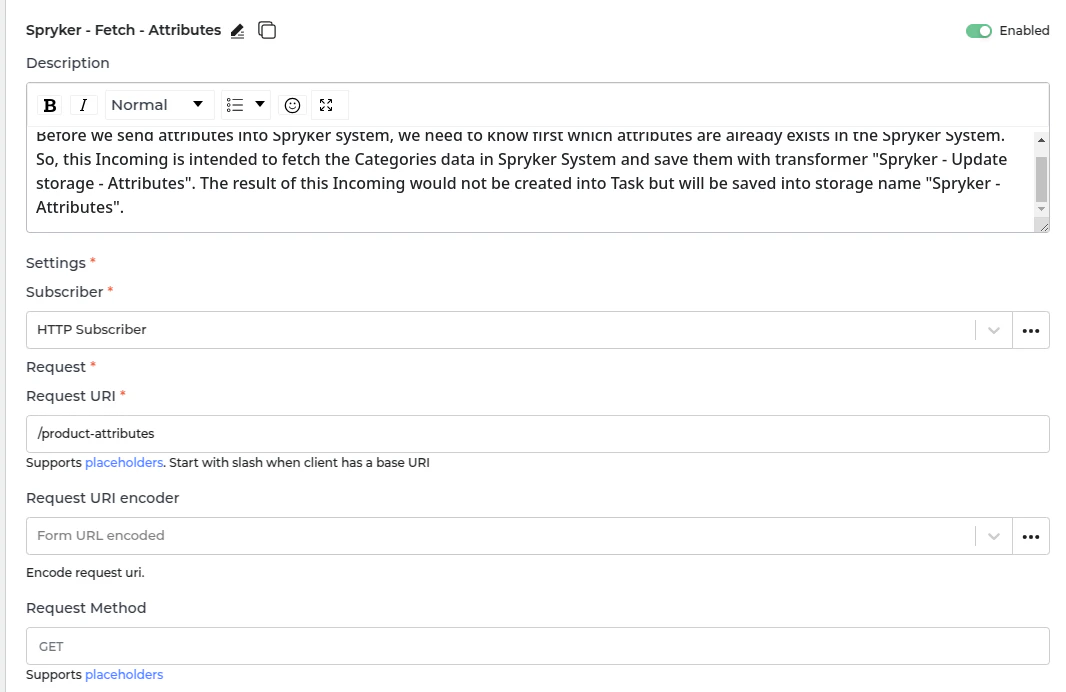
- In Alumio, go to “Integrations → Incoming → Spryker - Fetch - Attributes”. Before sending attributes to the Spryker system, we first need to determine which attributes already exist. This Incoming configuration fetches attribute data from Spryker and stores it using the “Spryker - Update storage - Attributes” transformer. The result is not created as a task but saved in storage under “Spryker - Attributes.”
Sending Attributes into Spryker
- In Alumio, go to “Integrations → Route → Akeneo Synchronize Atrributes to Spryker”.
Spryker - Prepare Convert - Check type code for metric and change into text
Since the metric type is not currently supported in Spryker, it is converted to text.
Spryker - Convert - Attribute - From Alumio Base
This transformer handles the conversion of Alumio attribute data within the task into the appropriate Spryker attribute format.
{
"data": {
"id": "envelopes_sizes_3627",
"type": "product-attributes",
"attributes": {
"key": "envelopes_sizes_3627",
"allowInput": false,
"isSuper": false,
"inputType": "multiselect",
"localizedKeys": [
{
"translation": "Umschlaggrößen",
"localeName": "de_DE"
},
{
"translation": "Envelope sizes",
"localeName": "en_GB"
},
{
"translation": "Envelope sizes",
"localeName": "en_US"
},
...
],
"values": []
}
}
}
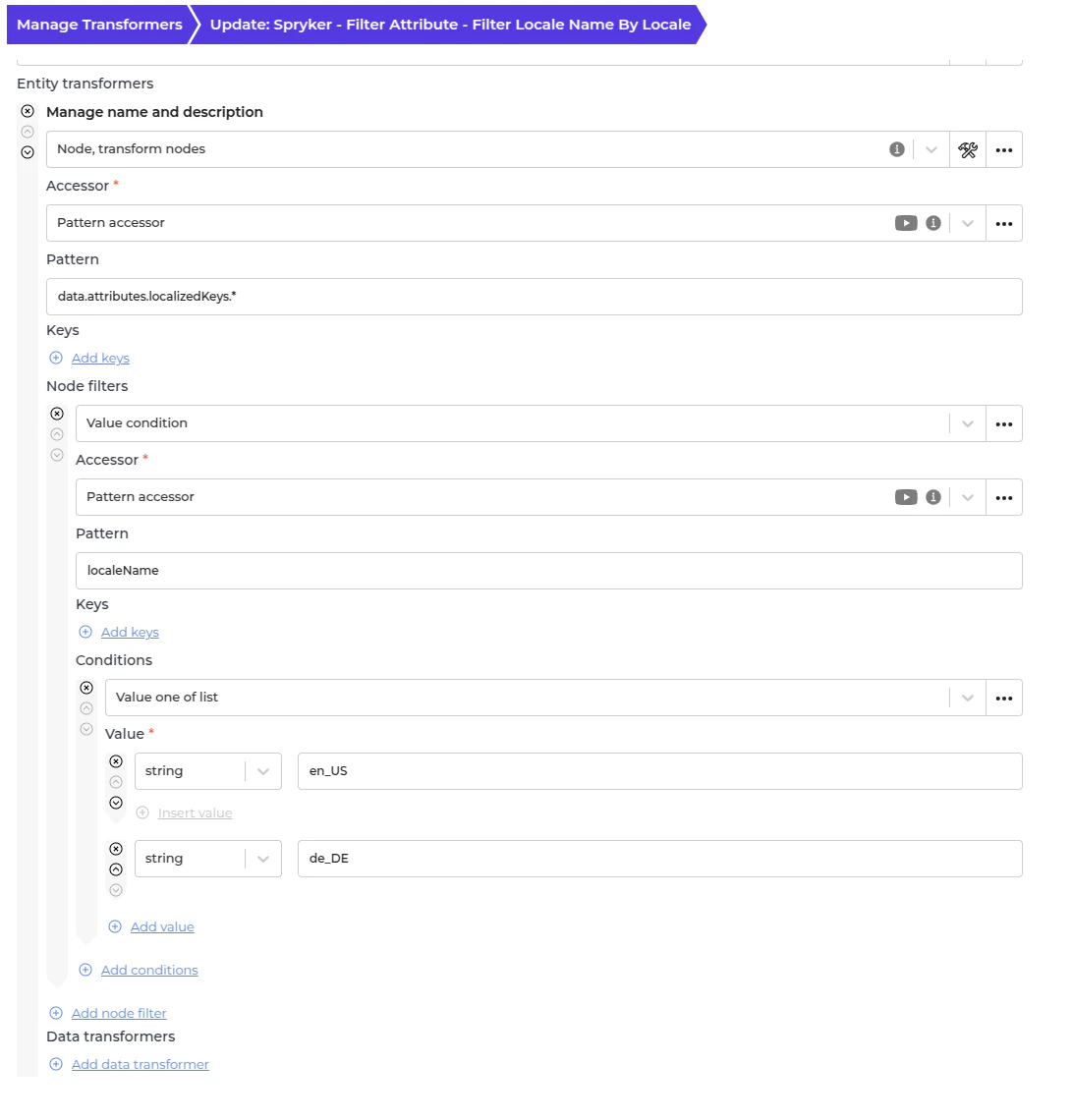
Spryker - Filter Attribute - Filter locale name by locale
The Spryker system requires synchronization locales to match those configured in the store to prevent errors. Consequently, this transformer is designed to process only the approved locales. Please update the Node filter to add or remove locales as needed.
Spryker - Prepare Send Attribute - Check localized keys translation for system and add period
Due to a bug in Spryker that rejects payloads containing the locale name “System”, this logic appends a period (System.) to bypass the validation error.
Spryker - Check and send - Attribute
This transformer will check current Spryker attributes from the Incoming “Spryker - Fetch - Attributes” to determine whether we need to create or update the attribute in the Spryker System.
Spryker - Update storage - Attributes
This transformer will save the current created or updated attribute to be used in future iterations of the transformer “Spryker - Check and send - Attribute”.
Automatic Attributes Synchronization Setup
- In Alumio, go to “Integrations → Schedulers → Akeneo - Fetch and check Attributes”.
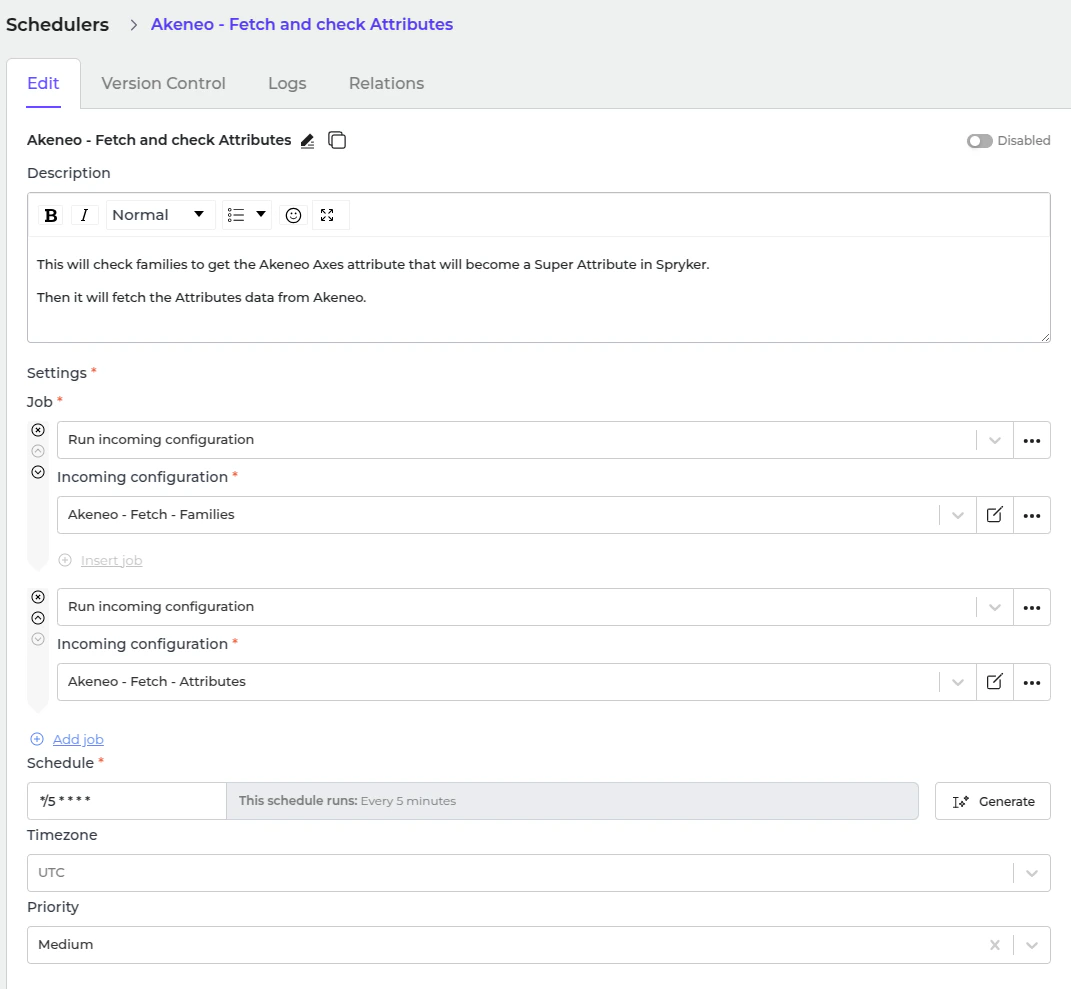
- Set a schedule expression and enable the configuration.
- In Alumio, go to “Integrations → Schedulers → Spryker - Send Attributes”.
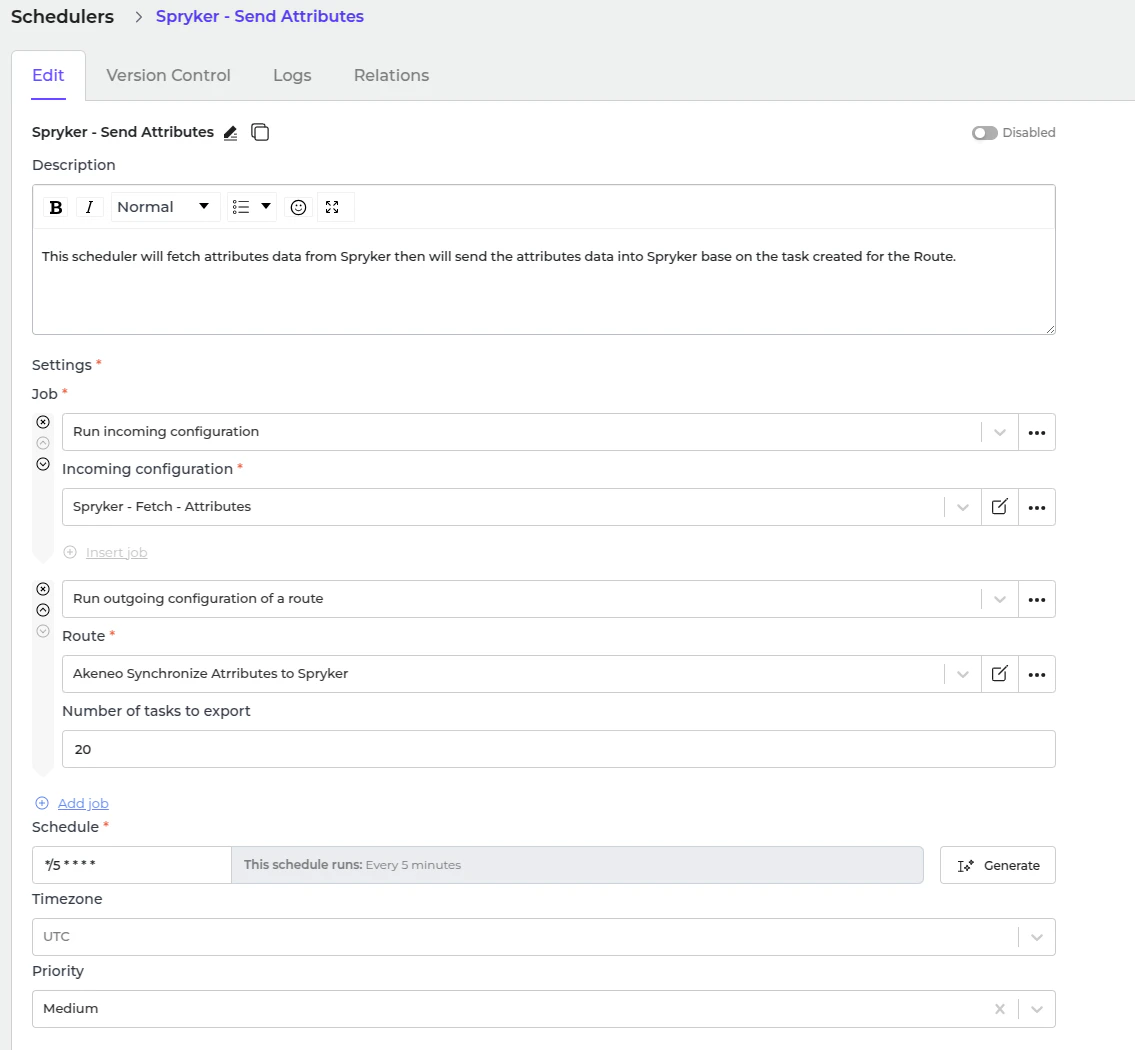
- Set a schedule expression and enable the configuration.