> ## Documentation Index
> Fetch the complete documentation index at: https://docs.alumio.com/llms.txt
> Use this file to discover all available pages before exploring further.
# Version 3.85.0
 We’re excited to introduce big new feature updates with Alumio version 3.85.0-RC1! From our new labelling feature to adding a new functionality to our AI Code Transformer, and new user-friendly biometric log-in methods. We’re eager for these new features to simplify your integration experience with Alumio even further!
**Here’s what’s new and improved with Alumio version 3.85.0-RC1:**
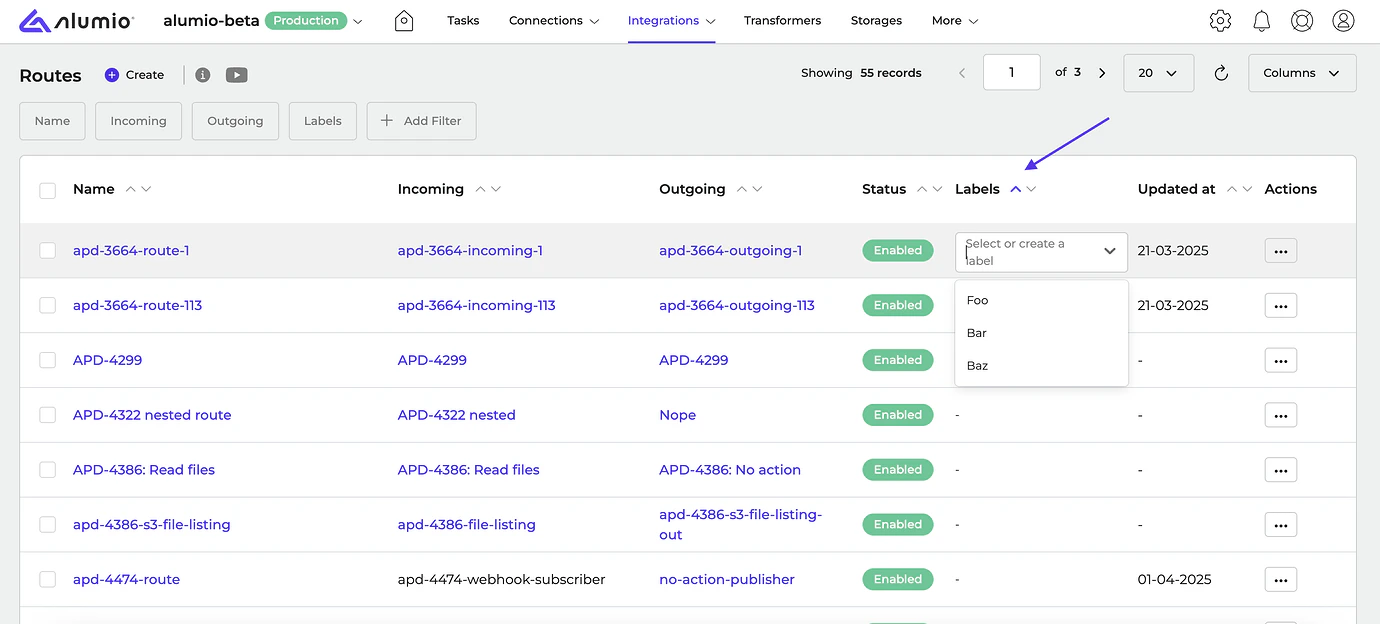
* **\[NEW]** Alumio now supports [Labels](https://forum.alumio.com/t/labels-in-alumio/1842)! This allows users to tag configurations and filter them based on labels, making it easier to search and organize your integrations.
We’re excited to introduce big new feature updates with Alumio version 3.85.0-RC1! From our new labelling feature to adding a new functionality to our AI Code Transformer, and new user-friendly biometric log-in methods. We’re eager for these new features to simplify your integration experience with Alumio even further!
**Here’s what’s new and improved with Alumio version 3.85.0-RC1:**
* **\[NEW]** Alumio now supports [Labels](https://forum.alumio.com/t/labels-in-alumio/1842)! This allows users to tag configurations and filter them based on labels, making it easier to search and organize your integrations.
 \\
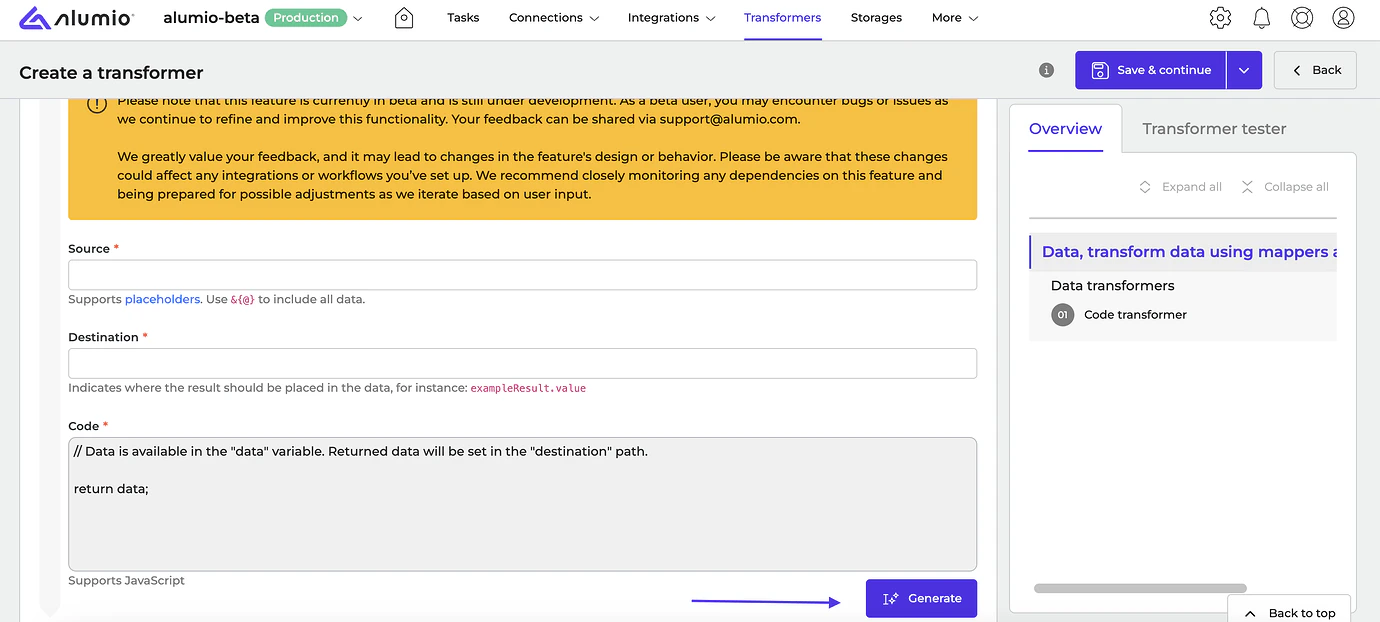
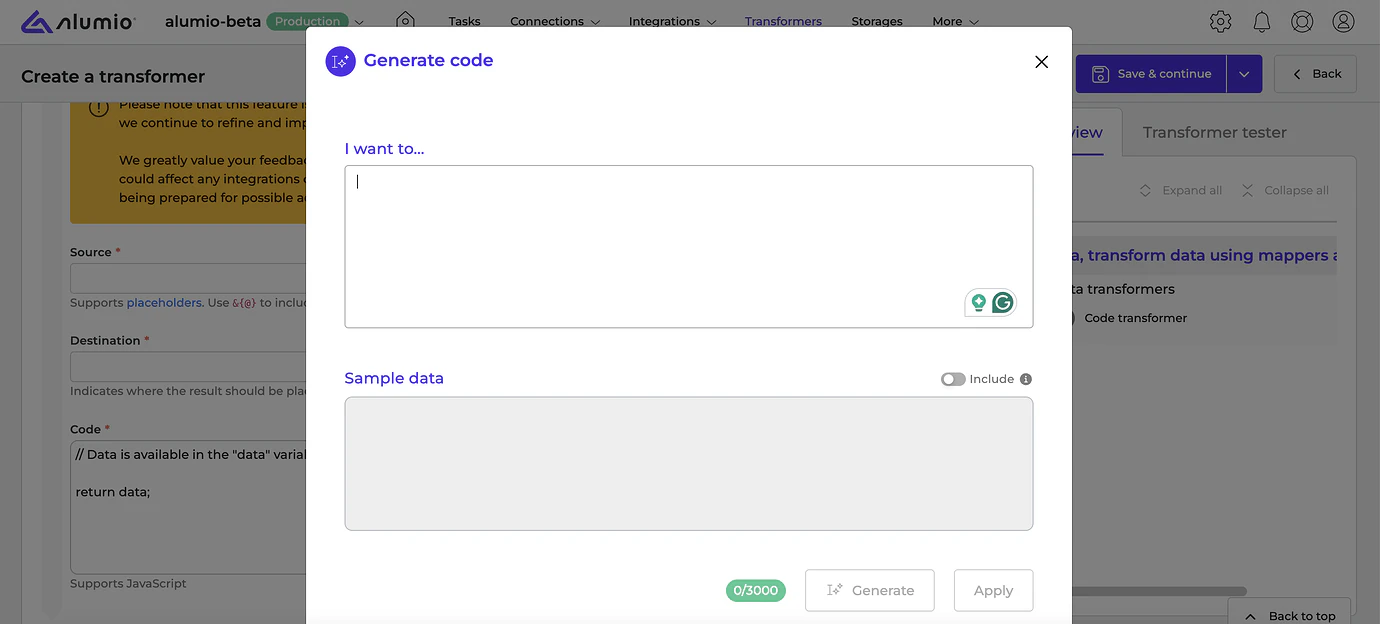
* **\[NEW]** We’ve enhanced our AI Code Transformer workflow by adding the “Generate” button, which opens a popup for generating code and sample data.\\
\\
* **\[NEW]** We’ve enhanced our AI Code Transformer workflow by adding the “Generate” button, which opens a popup for generating code and sample data.\\
 * **\[NEW]** Users can now use Passkeys or Fingerprint authentication methods on supported devices.
* **\[NEW]** Fixed an issue where the user couldn’t use the Enter key in the confirmation popup to confirm actions.
**Release dates**
* Release candidate 3.85.0-RC1: will be installed on April 14-17, 2025 (Sandbox environments)
* Stable release 3.85.0: will be installed on April 28–May 1st, 2025 (Production environments)
**How to update your environment**
Your UAT environment is always automatically updated every 2 weeks to the latest release candidate version. This happens on the same day as the release notes are published by Alumio.
**Note:** Your production environment is NOT automatically updated to the next stable version. You can request production updates by contacting our Support Team via: [support@alumio.com](mailto:support@alumio.com). Our Support Team will perform the update in correspondence with your planning.
* **\[NEW]** Users can now use Passkeys or Fingerprint authentication methods on supported devices.
* **\[NEW]** Fixed an issue where the user couldn’t use the Enter key in the confirmation popup to confirm actions.
**Release dates**
* Release candidate 3.85.0-RC1: will be installed on April 14-17, 2025 (Sandbox environments)
* Stable release 3.85.0: will be installed on April 28–May 1st, 2025 (Production environments)
**How to update your environment**
Your UAT environment is always automatically updated every 2 weeks to the latest release candidate version. This happens on the same day as the release notes are published by Alumio.
**Note:** Your production environment is NOT automatically updated to the next stable version. You can request production updates by contacting our Support Team via: [support@alumio.com](mailto:support@alumio.com). Our Support Team will perform the update in correspondence with your planning.