> ## Documentation Index
> Fetch the complete documentation index at: https://docs.alumio.com/llms.txt
> Use this file to discover all available pages before exploring further.
# Version 3.76.0
 It’s the last month of the year, and we’re keen to kick it off with some great usability improvements with Alumio version 3.76.0-RC1. Key highlights include the ability to set priorities for Routes and Incoming configurations, improved display of Logs in the Task Import/Export messages, and a restyled Task details page, among other great user-friendly enhancements. Keep happy integrating!
**Here’s what’s new and improved with Alumio version 3.76.0-RC1**
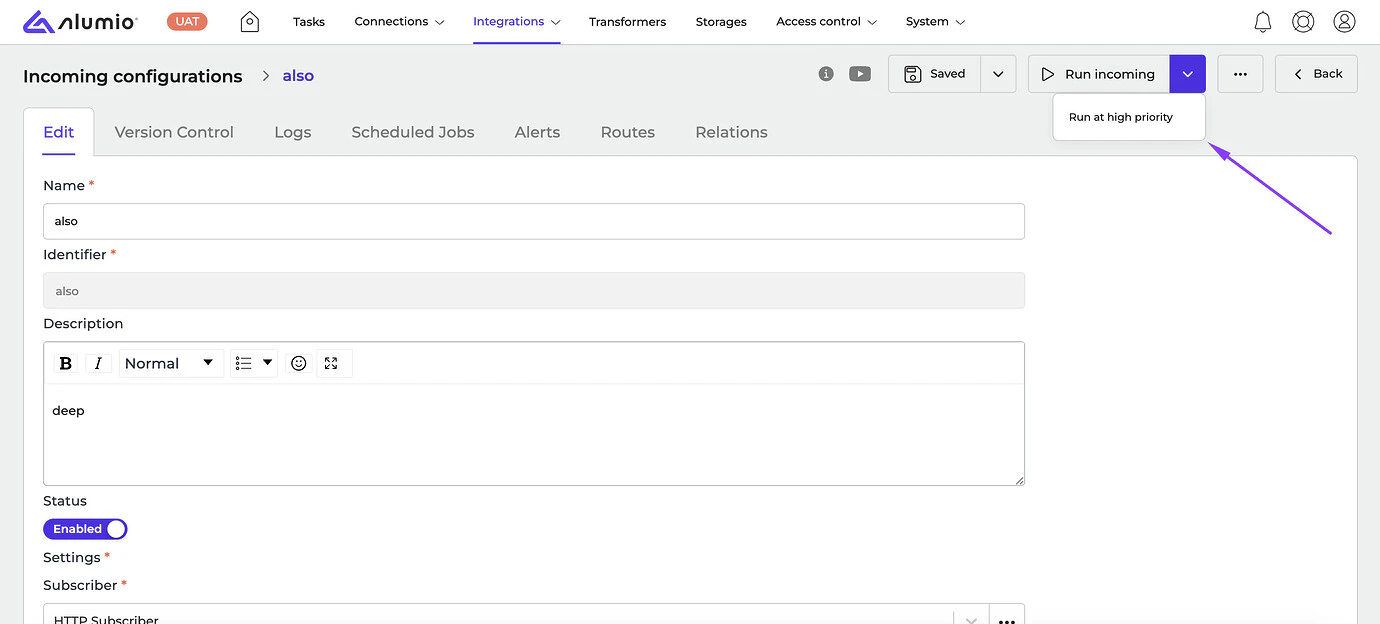
* **\[NEW]** Now users can [set the priority by themselves when manually](https://forum.alumio.com/t/incoming-in-alumio/174) executing a Route or Incoming configuration in Alumio. By default, the “Medium” priority is selected, however, users can run configurations with the “High” priority by clicking on the “Run Route/Incoming” button from the dropdown on the details page. This makes sure the process will be moved to the top of the queue.
It’s the last month of the year, and we’re keen to kick it off with some great usability improvements with Alumio version 3.76.0-RC1. Key highlights include the ability to set priorities for Routes and Incoming configurations, improved display of Logs in the Task Import/Export messages, and a restyled Task details page, among other great user-friendly enhancements. Keep happy integrating!
**Here’s what’s new and improved with Alumio version 3.76.0-RC1**
* **\[NEW]** Now users can [set the priority by themselves when manually](https://forum.alumio.com/t/incoming-in-alumio/174) executing a Route or Incoming configuration in Alumio. By default, the “Medium” priority is selected, however, users can run configurations with the “High” priority by clicking on the “Run Route/Incoming” button from the dropdown on the details page. This makes sure the process will be moved to the top of the queue.
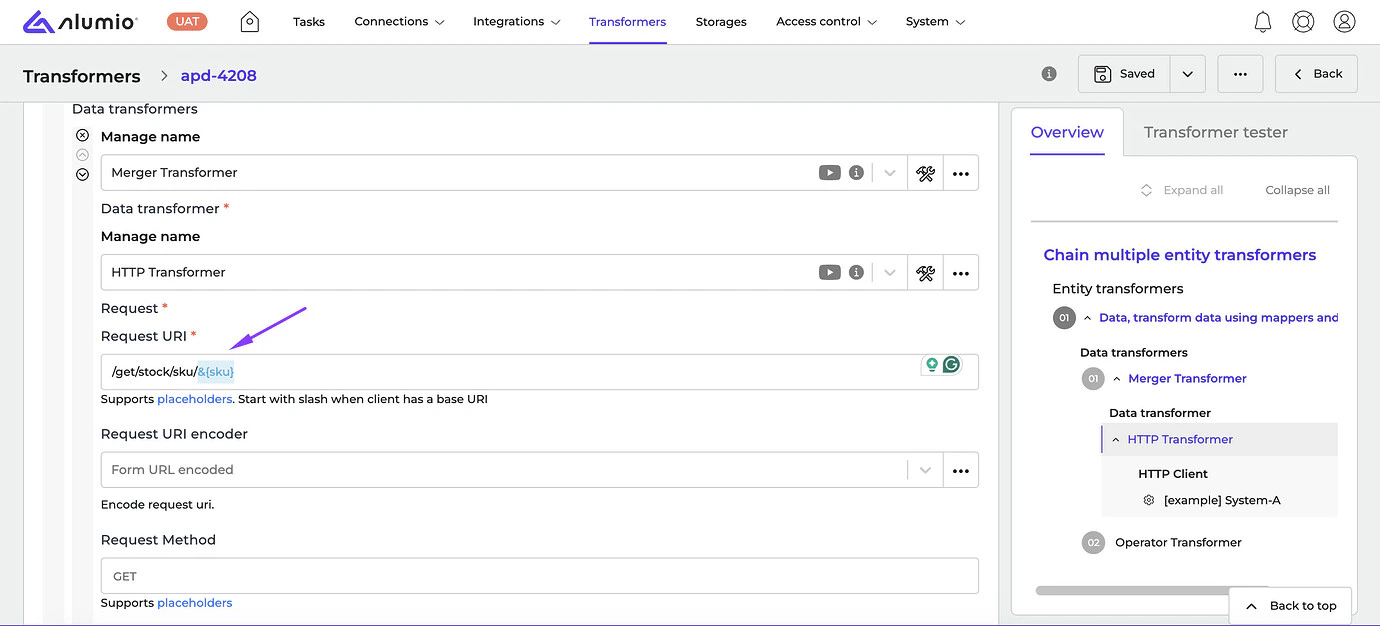
 * **\[NEW]** Placeholders and environment variables `${}`, `&{}`, and `?{`} have been improved by highlighting them in [different colors](https://forum.alumio.com/t/how-to-use-alumio-syntax-variable-2/242) to differentiate correct and incorrect inputs.
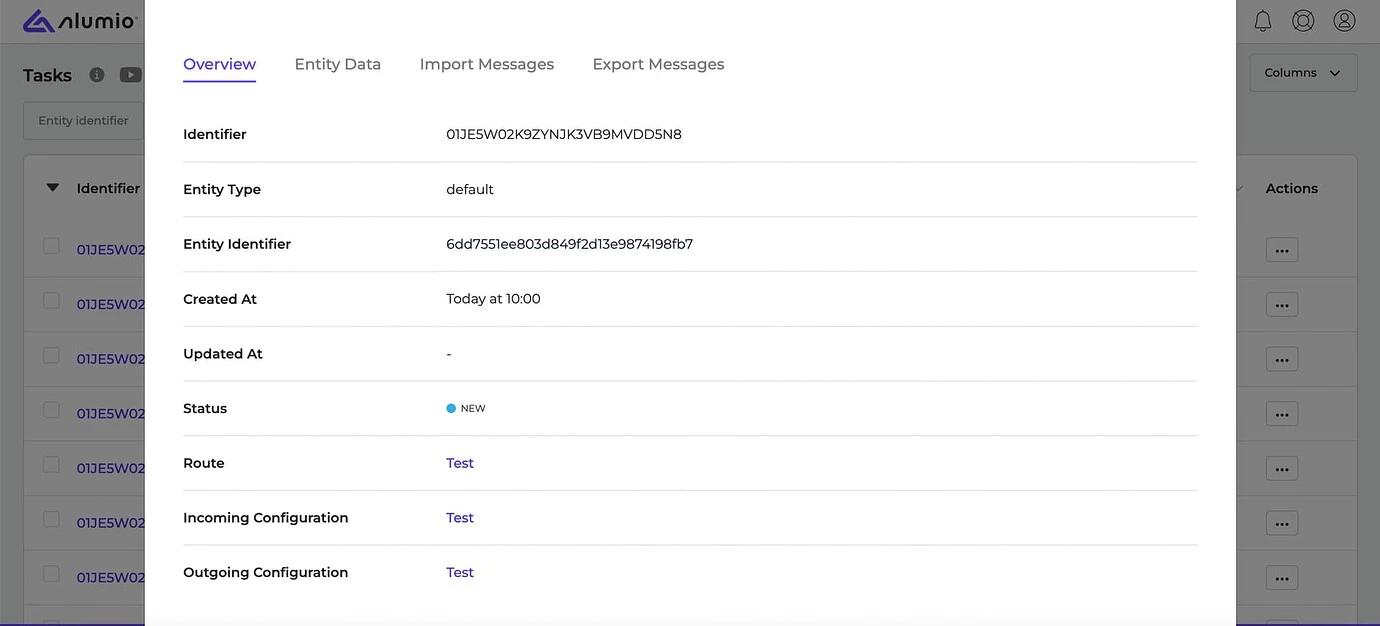
 * **\[NEW]** We’ve restyled the Task details popups to improve the view and usability of popups.
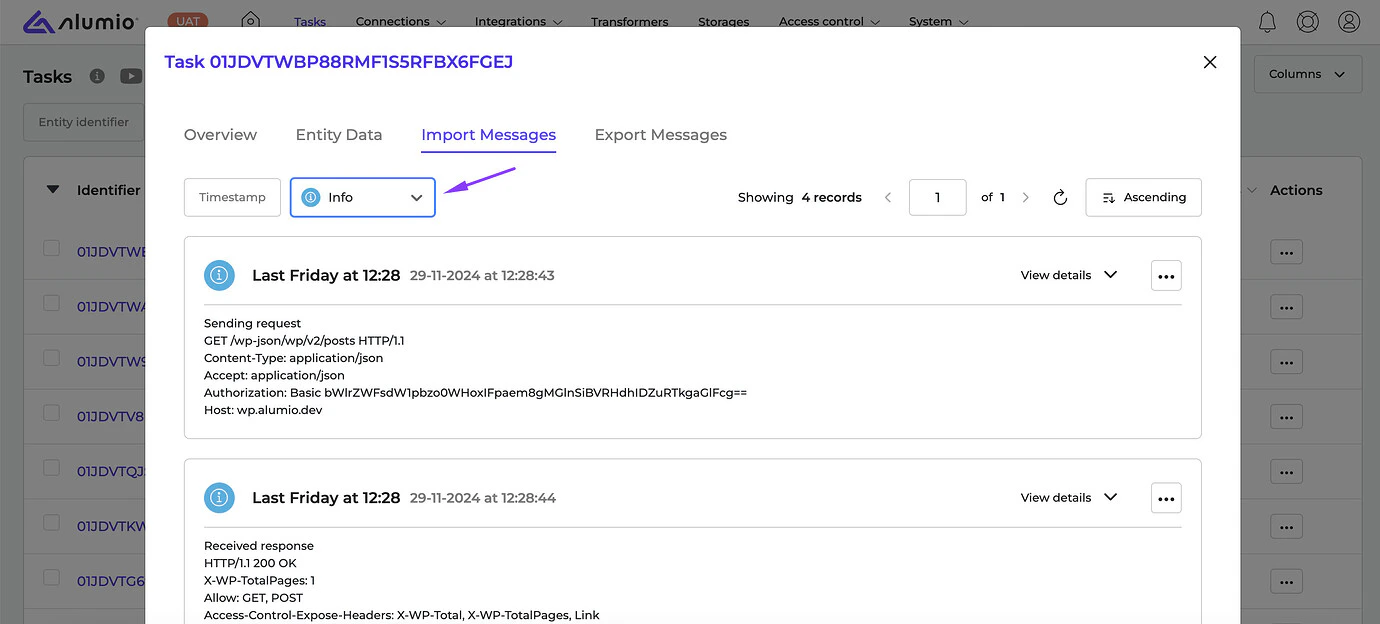
 * **\[NEW]** We’ve enhanced the Log display in the Task Import/Export messages to improve the usability and search in different log levels.
 * **\[NEW]** We’ve improved the behavior of the Queue job: when Alumio is shutdown because of the out-of-memory issue or gets killed, configuration statuses should display as “Failed” or “Killed” instead of “Started”.
* **\[NEW]** We fixed a bug where editing the Object box of the Transformer caused uncontrolled resizing of the field.
**Release dates**
* Release candidate 3.76.0-RC1: will be installed on December 09-12, 2024 (Sandbox environments)
* Stable release 3.76.0: will be installed on December 23-26, 2024 (Production environments)
**How to update your environment**
Your UAT environment is always automatically updated every 2 weeks to the latest release candidate version. This happens on the same day as the release notes are published by Alumio.
**Note:** Your production environment is NOT automatically updated to the next stable version. You can request production updates by contacting our Support Team via: [support@alumio.com](mailto:support@alumio.com). Our Support Team will perform the update in correspondence with your planning.
* **\[NEW]** We’ve improved the behavior of the Queue job: when Alumio is shutdown because of the out-of-memory issue or gets killed, configuration statuses should display as “Failed” or “Killed” instead of “Started”.
* **\[NEW]** We fixed a bug where editing the Object box of the Transformer caused uncontrolled resizing of the field.
**Release dates**
* Release candidate 3.76.0-RC1: will be installed on December 09-12, 2024 (Sandbox environments)
* Stable release 3.76.0: will be installed on December 23-26, 2024 (Production environments)
**How to update your environment**
Your UAT environment is always automatically updated every 2 weeks to the latest release candidate version. This happens on the same day as the release notes are published by Alumio.
**Note:** Your production environment is NOT automatically updated to the next stable version. You can request production updates by contacting our Support Team via: [support@alumio.com](mailto:support@alumio.com). Our Support Team will perform the update in correspondence with your planning.