> ## Documentation Index
> Fetch the complete documentation index at: https://docs.alumio.com/llms.txt
> Use this file to discover all available pages before exploring further.
# Version 3.38.0
 We’re happy to announce our third release for this month with **Alumio version 3.38.0-RC1**. This one brings some crucial new updates to improve the flexibility and user-friendliness of the Alumio integration platform!
**Release notes**
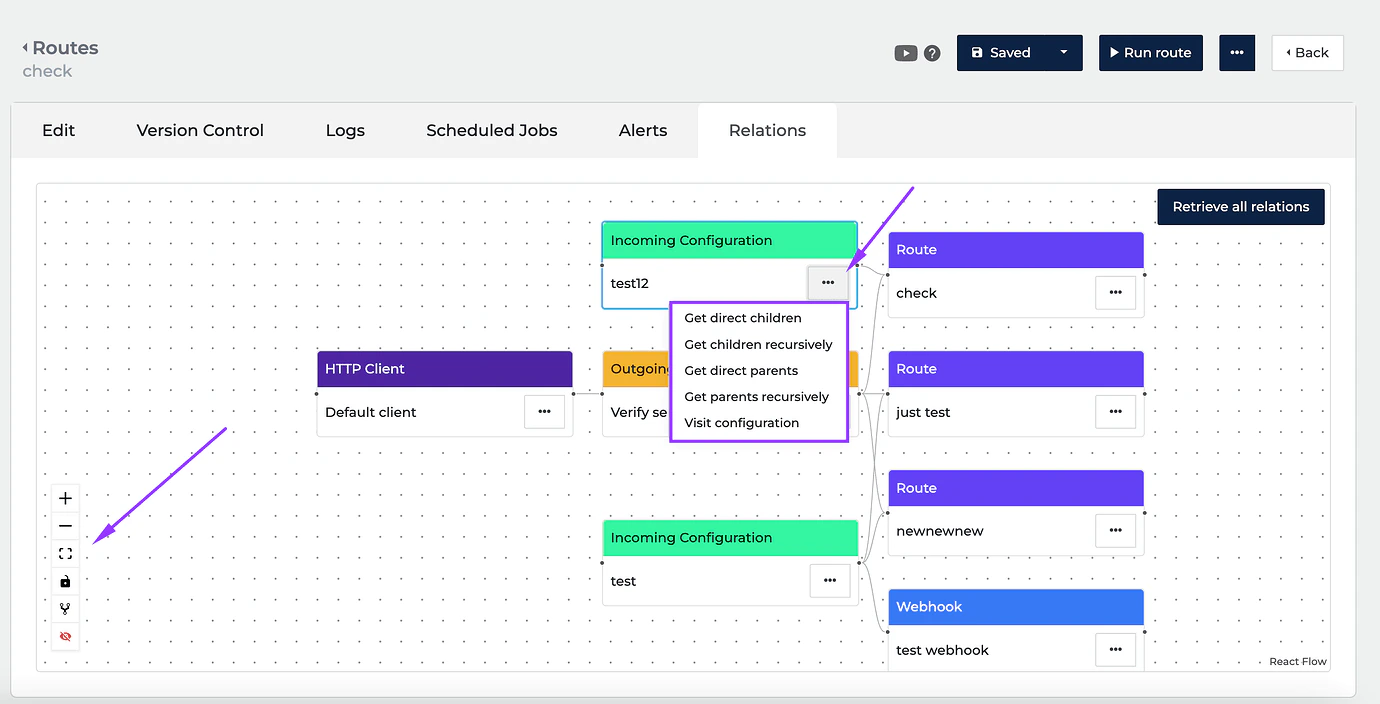
* **\[NEW]** We’ve enhanced the Relations overview of configurations! Now, the correct parent and children settings are loaded automatically when the Relations tab is opened. It’s also now possible to retrieve parent/children elements from the configurations and display connections between them.
We’re happy to announce our third release for this month with **Alumio version 3.38.0-RC1**. This one brings some crucial new updates to improve the flexibility and user-friendliness of the Alumio integration platform!
**Release notes**
* **\[NEW]** We’ve enhanced the Relations overview of configurations! Now, the correct parent and children settings are loaded automatically when the Relations tab is opened. It’s also now possible to retrieve parent/children elements from the configurations and display connections between them.
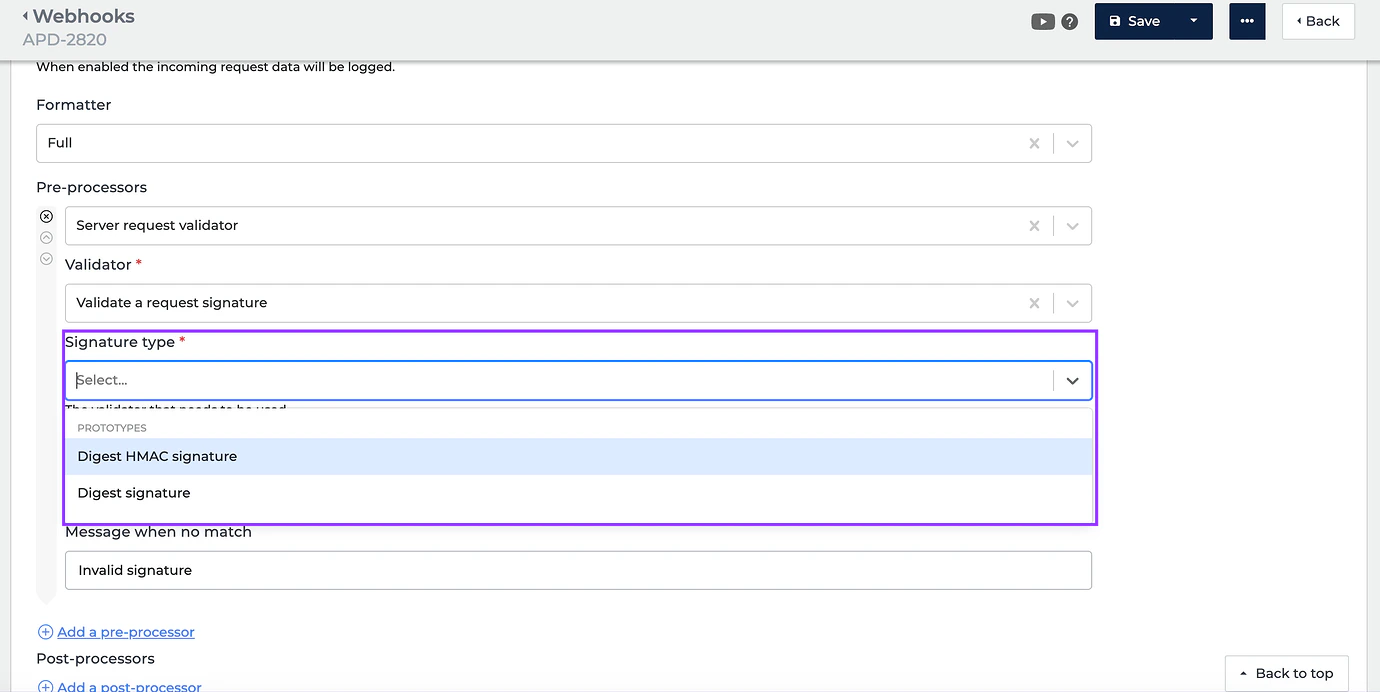
 * **\[NEW]** We’ve added the ability to verify the signature request validation of the webhook to ensure whether the webhook call is legit. At the moment, the signature type supports two options: “Digest HMAC signature” (the header name and key are required) and “Digest signature” (only the header name is needed).
 * **\[NEW]** We solved an issue where retrieving a token when using plugins on oAuth2.0 would result in an error.
**Release dates**
* Release candidate: 3.38.0-RC1 on 27-06-2023 (For usage on UAT)
* Stable release: 3.38.0 on 11-07-2023 (For usage on Production)
**How to update your environment**
Your UAT environment is always automatically updated every 2 weeks to the latest release candidate version. This happens on the same day as the release notes are published by Alumio.
**Note:** your production environment is NOT automatically updated to the next stable version. You can request production updates by contacting our Support Team via: [support@alumio.com](mailto:support@alumio.com). Our Support Team will perform the update in correspondence with your planning.
* **\[NEW]** We solved an issue where retrieving a token when using plugins on oAuth2.0 would result in an error.
**Release dates**
* Release candidate: 3.38.0-RC1 on 27-06-2023 (For usage on UAT)
* Stable release: 3.38.0 on 11-07-2023 (For usage on Production)
**How to update your environment**
Your UAT environment is always automatically updated every 2 weeks to the latest release candidate version. This happens on the same day as the release notes are published by Alumio.
**Note:** your production environment is NOT automatically updated to the next stable version. You can request production updates by contacting our Support Team via: [support@alumio.com](mailto:support@alumio.com). Our Support Team will perform the update in correspondence with your planning.