> ## Documentation Index
> Fetch the complete documentation index at: https://docs.alumio.com/llms.txt
> Use this file to discover all available pages before exploring further.
# Synchronization of Categories from Akeneo to Magento 2
## **Fetching Categories from Akeneo**
* In Alumio, go to **"Integrations → Incoming → Akeneo - Fetch - Categories"**.
* To get all categories from the Akeneo system, use an Incoming **"Akeneo - Fetch - Categories"**.
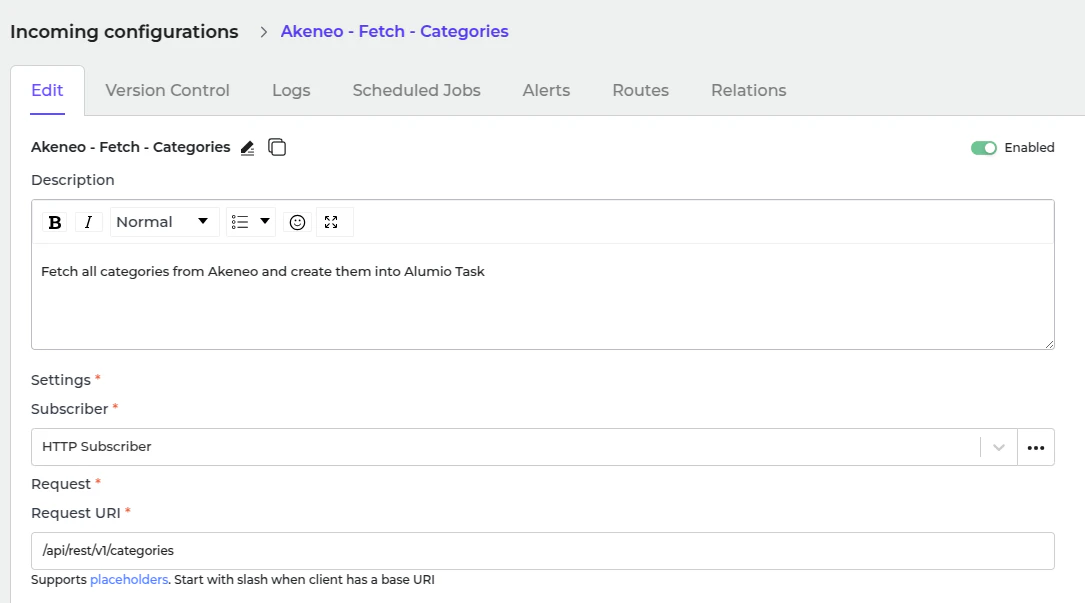 This incoming creates a task inside Alumio with data structured as Alumio base categories. There are some transformers inside this Incoming before processing the category.
1. Akeneo - Prepare convert category - Labels - To localizations.
2. Akeneo - Convert - Category - To Alumio Base.
3. Akeneo - Filter - Category.
**Akeneo - Prepare convert category - Labels - To localizations**
This transformer converts label data from Akeneo.
```json theme={null}
{
"labels": {
"de_DE": "E-commerce",
"en_GB": "E-commerce",
"en_US": "E-commerce",
"es_ES": "E-commerce",
"fr_FR": "E-commerce",
"it_IT": "E-commerce",
"nl_NL": "E-commerce",
"pt_PT": "E-commerce"
}
}
```
Since the current data structure is incompatible with Magento 2, the transformer "**Akeneo - Convert - Category - To Alumio Base**" is used to convert it into a compatible format.
```json theme={null}
{
"localizations": [
{
"localeCode": "de_DE",
"translation": "E-commerce"
},
{
"localeCode": "en_GB",
"translation": "E-commerce"
},
{
"localeCode": "en_US",
"translation": "E-commerce"
},
....
]
}
```
**Akeneo - Convert - Category - To Alumio Base.** This transformer converts the entire category data into Alumio Base data.
```json theme={null}
{
"code": "master",
"parent": null,
"localizations": [
{
"localeCode": "de_DE",
"translation": "E-commerce"
},
{
"localeCode": "en_GB",
"translation": "E-commerce"
},
{
"localeCode": "en_US",
"translation": "E-commerce"
},
{
"localeCode": "es_ES",
"translation": "E-commerce"
},
...
]
}
```
**Akeneo - Filter - Category**
* Use this transformer to filter previously created tasks into task categories to avoid duplication.
This incoming creates a task inside Alumio with data structured as Alumio base categories. There are some transformers inside this Incoming before processing the category.
1. Akeneo - Prepare convert category - Labels - To localizations.
2. Akeneo - Convert - Category - To Alumio Base.
3. Akeneo - Filter - Category.
**Akeneo - Prepare convert category - Labels - To localizations**
This transformer converts label data from Akeneo.
```json theme={null}
{
"labels": {
"de_DE": "E-commerce",
"en_GB": "E-commerce",
"en_US": "E-commerce",
"es_ES": "E-commerce",
"fr_FR": "E-commerce",
"it_IT": "E-commerce",
"nl_NL": "E-commerce",
"pt_PT": "E-commerce"
}
}
```
Since the current data structure is incompatible with Magento 2, the transformer "**Akeneo - Convert - Category - To Alumio Base**" is used to convert it into a compatible format.
```json theme={null}
{
"localizations": [
{
"localeCode": "de_DE",
"translation": "E-commerce"
},
{
"localeCode": "en_GB",
"translation": "E-commerce"
},
{
"localeCode": "en_US",
"translation": "E-commerce"
},
....
]
}
```
**Akeneo - Convert - Category - To Alumio Base.** This transformer converts the entire category data into Alumio Base data.
```json theme={null}
{
"code": "master",
"parent": null,
"localizations": [
{
"localeCode": "de_DE",
"translation": "E-commerce"
},
{
"localeCode": "en_GB",
"translation": "E-commerce"
},
{
"localeCode": "en_US",
"translation": "E-commerce"
},
{
"localeCode": "es_ES",
"translation": "E-commerce"
},
...
]
}
```
**Akeneo - Filter - Category**
* Use this transformer to filter previously created tasks into task categories to avoid duplication.
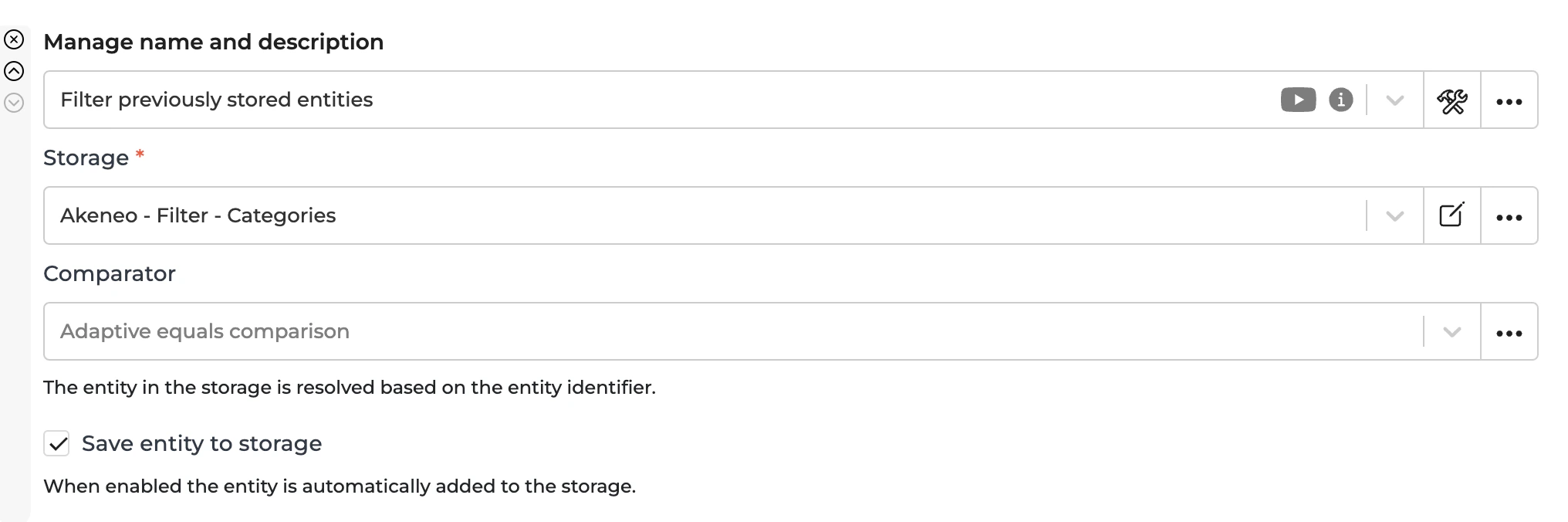 * To recreate a task, you should remove the entity from the storage **"Akeneo - Filter - Categories"**.
## **Sending Categories to Magento 2**
The task that is created through Incoming "**Akeneo - Fetch - Categories**" should be processed further by the Route "**Synchronize Categories - From Akeneo into Magento 2**" and will be sent using this Outgoing.
This Outgoing transforms Alumio Base Categories into Magento 2 categories and checks whether to create or update each category using data from the previous iteration of this Outgoing.
Sending the Outgoing will be processed by the transformer:
1. Magento 2 - Prepare convert - Category - Parent from Alumio Base Category.
2. Magento 2 - Convert - Category - from Alumio Base Category.
3. Magento 2 - Check and send - Category.
**Magento 2 - Prepare convert - Category - Parent id from Alumio Base Category.**
This transformer checks the parent and maps it into the Magento 2 id.
**Magento 2 - Convert - Category - from Alumio Base Category.**
This transformer converts the Category from Alumio Base into Magento 2.
**Magento 2 - Check and send - Collection**
This transformer checks the current Magento 2 id from the previous iteration of this transformer to determine whether we need to create or update the category in the Magento 2 System.
```json theme={null}
{
"category": {
"name": "Air Purifiers",
"position": "1",
"is_active": true,
"include_in_menu": true,
"parent_id": 1042
}
}
```
## **Automatic Categories Synchronization Setup**
* Go to **"Integrations → Schedulers → Akeneo - Fetch Categories"**.
* To recreate a task, you should remove the entity from the storage **"Akeneo - Filter - Categories"**.
## **Sending Categories to Magento 2**
The task that is created through Incoming "**Akeneo - Fetch - Categories**" should be processed further by the Route "**Synchronize Categories - From Akeneo into Magento 2**" and will be sent using this Outgoing.
This Outgoing transforms Alumio Base Categories into Magento 2 categories and checks whether to create or update each category using data from the previous iteration of this Outgoing.
Sending the Outgoing will be processed by the transformer:
1. Magento 2 - Prepare convert - Category - Parent from Alumio Base Category.
2. Magento 2 - Convert - Category - from Alumio Base Category.
3. Magento 2 - Check and send - Category.
**Magento 2 - Prepare convert - Category - Parent id from Alumio Base Category.**
This transformer checks the parent and maps it into the Magento 2 id.
**Magento 2 - Convert - Category - from Alumio Base Category.**
This transformer converts the Category from Alumio Base into Magento 2.
**Magento 2 - Check and send - Collection**
This transformer checks the current Magento 2 id from the previous iteration of this transformer to determine whether we need to create or update the category in the Magento 2 System.
```json theme={null}
{
"category": {
"name": "Air Purifiers",
"position": "1",
"is_active": true,
"include_in_menu": true,
"parent_id": 1042
}
}
```
## **Automatic Categories Synchronization Setup**
* Go to **"Integrations → Schedulers → Akeneo - Fetch Categories"**.
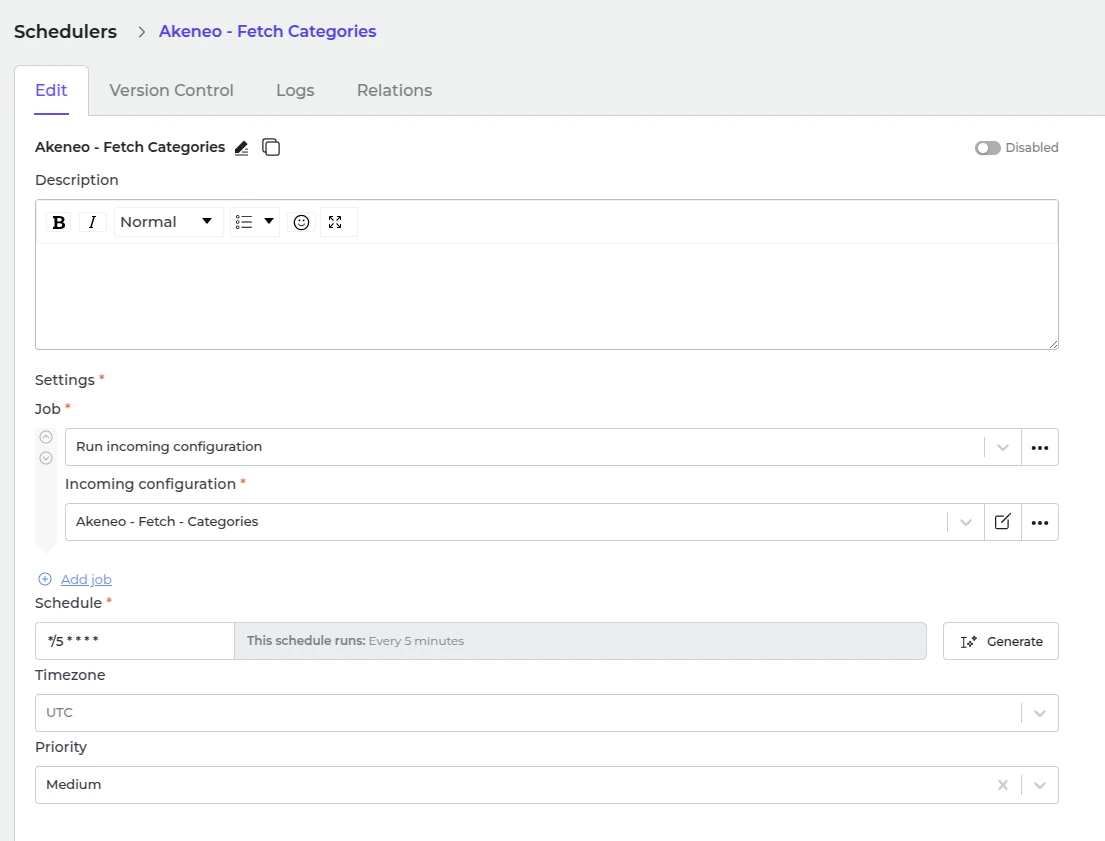 * Set a schedule expression and enable the configuration.
* Go to **"Integrations → Schedulers → Magento 2 - Send - Categories"**.
* Set a schedule expression and enable the configuration.
* Go to **"Integrations → Schedulers → Magento 2 - Send - Categories"**.
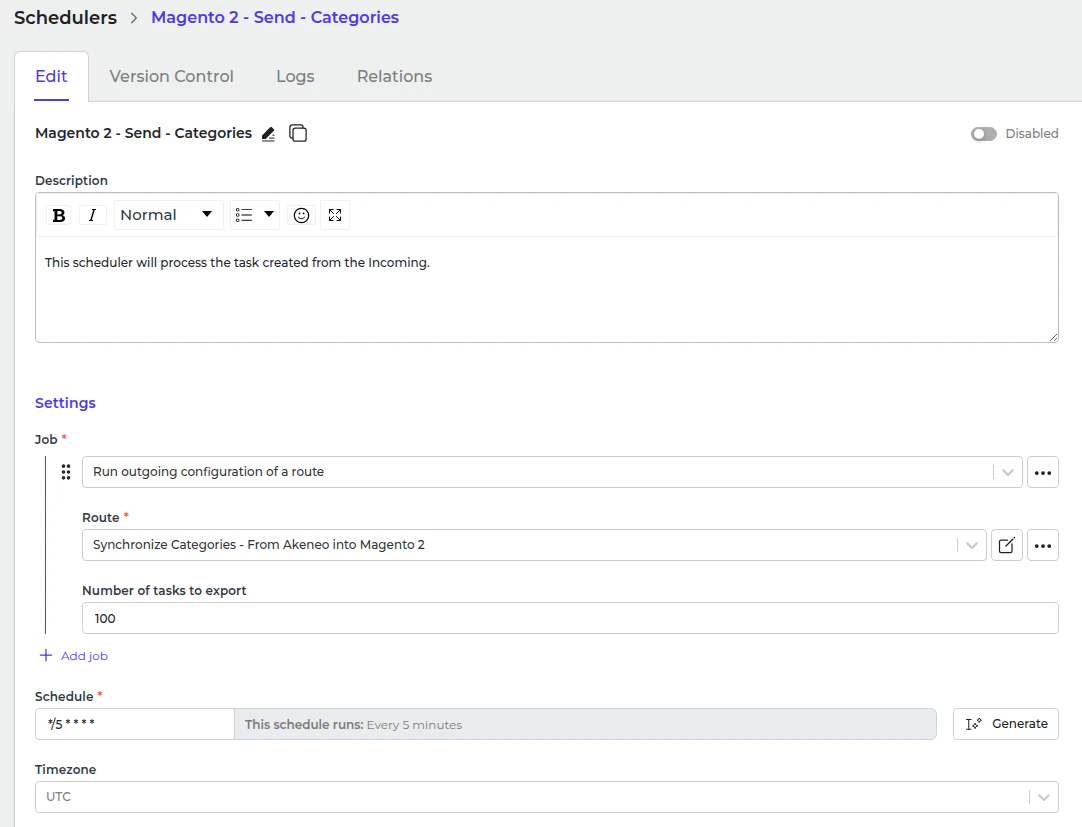 * Set a schedule expression and enable the configuration.